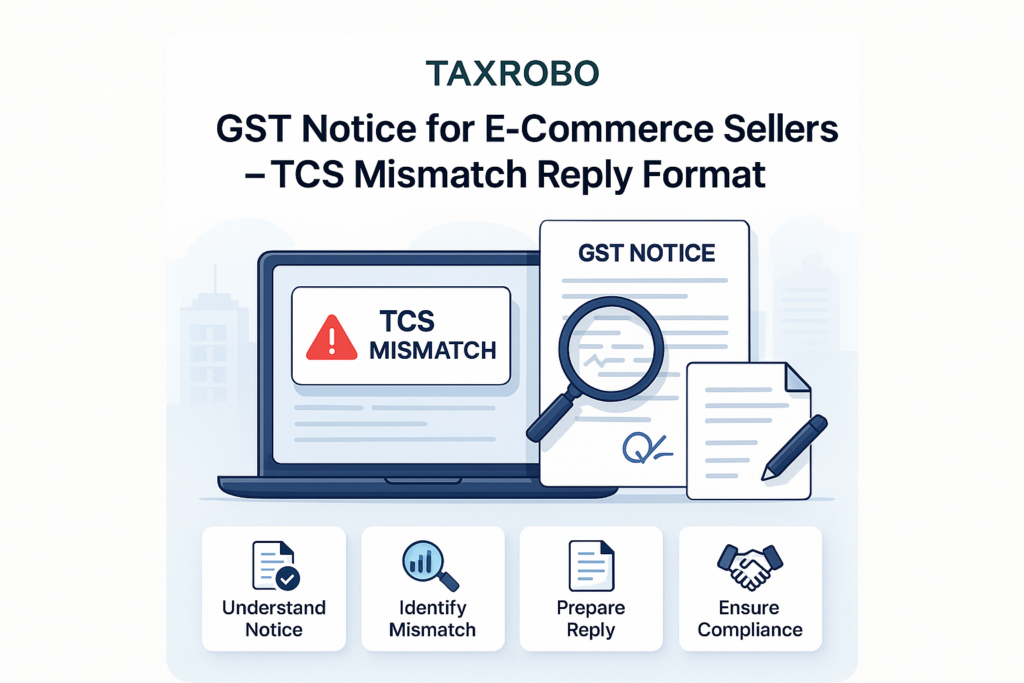

GST Notice for E-Commerce Sellers – TCS Mismatch Reply Format
Receiving an unexpected GST notice can be a stressful experience for any online seller. When that notice points out a mismatch in Tax Collected at Source (TCS), it can feel particularly confusing. With the government’s tax department using advanced data analytics, notices for TCS discrepancies are becoming increasingly common for businesses selling on platforms like Amazon, Flipkart, and Meesho. These e-commerce business tax issues can lead to hefty penalties if not addressed promptly and correctly. This comprehensive guide is designed to demystify the process, from understanding the notice to filing a professional response. We will provide a detailed TCS mismatch reply format specifically created for e-commerce sellers in India, empowering you to communicate effectively with the GST department and resolve the matter efficiently.
What is TCS under GST for E-Commerce Sellers?
Before diving into the reply format, it’s essential to understand what TCS is and how it functions in the e-commerce ecosystem. Understanding the basics of GST for E-commerce Sellers – Marketplace, TCS, Returns Explained forms the bedrock of a confident and accurate response to any notice you might receive.
Understanding the Basics of TCS (Section 52)
Under the GST regime, Section 52 of the CGST Act, 2017, mandates that e-commerce operators collect tax at source. An e-commerce operator, such as Amazon or Flipkart, is required to collect 1% tax (0.5% CGST + 0.5% SGST for intra-state sales or 1% IGST for inter-state sales) on the net value of taxable supplies made by you, the seller, through their platform. This “net value” is your total taxable sales minus any sales returns during the month. The operator then deposits this collected amount with the government and files a monthly return called GSTR-8, detailing all the sales and TCS collected for each seller.
How TCS Credit Works for You
The TCS collected by the e-commerce operator is not a cost to your business; it is a tax collected on your behalf. Once the operator files their GSTR-8, the TCS amount they collected from your sales is automatically reflected in your GSTR-2A and GSTR-2B on the GST portal. You can then claim this amount as a credit in your Electronic Cash Ledger. This credit can be used to pay your outstanding GST liability when you file your monthly GSTR-3B return. For a detailed walkthrough of the filing process, refer to our guide on How to File GST Returns Online: A Step-by-Step Guide of the GST Filing Process & Procedure. In essence, it works like an advance tax payment that you can utilize to settle your final tax bill, ensuring smoother cash flow and compliance.
Why Do TCS Mismatches Occur? Common Reasons for a GST Notice
A GST notice for a TCS mismatch can seem alarming, but it’s important to remember that these discrepancies are often due to clerical or reporting errors rather than intentional tax evasion. Understanding the common causes can help you quickly identify the root of the problem and prepare your response. The most frequent reasons for TCS mismatch in e-commerce transactions include:
- Incorrect GSTIN: A simple typo can be the culprit. If your GSTIN is incorrectly updated on the e-commerce platform’s seller portal, the operator might file TCS details against the wrong GSTIN, or it might not reflect in your account at all.
- Reporting Lags: Timing is everything. You might record a sale in your GSTR-1 for March, but if the customer receives the product in April, the e-commerce operator may report it in April’s GSTR-8. This difference in reporting periods is a very common source of mismatch.
- Sales Returns & Refunds: Discrepancies often arise from how sales returns are handled. You might have issued a credit note and adjusted it in your GSTR-1, but there could be a delay or difference in how the e-commerce operator accounts for that return in their TCS calculation.
- Gross vs. Net Value: You and the operator might be reporting different taxable values. For instance, the operator calculates TCS on the net value after returns, but there could be a mismatch if commissions or other fees are incorrectly factored into the taxable value reported by either party.
- Inter-State vs. Intra-State Sales: Incorrect classification of a sale can cause a significant mismatch. If you classify a sale as intra-state (CGST + SGST) while the operator reports it as inter-state (IGST), the tax heads won’t match, triggering a notice.
Step-by-Step Guide to Reconciling TCS Discrepancies
Before you even begin writing your response, thorough preparation is key. A well-prepared reconciliation is the foundation of a successful reply. This preparatory work is a critical part of the TCS discrepancies resolution India process.
Step 1: Gather and Consolidate Your Data
The first step is to collect all the necessary documents for the period mentioned in the notice. Think of yourself as a detective gathering evidence. You will need to download:
- The GST notice you received (often in Form ASMT-10).
- Your filed GSTR-1 and GSTR-3B returns from the GST Portal.
- The TCS details auto-populated in your GSTR-2A/2B (which shows the TCS credit you received).
- Detailed sales, returns, and commission reports from your e-commerce seller dashboard (e.g., Amazon or Flipkart seller central).
You can access your GST returns and TCS credit details by logging into the official GST Portal.
Step 2: Create a Reconciliation Statement
With all the data in hand, create a simple reconciliation statement in an Excel sheet. This will help you compare your records against the data reported by the e-commerce operator on a month-by-month basis. This statement will be the most important attachment in your reply.
Here’s a simple table structure you can use:
| Month | Gross Sales as per Your Books | Gross Sales as per Operator’s Report | Difference (Your Books – Operator’s Report) | Reason for Difference |
|---|---|---|---|---|
| Apr-23 | ₹1,00,000 | ₹95,000 | ₹5,000 | Sales returns processed |
| May-23 | ₹1,20,000 | ₹1,25,000 | -₹5,000 | Timing difference |
| Total | ₹2,20,000 | ₹2,20,000 | ₹0 | Reconciled |
Step 3: Pinpoint the Exact Reasons for Mismatch
Using your reconciliation statement, you can now pinpoint the exact transactions or reporting errors causing the discrepancy. For each difference you find, dig deeper and identify the root cause. Was it a sales return? A timing lag? An incorrect GSTIN? Collect supporting evidence for each point. This could include credit note details, communication emails with the platform’s support team, or bank statements that corroborate your sales figures. This meticulous approach will make your reply factual and undeniable.
The Definitive TCS Mismatch Reply Format for E-Commerce Sellers
Once your reconciliation is complete and you have all your evidence, it’s time to draft the reply. A clear, structured, and well-documented response is crucial for a quick resolution. For general guidance on responding to any GST notice, our How to Respond to a GST Show Cause Notice: A Step-by-Step Guide can be very helpful. This professional GST notice response format India is what tax officers expect and appreciate.
Essential Components of Your GST Notice Response
Your reply should be structured like a formal business letter and include the following key components:
- Header: Your Business Name, GSTIN, Address, the DIN/Notice Reference Number, and the date of your reply.
- Subject Line: A clear and concise subject line that immediately informs the officer what the letter is about.
- Body: A point-wise rebuttal addressing each allegation or discrepancy raised in the notice. Avoid long, narrative paragraphs; stick to the facts.
- Supporting Annexures: Reference and attach all supporting documents, such as the reconciliation sheet, copies of credit notes, and reports from the e-commerce platform.
- Prayer: A formal concluding paragraph politely requesting the officer to review your submission and drop the proceedings.
Sample GST Reply Format for E-Commerce Sellers (Template)
Here is a template you can adapt. Remember to fill in the bracketed information with your specific details.
Subject: Reply to Show Cause Notice vide DIN/Ref No. [Insert Notice Number] dated [Insert Notice Date]
To,
The Proper Officer,
[Insert Jurisdiction/Ward]
[Address of the GST Office]
Respected Sir/Madam,
Paragraph 1 (Acknowledgement): This is with reference to the show-cause notice cited above, issued to us, [Your Business Name] (GSTIN: [Your GSTIN]), regarding an alleged mismatch in TCS details as reported by the e-commerce operator in their GSTR-8 and the turnover declared in our GSTR-1/3B returns for the period [Mention Period, e.g., FY 2022-23]. We have carefully reviewed the contents of the notice and are providing our point-wise submission below for your kind perusal.
Paragraph 2 (Factual Submission & Reconciliation): The alleged discrepancy highlighted in the notice is primarily due to [State the main reason, e.g., timing differences in reporting of sales, accounting for sales returns, and incorrect classification by the operator]. We have conducted a thorough reconciliation of our sales records with the data provided by the e-commerce operator. We are providing a detailed month-wise reconciliation statement for the financial year [FY] as Annexure-A.
Paragraph 3 (Point-wise Explanation): To elaborate further, we provide a specific explanation for the major points of difference:
- For the month of [Month, e.g., May 2023]: The difference of INR [Amount] arose because of sales returns processed via credit notes CN-001 to CN-015. We have correctly reported the net turnover in our GSTR-1, whereas the operator’s reporting seems to have a lag. A complete list of these credit notes is attached as Annexure-B.
- For the month of [Month, e.g., July 2023]: The mismatch of INR [Amount] is due to a timing difference. Certain sales made at the end of June 2023 were reported by the operator in July 2023, which we had correctly reported in our June returns. The reconciliation in Annexure-A clarifies this timing gap over the two-month period.
(Continue with more points as needed to explain all discrepancies)
Paragraph 4 (Prayer/Conclusion): In light of the facts presented above, the detailed reconciliation statement, and the supporting documentary evidence attached herewith, it is clear that there is no short payment of tax or willful misstatement from our end. The differences are procedural and have been fully explained. We humbly request your good office to review our submission and graciously drop the proceedings initiated by the said notice.
We assure you of our full cooperation in this matter.
Thanking you.
Sincerely,
For [Your Business Name],
[Your Name/Authorized Signatory]
[Your Designation]
Annexures Attached:
1. Annexure-A: Month-wise Reconciliation Sheet for FY [FY].
2. Annexure-B: List of Credit Notes with details for the period.
3. Annexure-C: Sales Reports from E-commerce Portal.
How to Submit Your Reply on the GST Portal
Once your reply and all annexures are ready in PDF format, you need to submit them online. Following these steps is key to handling GST notices for online businesses correctly.
- Log in to the GST Portal.
- Navigate to Services > User Services > View Additional Notices/Orders.
- Find the relevant notice by its reference number and click on the “Reply” link next to it.
- You can either type a brief summary of your response in the text box or simply write “Detailed reply attached.” It is highly recommended to attach your detailed, formally drafted reply as a single PDF file.
- Upload your main reply PDF and all supporting annexures as separate PDF/JPEG files (up to 5 attachments are allowed, each up to 5 MB).
- Submit the reply using a DSC (Digital Signature Certificate) for companies/LLPs or an EVC (Electronic Verification Code) for other taxpayers.
Conclusion: Proactive Steps for E-Commerce GST Compliance
Facing a GST notice for TCS mismatch can be daunting, but with a systematic approach, it is entirely manageable. The key is to act promptly, reconcile your data meticulously, maintain clear and organized records, and use a structured TCS mismatch reply format when communicating with the tax authorities. By presenting a fact-based, well-documented case, you can resolve the issue without any penalties. To prevent such issues in the future, make e-commerce seller GST compliance a monthly habit. Regularly download your sales reports and compare them with the TCS details auto-populating in your GSTR-2A/2B. This proactive check can help you identify and rectify discrepancies before they become the subject of a notice.
Navigating GST notices can be complex. If you need expert assistance in drafting a professional reply or managing your overall GST compliance, the specialists at TaxRobo are here to help. Contact us today to ensure your business stays compliant and stress-free.
Frequently Asked Questions (FAQs)
Q1. What is the time limit to reply to a GST notice for TCS mismatch?
A: The time limit is always specified in the notice itself. Typically, you are given 15 or 30 days from the date of the notice to file your reply. It is crucial to adhere to this deadline to avoid any adverse action from the tax department.
Q2. What happens if I ignore a GST notice?
A: Ignoring a GST notice is a serious mistake. If you fail to respond within the stipulated time, the tax officer may pass an ex-parte (one-sided) order based on the information they have. This usually means they will confirm the tax demand against you, along with applicable interest and penalties.
Q3. The mistake is from the e-commerce operator’s end. What should I do?
A: Even if the error lies with the e-commerce operator, you are still obligated to reply to the notice issued to you. In your GST reply format for e-commerce sellers, state the facts clearly and provide evidence showing the error is in the operator’s GSTR-8 filing. Attach any communication you have had with the operator’s support team regarding the correction. Your responsibility is to present your side of the story to the tax officer.
Q4. Can TaxRobo file the reply on my behalf?
A: Absolutely. Our team of GST experts specializes in handling such notices. We can manage the entire process for you, from detailed data reconciliation and analysis to drafting a professional, legally sound reply and filing it on the GST portal. This ensures complete peace of mind and the best possible outcome for your business. Explore our TaxRobo GST Service for more details.