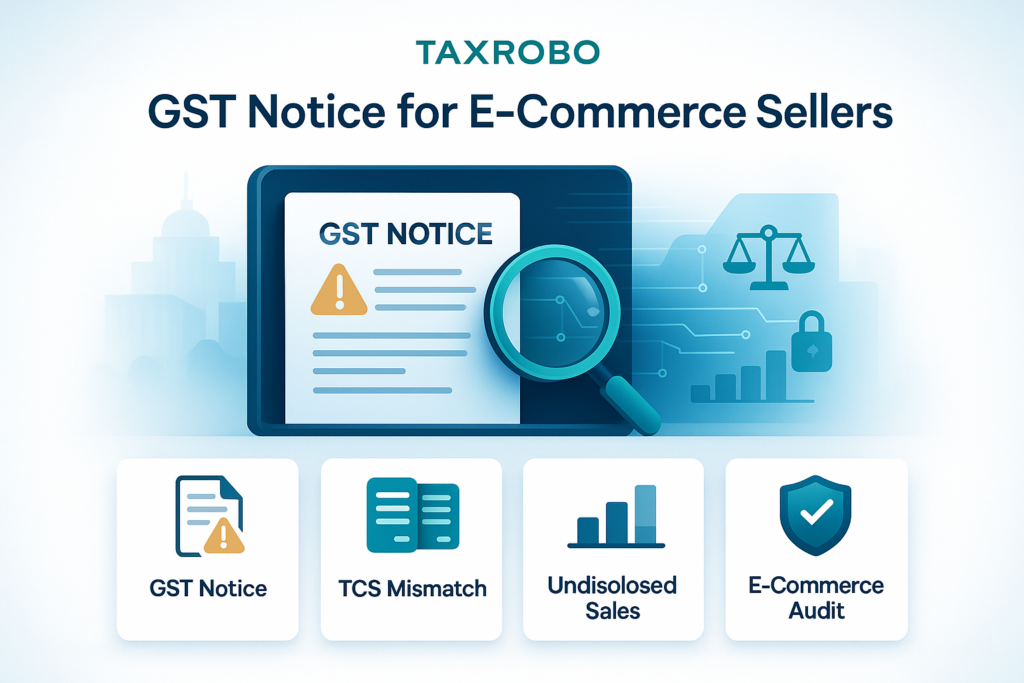

GST Notice for E-Commerce Sellers – A Complete Guide to Handling TCS Mismatch & Undisclosed Sales
You’ve been successfully running your online store on Amazon or Flipkart, and suddenly, an official-looking email from the GST department lands in your inbox. It’s a notice about a TCS mismatch. What does it mean, and what should you do? For many online sellers in India, receiving a formal communication from the tax authorities can be an intimidating experience. These notices, particularly the TCS mismatch notice e-commerce sellers are receiving, are becoming increasingly common due to the GST department’s sophisticated automated data-matching systems. This guide is here to assure you that with the right knowledge and a clear plan, you can handle this situation confidently. We will break down everything you need to know about these GST notice for e-commerce businesses, explaining what TCS is, why mismatches occur, and providing a step-by-step process to resolve the notice effectively and ensure your business remains compliant.
What is TCS under GST and Why is it Crucial for E-commerce Sellers?
Before diving into how to handle a notice, it’s essential to understand the underlying mechanism that triggers it. The concept of Tax Collected at Source (TCS) is a cornerstone of e-commerce GST compliance in India. It’s a system designed by the government to create a transparent trail of transactions happening across various online platforms, ensuring that all sales are accurately reported and taxed. For you as a seller, understanding this system is the first step towards preventing future discrepancies and maintaining a healthy compliance record.
Demystifying TCS (Tax Collected at Source) in GST
In the simplest terms, TCS is a tax collected by an E-commerce Operator (ECO) – think of platforms like Amazon, Flipkart, Myntra, or Meesho – from the payment they make to you, the seller. The current rate for TCS under GST is 1% of the net value of taxable supplies you make through their platform. This 1% is further broken down depending on the nature of the sale: for intra-state sales (within the same state), it is collected as 0.5% CGST and 0.5% SGST; for inter-state sales (between different states), it is collected as 1% IGST. The primary purpose of this mechanism is not to impose an extra tax on you but to create a check and balance system. By making the ECO report the sales conducted on their platform, the government can cross-verify these figures with the sales you declare in your own GST returns, ensuring transparency and plugging potential tax leakages in the vast e-commerce ecosystem.
How TCS Works: The Role of E-commerce Operators (ECOs)
The responsibility for TCS compliance lies squarely with the E-commerce Operator. Their role is multifaceted. First, for every sale you make, they calculate and deduct the 1% TCS from the amount payable to you after their commission and other charges. Second, they are required to deposit this collected tax with the government by the 10th of the following month. The most crucial part of their role, and the one that directly impacts you, is the filing of a monthly return called GSTR-8. In this return, the ECO provides a detailed, GSTIN-wise breakdown of all the sales made by sellers on their platform and the corresponding TCS that was collected. This GSTR-8 data is the source document that the GST department’s systems use to automatically compare against your declared turnover, making it a critical piece of the compliance puzzle.
Where to Find Your TCS Credit in the GST Portal
The good news is that the TCS deducted by the ECO is not a cost to your business. It is your money, held in trust by the government. After the ECO files their GSTR-8, the TCS amount they collected on your behalf automatically reflects in your electronic cash ledger on the GST portal. You can view these details in your Form GSTR-2A (a dynamic, real-time statement) and Form GSTR-2B (a static, monthly statement). When you file your monthly GSTR-3B return, you can claim this TCS amount as a credit to offset your final GST liability. This effectively reduces your cash outflow for tax payments. To check this, you can log in to the official GST Portal and navigate to the ‘TCS credit received’ section.
Decoding the GST Notice: Common Reasons for TCS Mismatch
Now, let’s address the core issue. You’ve received a notice, and panic might be setting in. The key is to understand exactly what the notice is saying and why it was generated. These notices are usually auto-generated by the GST Network (GSTN) when its algorithms detect a variance between two different data sets: what your e-commerce platform says you sold and what you say you sold. While this guide focuses on TCS mismatch, a similar process applies to other discrepancies, and you can learn How to Resolve ITC Mismatch Issues – GSTR-2A/2B vs 3B Guide in our detailed article.
What is a TCS Mismatch Notice for E-commerce Sellers?
A TCS mismatch notice e-commerce sellers receive is an official intimation from the GST department highlighting a discrepancy between two key figures. The first figure is the turnover reported by your ECO in their GSTR-8 return. The second figure is the turnover you declared in your own GSTR-1 (statement of outward supplies) and GSTR-3B (summary return). When the value reported by the ECO is higher than the value you reported, the system flags it as a potential case of under-reported sales. The direct implication is that the tax department suspects you have not paid the correct amount of GST. This is why such a notice is often considered an undisclosed sales notice for e-commerce sellers, as the department’s preliminary assumption is that the higher sales figure is the correct one, and the difference represents sales you have not disclosed.
Top 5 Reasons for a TCS Mismatch E-commerce India
Understanding the root cause of the mismatch is crucial for drafting an effective reply. While it might seem like a major error, most TCS issues faced by e-commerce sellers stem from simple, explainable reasons. Here are the top five causes for a TCS mismatch e-commerce India:
1. Sales Returns: This is the most common culprit. You may have correctly reduced your turnover in GSTR-1 to account for customer returns. However, the ECO might report the gross sales value in their GSTR-8 for that month and account for the returns in a subsequent month’s filing, leading to a temporary mismatch.
2. Reporting Errors: A simple human error, like a typo or a miscalculation while entering sales figures in your GSTR-1 or GSTR-3B, can easily trigger a notice. For instance, reporting a sale of ₹50,000 as ₹5,000.
3. Timing Difference: Mismatches often arise due to different accounting periods. You might record a sale on the 30th of the month when the order is placed, but the ECO might report it in the next month when the payment is settled. This difference in reporting cycles is a frequent cause of discrepancies.
4. ECO Errors: Mistakes aren’t always on your end. The e-commerce operator could make an error while filing their GSTR-8. They might report sales against an incorrect GSTIN or make a data entry error, attributing someone else’s sales to your account.
5. Exempt/Non-GST Supplies: If you sell products that are exempt from GST or are non-GST supplies (like books), you would not include them in your taxable turnover. However, the ECO’s reporting system might not differentiate these and could report the gross value, causing a mismatch with your taxable sales figure.
Step-by-Step Guide to Handling TCS Mismatch E-commerce Notices
Receiving a notice is the start of a process, not the end of the road. A systematic and calm approach is all you need. Following these steps will help you resolve the issue efficiently and demonstrate your commitment to compliance.
Step 1: Acknowledge the Notice, Don’t Ignore It
The single biggest mistake you can make is ignoring a GST notice. These are time-sensitive communications. The notice will clearly mention a deadline for you to submit your reply, which is typically between 7 and 15 days. Failing to respond within this timeframe can lead to serious consequences, including the officer passing an order based on the information they have (a best-judgment assessment) and levying penalties and interest. Your first action should be to carefully read the notice, understand the period for which the discrepancy is being reported, and note the deadline for your response.
Step 2: Perform a Thorough Reconciliation
This is the most critical part of the entire process. Your reply must be backed by data, and that requires a detailed reconciliation. Here’s a simple checklist to follow:
1. Download Data: First, log in to your account on the GST Portal and download your GSTR-2A or GSTR-2B for the specific period mentioned in the notice. This will show you the exact sales figures reported by the ECO. Next, log in to your seller dashboard on the respective e-commerce platform (e.g., Amazon Seller Central, Flipkart Seller Hub) and download your detailed sales reports, payment reports, and sales return reports for the same period.
2. Compare Figures: Create a simple spreadsheet (using Excel or Google Sheets) for a month-wise comparison. In one column, enter the sales figures as per the ECO (from GSTR-2A/2B). In the adjacent column, enter the sales figures you reported in your GSTR-1.
3. Pinpoint Discrepancies: The spreadsheet will clearly highlight the exact months and the amount of the mismatch. Now, use your detailed seller reports to investigate the difference. Was it due to sales returns? Was there a large order reported in a different month? This is where you identify the root cause.
Step 3: Draft a Clear and Factual Reply
Once you have identified the reasons for the mismatch, you need to communicate them clearly to the tax officer. A well-structured reply is key.
- Cover Letter: Begin with a formal letter. Address it to the issuing officer and clearly state the notice reference number and date. Acknowledge receipt of the notice and state that you are submitting your reply.
- Reconciliation Statement: Attach the detailed, month-by-month reconciliation sheet you prepared in Step 2. This provides the officer with a clear, data-driven overview of the situation.
- Explanation: In the main body of your reply, provide a point-by-point explanation for each discrepancy you identified. For example: “The mismatch of ₹15,000 in the month of October 2023 is attributed to sales returns for Order ID #12345, processed on 25/10/2023. The credit note and the corresponding extract from our ECO sales report are attached as Annexure-A for your reference.”
- Supporting Documents: Words are good, but proof is better. Always attach supporting documents. This includes copies of your ECO sales reports, credit note details for returns, bank statements showing settlements, and any communication with the ECO regarding reporting errors.
Step 4: File the Reply and Take Corrective Action
Your complete reply, along with all annexures, must be filed electronically on the GST portal. After submitting, ensure you save the acknowledgement receipt (ARN) for your records. The next step depends on the reason for the mismatch. If the investigation reveals that the error was indeed on your part (for example, you genuinely under-reported sales), you must take corrective action immediately. This involves paying the differential tax amount along with any applicable interest using Form DRC-03. You should also correct the sales figures in your GSTR-1 for the earliest possible period. This proactive step shows the officer that you are a compliant taxpayer. For a refresher on the filing procedure, refer to our guide, How to File GST Returns Online: A Step-by-Step Guide of the GST Filing Process & Procedure.
Proactive Tips for TCS Compliance for Online Sellers
The best way to handle a GST notice is to avoid getting one in the first place. Adopting a few good habits as part of your regular business operations can save you significant time, stress, and potential financial liabilities. This is a crucial part of any e-commerce sales tax filing guide. Many of these foundational topics are covered in our guide to GST for E-commerce Businesses: Key Considerations.
Make Monthly Reconciliation a Habit
Don’t wait for the tax department to find a problem. Make reconciliation a non-negotiable part of your monthly accounting process. Before you file your GSTR-3B each month, take an hour to download your GSTR-2B and compare the TCS figures with your own sales records for that month. This simple habit helps you catch any discrepancies at the source, allowing you to rectify them or contact your ECO for clarification immediately, long before they can escalate into a formal notice.
Maintain Meticulous Records
Good bookkeeping is the foundation of good tax compliance. For e-commerce sellers, this means maintaining organized and detailed records. Keep separate ledgers for sales from different platforms like Amazon and Flipkart. Maintain a clear record of all sales returns, with corresponding credit note details. Ensure your bank statements are reconciled with the payments received from ECOs. Using reliable accounting software can automate much of this process and provide an accurate financial picture of your business at any given time.
When in Doubt, Seek Professional Help
Navigating e-commerce GST compliance in India can be complex, and the rules are constantly evolving. If you find the reconciliation process overwhelming, are unsure how to reply to a notice, or simply want to ensure your business is 100% compliant, it is always wise to seek professional help. The experts at TaxRobo specialize in handling GST matters for e-commerce businesses. We can manage everything from your monthly GST filings to responding professionally to any departmental notices, allowing you to focus on what you do best: growing your business.
Conclusion
Receiving a TCS mismatch notice for e-commerce sellers can be concerning, but it is a manageable and often solvable issue. The entire process is designed to ensure transparency, and a notice is simply the department’s way of seeking clarification. The key is to adopt a systematic approach: acknowledge the notice promptly, perform a thorough data reconciliation to identify the root cause, and submit a clear, well-documented reply within the stipulated time. By doing so, you demonstrate your diligence and commitment to compliance. More importantly, making proactive monthly reconciliation a core business practice is the most effective strategy to prevent such GST notice for e-commerce businesses in the future.
Don’t let GST notices disrupt your business. Contact TaxRobo today for expert assistance with your GST compliance and notice management.
Frequently Asked Questions (FAQs)
1. What is the time limit to reply to a GST notice for TCS mismatch?
The time limit is always clearly mentioned in the notice itself. Typically, you are given between 7 and 15 days from the date the notice is issued. It is absolutely crucial to adhere to this timeline to avoid adverse actions from the tax officer.
2. The mistake is from Amazon/Flipkart’s side. What should I do?
Even if the error originates from the E-commerce Operator (ECO), the responsibility to reply to the notice lies with you, as the notice is addressed to your GSTIN. In your reply, you must clearly state that the discrepancy is due to an error in the ECO’s GSTR-8 filing. Substantiate your claim by providing your own accurate sales data, reports from your seller dashboard, and bank statements as proof. Simultaneously, you should raise a support ticket or formal complaint with the e-commerce platform to get their GSTR-8 return rectified for the said period.
3. What happens if I don’t respond to the notice?
Ignoring a notice is a serious compliance lapse. If you fail to respond within the given timeframe, the tax officer is empowered to proceed with a “best judgment assessment.” This means they will confirm the tax demand based on the data available to them (i.e., the higher sales figure reported by the ECO). This will result in an order demanding the differential tax amount, along with mandatory interest and potentially heavy penalties.
4. Is TCS an additional tax on my sales?
No, TCS is not an additional tax burden on your business. It should be viewed as an advance tax that is collected on your behalf by the e-commerce platform. The entire amount of TCS collected is made available to you as a credit in your electronic cash ledger on the GST portal. You can use this credit to pay your final GST liability when you file your GSTR-3B, thereby reducing your cash payment.