
A Complete Guide to the REG-03 Notice Reply Format for Business Address Verification
Meta Description: Received a REG-03 notice for business address verification? Learn how to reply with our step-by-step guide, reply format, and list of required documents to ensure GST compliance in India.
REG-03 Notice for Business Address Verification – A Step-by-Step Reply Format
Receiving a notice from the GST department can be stressful, especially when you are just starting your business. But don’t panic! A notice in Form GST REG-03 is a standard part of the business address verification process India uses to ensure all details on your GST application are accurate and legitimate. Think of it less as a penalty and more as a request for more information. This notice, officially a Show Cause Notice (SCN), is issued by a GST officer when they need clarification or additional documents regarding your application, most commonly related to your principal place of business. Responding promptly and correctly is crucial for getting your Goods and Services Tax Identification Number (GSTIN) approved without unnecessary delays. This comprehensive article provides a detailed REG-03 notice reply format and a clear, actionable guide on how to respond effectively, ensuring your application gets back on track.
Why Did You Receive a GST REG-03 Notice for Address Verification?
It’s important to understand that a REG-03 notice is not an accusation of wrongdoing. It is simply a procedural query from a tax officer who is performing their due diligence. The officer’s goal is to be fully satisfied with the legitimacy of your principal place of business before issuing a GSTIN. This verification step is a critical part of maintaining the integrity of the GST system and preventing the registration of fraudulent or non-existent businesses. When your submitted documents or the details in your application raise questions, the officer uses Form REG-03 to formally seek answers. By providing a clear and well-documented response, you are simply completing a necessary step in the registration journey.
Common Triggers for a Business Address Verification Notice
Several common issues can trigger a GST REG-03 notice. Being aware of these can help you not only reply effectively but also prepare a stronger initial application in the future.
- Incomplete or Unclear Documents: This is the most frequent reason. The address proof you submitted, such as an electricity bill or rent agreement, might be illegible due to a poor scan, expired (e.g., an old utility bill), or incomplete (e.g., missing pages from a rent agreement).
- Failed Physical Verification: In some cases, a GST officer may conduct a physical visit to the address mentioned in your application. If they find the premises locked, the business not yet operational, no signboard, or no one present who can confirm the business activity, they will issue a notice seeking clarification.
- Mismatched Address Details: Discrepancies between different documents can raise red flags. For example, the address on your GST application might be slightly different from the address printed on your rental agreement or property tax receipt. Even minor differences like “First Floor” versus “1st Floor” can trigger a query.
- Use of Residential or Virtual Addresses: While permissible, using a residential address for business requires specific documentation, such as a No Objection Certificate (NOC) from the property owner. Similarly, the use of virtual office or co-working space addresses can sometimes lead to additional scrutiny to ensure there is a genuine place of business. Proper documentation is key for REG-03 notice compliance for Indian businesses.
Documents You Need to Prepare for Your Reply
Before you start drafting your response, gathering the correct and complete documentation is the most critical step. Your written clarification is only as strong as the documentary proof you provide to support it. Make sure all scanned documents are clear, legible, and complete. The list of required documents varies based on the ownership of your business premises.
Essential Proof of Principal Place of Business
Here is a breakdown of the primary documents you will need, categorized by the type of property.
- For Owned Property:
- Latest Property Tax Receipt OR
- Municipal Khata Copy OR
- Copy of Electricity Bill: This must be recent, preferably not older than two months, and in the name of the owner.
- For Rented or Leased Property:
- Copy of the Rent/Lease Agreement: Ensure the agreement is valid for the current period and is not expired. It should be comprehensive and, if required by your state’s laws, notarized.
- No Objection Certificate (NOC): A letter from the property owner stating they have no objection to you using their premises for the specified business purpose.
- Proof of Ownership for the Landlord: You must also attach a document proving the landlord’s ownership, such as their latest electricity bill or a property tax receipt.
- For Consent-Based Premises (e.g., using a family member’s property without rent):
- Copy of the Consent Letter or NOC: A formal letter from the property owner (even a parent or spouse) granting you permission to use the address for your business.
- Proof of Ownership: A copy of the owner’s latest utility bill (electricity, water) or property tax receipt to validate their ownership of the premises.
Additional Supporting Documents to Strengthen Your Case
To make your case foolproof and address any potential follow-up questions, consider including these additional documents. Fulfilling the business address verification requirements India mandates is easier when you provide overwhelming proof.
- Photographs: Clear photos of your business premises are highly effective. Include pictures of the exterior showing the building and a visible signboard with your business name and GSTIN (if you have a provisional one). Also, include photos of the interior showing the office setup or operational area.
- Bank Documents: A copy of a recent bank statement or a canceled cheque that clearly shows the business address can serve as strong secondary evidence.
- Other Licenses: If you have other business licenses registered to the same address, such as a Shop and Establishment License or a local trade license, submitting a copy can further validate your claim.
The Complete REG-03 Notice Reply Format and Submission Guide
This section provides the exact business address verification notice response format and a walkthrough of the online submission process on the GST portal. Following these steps meticulously is the key to ensuring your clarification is accepted and your application is processed swiftly. It is crucial to maintain a professional and polite tone in your written communication with the tax authorities.
Step 1: Drafting the Clarification Letter
You should prepare a formal letter that clearly addresses the query raised in the notice. You can use the template below as a guide. Customize it with your specific details and the list of documents you are submitting. This letter will be attached along with your other documents.
Date: [Date of Reply]

To,
The Proper Officer,
[Jurisdiction/Ward mentioned in the notice]
GST Department

**Subject: Reply to Show Cause Notice in Form GST REG-03 regarding Application Reference Number (ARN) - [Your ARN]**

**Reference: Notice Number - [Notice Number], Dated - [Date of Notice]**

Respected Sir/Madam,

This is in reference to the Show Cause Notice received on [Date of Notice] with the aforementioned ARN, wherein a clarification has been sought regarding our principal place of business.

We understand the query raised is concerning [Briefly and politely state the query mentioned in the notice, e.g., "the validity of the address proof submitted" or "the physical verification of the premises"].

In this regard, we wish to submit the following clarification and supporting documents to verify our principal place of business located at [Your Full Business Address]:

1.  [e.g., Copy of the valid Rent Agreement for the premises.]
2.  [e.g., No Objection Certificate (NOC) from the property owner, [Owner's Name].]
3.  [e.g., Copy of the latest Electricity Bill for the premises in the owner's name as proof of ownership.]
4.  [e.g., Photographs of the office premises, including the exterior with the company signboard and the interior office setup.]
5.  [e.g., Copy of the Shop and Establishment License registered at the same address.]

All the required documents are attached herewith for your kind perusal. We affirm that all the information provided is true and correct to the best of our knowledge.

We humbly request you to kindly review our submission, accept our clarification, and approve our application for GST registration at the earliest.

Thank you for your consideration.

Sincerely,
[Your Name/Name of Authorised Signatory]
[Your Business Name]
[Your Contact Number]
Step 2: Filing the Reply on the GST Portal
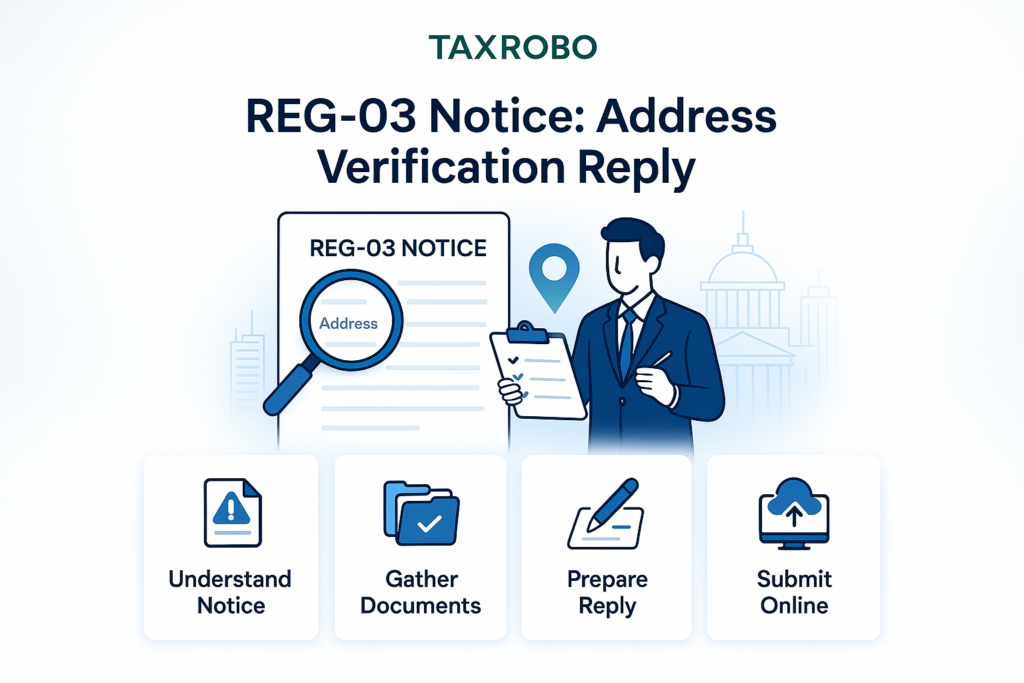
Once your clarification letter and scanned documents are ready, you need to file your response online. Here are the steps to reply REG-03 notice India:
- Login: Navigate to the official GST Portal and log in with the credentials (TRN) you used for the application.
- Navigate: On your dashboard, go to Services > Registration > Application for Filing Clarifications.
- Enter ARN: You will be prompted to enter the Application Reference Number (ARN) that was mentioned in your REG-03 notice. Enter it and click ‘Search’.
- Review Notice: The system will display the notice issued by the officer. Read it carefully again to ensure your reply addresses all the queries raised.
- File Reply: Look for the ‘Reply’ section. In the ‘Clarification’ text box, you can either paste the body of the letter you drafted above or write a concise summary of your clarification.
- Upload Documents: Use the ‘Choose File’ button to upload your clarification letter and all the scanned supporting documents. Ensure they are in the prescribed format (usually PDF or JPEG) and within the specified size limit (typically 1 MB per document).
- Submit: After uploading all files, select the name of the authorized signatory from the drop-down menu, enter the place, and submit the application. You will need to authenticate it using either a Digital Signature Certificate (DSC) for companies and LLPs or an Electronic Verification Code (EVC) sent to your registered mobile number for other applicants.
What to Expect After Submitting Your Reply
Your job isn’t quite finished after you click ‘Submit’. It is important to know the potential outcomes and to monitor the status of your application. The tax officer is required to take action on your reply within a specific timeframe.
Possible Outcomes and Timelines
- Approval: If the officer is satisfied with your clarification and the documents you’ve provided, they will approve your application. You will receive your GST registration certificate (Form GST REG-06) and your GSTIN, typically within 7 working days of your submission. You will be notified via email and SMS.
- Rejection: If your reply is found to be unsatisfactory, incomplete, or if you fail to provide the required documents, the officer may reject your application. In this case, they will issue a formal rejection order in Form GST REG-05, stating the reasons for the rejection. If your application is rejected, you will have to file a new application from scratch, ensuring you rectify the issues that led to the previous rejection.
It is highly recommended to proactively track your application status on the GST portal after submitting your reply. This helps you stay informed and take immediate action if required.
Conclusion
Facing a REG-03 notice for address verification is a common hurdle in the GST registration process, but it is entirely manageable. The key to resolving it successfully is to act quickly, understand the officer’s specific query, gather all necessary and relevant proofs, and use the correct REG-03 notice reply format. A well-prepared, polite, and comprehensive response not only resolves the immediate issue but also demonstrates your commitment to compliance. By following the steps outlined in this guide, you can significantly increase your chances of a swift and positive outcome, paving the way for your business to operate smoothly under the GST regime.
Feeling overwhelmed by GST notices? Don’t risk your business registration. The experts at TaxRobo specialize in handling GST compliance and notice replies. Contact us today for professional and hassle-free assistance!
Frequently Asked Questions (FAQs)
1. What is the time limit to reply to a GST REG-03 notice?
You must submit your reply and clarifications within 7 working days from the date you received the notice. This deadline is strictly enforced, so it is crucial to start preparing your response immediately upon receipt.
2. What happens if I fail to reply to the REG-03 notice within the deadline?
If you do not respond within the stipulated time of 7 working days, the GST officer has the authority to reject your GST registration application based on the incomplete information available to them. You will then need to start the entire application process over again.
3. Can I use my home address for GST registration?
Yes, you can use a residential address as your principal place of business. However, you must provide a No Objection Certificate (NOC) from the property owner (even if it’s a family member like a parent or spouse) along with their proof of ownership, such as a recent electricity bill or property tax receipt.
4. The utility bill for my rented office is in the landlord’s name. Is that acceptable?
Yes, this is a very common and acceptable scenario. You must submit a complete set of documents: a copy of the valid rent agreement, an NOC from your landlord explicitly stating they have no objection to you using the premises for business, and a copy of that utility bill in the landlord’s name as proof of their ownership.
5. How can I check the status of my reply to the REG-03 notice?
You can track the status of your application by logging into the GST Portal, navigating to Services > Registration > Track Application Status, and then entering your Application Reference Number (ARN). The status will change from “Pending for Clarification” to “Approved” or “Rejected” after the officer has reviewed your submission.