
How to Reply to a REG-03 Notice for Bank Account Verification: A Step-by-Step Guide & Reply Format
Received a notice in Form GST REG-03 after applying for your GST registration? This is a common step in the application process, and there’s no need to worry. This notice is a standard request from a GST officer for more information or to clear up a doubt about the details you submitted. For startups and new businesses, this is a key part of the process covered in Launching Your Startup Right – Mastering GST Registration in India. Specifically, a REG-03 notice for bank account verification is sent when the officer needs to confirm the bank details provided in your application. A prompt, accurate, and professional reply is the key to getting your GST registration application approved without any further delays. This comprehensive guide will walk you through a clear explanation of the notice, a step-by-step submission process, and a professional reply format for REG-03 notice that you can use.
Understanding the REG-03 Notice for Bank Account Verification
Before you can reply, it’s essential to understand why you received this notice in the first place. The GST department is extremely diligent about verifying the identity and legitimacy of applicants to prevent fraud. The bank account is a critical piece of this verification puzzle. An understanding REG-03 notice India begins with recognizing it not as a rejection, but as a request for clarification. The REG-03 notice explanation is simple: the officer has found a minor discrepancy or needs a clearer document to validate the bank account you have linked to your business. This is a routine part of the bank account verification process India and ensures that all details on the GST network are accurate and legitimate.
Common Reasons for a Bank Account Verification Notice
A GST officer may issue a REG-03 notice for several reasons, most of which are easily correctable. Here are the most common triggers for a bank account verification query:
- Unclear Documents: The scanned copy of the cancelled cheque, bank passbook, or bank statement that you uploaded is blurry, cropped, or not legible. The officer cannot read the account number, IFSC code, or your name.
- Name Mismatch: This is a very frequent issue. The name on the bank account document (e.g., “Ramesh Kumar Sharma”) does not perfectly match the name on the PAN card (e.g., “Ramesh K Sharma”). Even minor variations can trigger a notice.
- Missing Information: You may have uploaded a cancelled cheque that does not have your name pre-printed on it. For verification purposes, the name of the account holder must be clearly visible on the document.
- Incorrect Details Entered: A simple typo while entering the IFSC code or bank account number in the GST application form can cause a mismatch with the uploaded supporting document.
- Account Type Issues: For a proprietorship, if the business has a distinct trade name (e.g., “Sharma Enterprises”), but the bank account is a personal savings account in the proprietor’s name (e.g., “Ramesh Kumar”), the officer may seek clarification to ensure it is the designated business bank account.
How to Read Your REG-03 Notice
Don’t just skim the notice. To draft an effective reply, you must carefully read the document to understand the exact query raised by the officer. Look for these key fields on the form:
- Application Reference Number (ARN): This unique number identifies your GST registration application.
- Date of Notice: This is important for calculating your reply deadline.
- “Reason for seeking clarification” Section: This is the most crucial part. The officer will have written the specific reason for the notice here. For example, it might say, “Name on cancelled cheque does not match with PAN” or “Uploaded bank statement is not legible.” Your entire reply must address this specific point.
Step-by-Step Guide: How to Reply to a REG-03 Notice in India
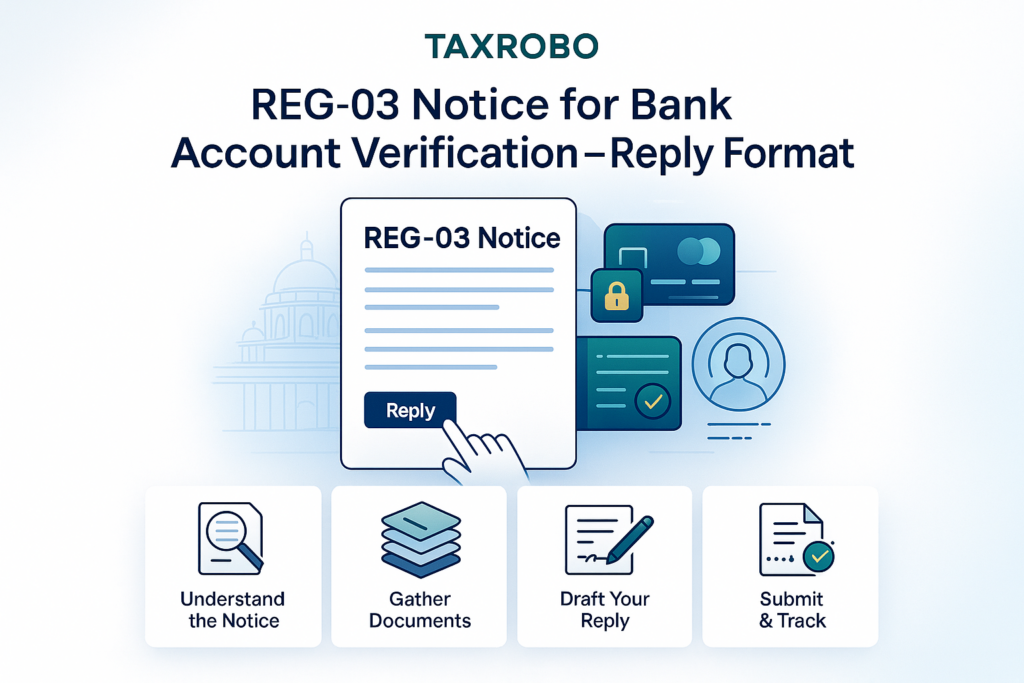
Once you understand the query, replying is a straightforward process. The entire REG-03 notice process India is online and designed for efficiency. Follow these steps on how to reply REG-03 notice India to ensure a smooth approval.
Step 1: Gather the Correct Supporting Documents
Your written clarification is only as good as the documents you provide to support it. Based on the officer’s query, prepare clear, high-resolution scanned copies of the required documents.
- High-Resolution Scanned Copy of a Cancelled Cheque: The cheque must have the taxpayer’s name, bank account number, and IFSC code clearly printed on it.
- First Page of Bank Passbook: A clear scan showing the account holder’s name, address, account number, and IFSC code is an excellent alternative.
- Latest Bank Statement: The statement should clearly display the name, address, and all relevant account details.
Pro Tip: Ensure your scanned files are in the prescribed format (PDF or JPEG) and under the size limit specified by the GST portal, which is typically 1 MB per document. A blurry or oversized file will likely lead to another notice or rejection.
Step 2: Prepare Your Written Clarification (Reply Format)
A professional and direct written clarification can make a significant difference. You should clearly state the query raised and explain how your newly attached documents resolve it. Here is a ready-to-use reply format for REG-03 notice that you can adapt.
Date: [Date of Reply]

To,
The Proper Officer,
[Jurisdictional Office Address as per Notice]

Subject: Reply to Notice Seeking Clarification/Additional Information (Form GST REG-03) regarding GST Registration Application

Reference ARN: [Your Application Reference Number]
Notice Reference No: [Notice Number from REG-03] dated [Date on Notice]

Respected Sir/Madam,

This is with reference to the notice issued to us regarding our application for GST registration. The clarification sought pertains to the verification of our bank account details.

The discrepancy noted in the notice was: [Clearly state the reason mentioned in the notice, e.g., "The name on the provided bank document was not clearly legible."]

In response, we are providing the following clarification and have attached the necessary supporting documents for your review:

1.  We confirm that the bank account number [Your Bank Account Number] held with [Your Bank Name, Branch] belongs to the proprietor/company.
2.  We have attached a high-resolution scanned copy of the latest bank statement which clearly shows the proprietor's name, bank account number, and IFSC code, resolving the legibility issue mentioned in the notice.

We request you to kindly review the submitted documents and approve our application for GST registration at the earliest.

Thank you.

Sincerely,

[Your Name / Authorised Signatory Name]
[Proprietor / Director]
[Business/Company Name]

Attachments:
1. Scanned Copy of Latest Bank Statement / Cancelled Cheque
2. Scanned Copy of PAN Card (if required for name matching)
Step 3: Submitting Your Reply on the GST Portal
With your documents and written clarification ready, it’s time to submit them on the GST portal.
- Go to the official GST Portal: https://www.gst.gov.in/
- Click Login and enter your Temporary Reference Number (TRN) and other credentials.
- Navigate to Services > Registration > Application for Filing Clarifications.
- Enter the Application Reference Number (ARN) from your notice and click SEARCH.
- Your notice will be displayed. You will see a section titled “Do you want to seek modification in Registration Application filed?”. You must select Yes.
- Your original application will now open in edit mode. Navigate to the Bank Accounts tab.
- Delete the previous bank account entry that had incorrect details or a poor-quality document.
- Click on ‘Add New’ to enter the correct bank details again. Carefully upload the new, clear supporting document (e.g., your high-resolution bank statement or cancelled cheque).
- Proceed to the Verification tab. You will find a text box for your reply. Copy and paste the written clarification you prepared in Step 2 into this box.
- Check the declaration box and submit the application using either a DSC (Digital Signature Certificate for companies/LLPs) or EVC (Electronic Verification Code sent to your registered mobile number and email for individuals/proprietors).
What Happens After You Submit Your Reply?
After you have successfully filed your clarification, the ball is in the GST officer’s court. Following these REG-03 notice guidelines for taxpayers and submitting a clear reply greatly increases your chances of a positive outcome. Here’s what you can expect:
- Outcome 1: Application Approval: If the officer is satisfied with your clarification and the new documents, they will approve your application. You will receive your GST Registration Certificate (Form GST REG-06) within approximately 7 working days. You will be notified via email and SMS.
- Outcome 2: Application Rejection: If your reply is still found to be unsatisfactory or incomplete, the officer has the authority to reject your application. You will receive a rejection order in Form GST REG-05. If this happens, you cannot appeal the decision; your only option is to start a fresh application for GST registration, ensuring you do not repeat the previous mistakes. You can follow this guide on How to Get GST Number with Online Process for the new application.
Conclusion: Proactively Handle Your REG-03 Notice
Receiving a REG-03 notice for bank account verification is a normal checkpoint in the GST registration journey, not a roadblock. The key is to act promptly and correctly. By understanding the officer’s query, gathering clear and accurate documents, using a professional reply format for REG-03 notice, and submitting your response on time through the GST portal, you can resolve the issue efficiently. A careful and thorough response is the fastest way to get your GSTIN and move forward with your business.
Navigating GST notices and compliance can be complex and time-consuming. While this article focuses on REG-03, you might also find our guide on How to Respond to a GST Show Cause Notice: A Step-by-Step Guide useful for other communications. If you need expert assistance in replying to tax notices India or want to ensure your GST registration is handled flawlessly from the start, contact the experts at TaxRobo today. We simplify the process for you.
Frequently Asked Questions (FAQs)
1. What is the time limit to reply to a GST REG-03 notice?
You must reply within 7 working days from the date you receive the notice. The exact due date for submission is usually mentioned clearly in the notice itself. It is crucial to adhere to this timeline.
2. What happens if I miss the deadline to reply to the REG-03 notice?
If you fail to submit your clarification within the stipulated time, the GST officer is empowered to reject your application for registration. You will receive a rejection order, and you will have to begin the entire application process from scratch.
3. The name on my PAN and bank account has a minor spelling difference. What should I do?
This is a very common reason for a bank account verification notice in India. In your written clarification, you should acknowledge the minor discrepancy and state that both names belong to the same individual. To support your claim, you can attach a self-attested declaration or a sworn affidavit confirming this fact, along with your PAN card and bank statement.
4. Can I submit my reply and documents physically at the GST office?
No. The entire REG-03 notice process India is designed to be faceless and is conducted online. Your written clarification and all supporting documents must be uploaded and submitted exclusively through the official GST Portal. Physical submissions are not accepted.