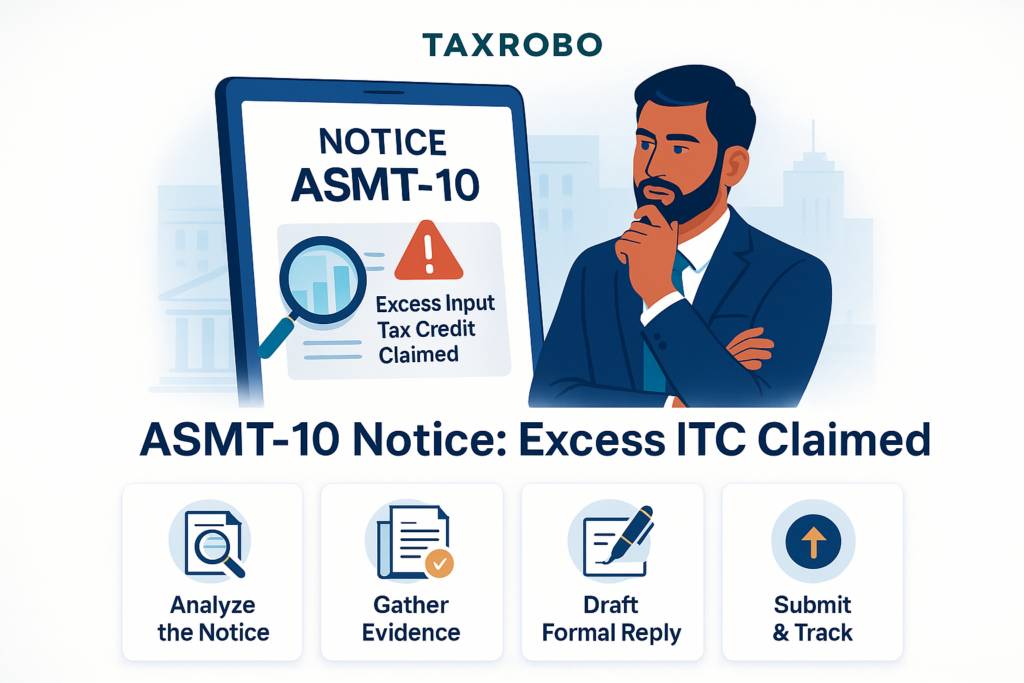

ASMT-10 Notice for Excess Input Tax Credit Claimed – Reply Format
You log into your GST portal and find a new notification: Form GST ASMT-10. Your heart sinks a little. What does it mean? What did you do wrong? Receiving a notice from the tax department can be stressful, but it’s important to understand that it’s often a routine part of the compliance process. An ASMT-10 is a common scrutiny notice, and more often than not, it points to a potential discrepancy in the Input Tax Credit (ITC) you’ve claimed. This guide is designed to demystify the process and give you the confidence to handle it correctly. We will break down why you might receive this notice, how to analyze the issue, and most importantly, provide a step-by-step guide and a clear reply format for an ASMT-10 notice for excess input tax credit claimed. A timely, accurate, and well-drafted reply is your first line of defense; it can prevent further legal action and penalties, ensuring your business remains compliant and in good standing with the GST authorities.
What is an ASMT-10 Notice? A Simple Explanation
Understanding the purpose and common triggers behind a GST notice is the first step toward resolving it effectively. An ASMT-10 notice is not a final demand for tax but rather an initial inquiry from the department, giving you an opportunity to clarify your tax filings. Ignoring it or providing an inadequate response can lead to more serious consequences, making it crucial to understand its implications from the outset.
The Purpose of Form GST ASMT-10
Form GST ASMT-10 is not a demand order or a show-cause notice. It is a pre-emptive notice of scrutiny issued by a GST officer under Section 61 of the CGST Act, read with Rule 99 of the CGST Rules. Its primary function is to bring discrepancies to your attention that the officer has found during the “scrutiny of returns.” This usually involves a mismatch between the data you filed in your returns (like GSTR-1 and GSTR-3B) and the information available to the department from other sources (like your GSTR-2A/2B). Think of it as a formal query from the tax department; it’s an opportunity for you to review your records and provide a valid explanation or correct a genuine error before they escalate the matter to a formal audit, investigation, or demand proceeding. This ASMT-10 excess credit notice explanation is your chance to clarify your ITC claims and prove their validity without facing immediate penalties.
Common Reasons for Receiving an ASMT-10 Notice for Excess ITC
The GST system is built on data reconciliation, and any inconsistencies are quickly flagged by the department’s systems. Most ASMT-10 notices related to ITC arise from mismatches that suggest you might have claimed more credit than you were eligible for. Adhering to ASMT-10 input tax credit guidelines is crucial to avoid these common triggers:
- Mismatch in GSTR-3B vs. GSTR-2B: This is the most frequent reason. You might have claimed an ITC amount in your monthly GSTR-3B summary return that is higher than the amount auto-populated in your Form GSTR-2B for that period. GSTR-2B is a static statement that reflects the ITC available to you based on the GSTR-1 returns filed by your suppliers.
- Clerical Errors: Simple typographical errors can trigger a notice. For instance, accidentally entering an amount in the IGST column instead of the CGST/SGST columns in GSTR-3B, or adding an extra zero to an ITC figure, will create a significant discrepancy that gets flagged.
- Ineligible ITC Claimed: Businesses sometimes mistakenly claim ITC on goods or services that are classified as “blocked credits” under Section 17(5) of the CGST Act. Examples include ITC on motor vehicles for non-transportation businesses, food and beverages, club memberships, and construction works contracts.
- Supplier Non-Compliance: The discrepancy might not be your fault. Your supplier may have failed to file their GSTR-1 on time, reported your invoice with an incorrect GSTIN, or reported B2B (business-to-business) supplies as B2C (business-to-consumer). Any of these actions will result in the invoice not appearing in your GSTR-2B, leading to a mismatch if you claim the ITC.
- Duplicate ITC Claims: In a high volume of transactions, it’s possible to accidentally claim ITC for the same invoice in two different tax periods. This is a clear case of an excess claim that will be identified during scrutiny.
Received an ASMT-10 Notice? Here’s Your Step-by-Step Action Plan
Seeing a notice can be daunting, but a systematic approach will help you navigate the process smoothly. The key is to act promptly and methodically, ensuring your response is thorough and supported by evidence. Follow these steps to prepare a comprehensive reply and resolve the issue efficiently.
Step 1: Verify the Notice and Don’t Panic
The first and most crucial step is to stay calm and verify the authenticity of the notice. Log into the official GST Portal and check your dashboard for any new notices under the “View Notices and Orders” section. Every genuine notice issued by the GST department will have a unique Document Identification Number (DIN). You can use this DIN to verify the notice’s legitimacy on the portal. Once confirmed, carefully read the entire notice and, most importantly, note the deadline mentioned for filing your reply. The timelines are strict, and failing to respond within the stipulated period can lead to adverse actions from the department.
Step 2: Analyze the Discrepancy in Detail
The ASMT-10 notice will specify the exact discrepancy the officer has observed. You must dive deep into your records to understand the root cause of this mismatch. Vague explanations will not suffice; your reply must be specific and backed by data. Your primary task is to conduct a thorough reconciliation. To do this, download your GSTR-3B, GSTR-2B, and GSTR-1 for the tax period mentioned in the notice. Create a detailed reconciliation statement, ideally in an Excel spreadsheet, comparing the ITC you claimed in Table 4 of your GSTR-3B with the eligible ITC available in your GSTR-2B. This exercise will help you trace the mismatch down to the specific invoice or supplier that is causing the issue.
Step 3: Gather All Supporting Documents
A strong reply is always supported by strong evidence. Once you have identified the reason for the discrepancy, you must gather all the necessary documents to substantiate your claim. A well-organized set of documents makes your case clear and convincing to the tax officer. This documentation is a key part of the ASMT-10 notice claim process India. Your document checklist should include:
- A copy of the ASMT-10 notice you received.
- Copies of the specific tax invoices for which the ITC is under scrutiny.
- Relevant supporting documents like E-way bills, delivery challans, or goods receipt notes to prove the movement of goods.
- Bank statements or payment confirmations showing that you made the payment to the supplier within 180 days of the invoice date, as required by law.
- The detailed ITC reconciliation statement you prepared in Step 2, clearly highlighting the source of the mismatch.
- Any email or written communication with your supplier regarding incorrect invoice reporting or late filing of their returns, if applicable.
How to Draft the Perfect Reply: ASMT-10 Excess Input Tax credit Reply Format
Your written response is the most critical part of this process. It must be structured, professional, and directly address the points raised in the notice. The GST portal facilitates this response through a specific form, and understanding how to use it correctly is essential for compliance.
Understanding Form GST ASMT-11
The official reply to an ASMT-10 notice must be filed online using Form GST ASMT-11. This is the designated form for taxpayers to submit their explanations or accept the discrepancies pointed out in the scrutiny notice. When preparing to file ASMT-11, you will face one of two scenarios:
- Accepting the Discrepancy: If your internal review confirms that the officer’s observation is correct and you have indeed claimed excess ITC due to an error, you must take corrective action. This involves paying the differential tax amount, along with any applicable interest and penalty, using Form DRC-03. After making the payment, you must file Form ASMT-11, providing the payment details (ARN of the DRC-03) and accepting the discrepancy.
- Contesting the Discrepancy: If you believe your ITC claim is correct and the discrepancy has a valid explanation (like a supplier’s late filing), you must contest the notice. In this case, you will use Form ASMT-11 to submit a detailed, point-wise explanation of your case. You must also upload all the supporting documents you gathered in the previous step to validate your claims.
Sample Reply Format for Contesting the Notice
A well-drafted reply can make all the difference. It should be polite, factual, and directly address the issues. Use this ASMT-10 excess input tax credit reply format as your guide to structure your submission clearly and professionally.
[Your Letterhead/Plain Paper]
Date: [DD/MM/YYYY]
To,
The Proper Officer,
[Jurisdiction/Address as mentioned in the notice]
GSTIN: [Your GSTIN]
Notice Reference No: [ASMT-10 Notice Number]
Date of Notice: [Date on the notice]
Subject: Reply in Form GST ASMT-11 against Scrutiny Notice regarding the ASMT-10 notice for excess input tax credit claimed for the tax period [Month, Year]
Respected Sir/Madam,
This is with reference to the scrutiny notice cited above, wherein a discrepancy has been noted regarding the Input Tax Credit (ITC) claimed in our GSTR-3B for the period [Month, Year].
The discrepancy highlighted is [Briefly describe the discrepancy as stated in the notice, e.g., “an excess ITC claim of ₹XX,XXX due to a mismatch between GSTR-3B and GSTR-2B”].
In this regard, we wish to submit the following point-wise explanation to clarify our position:
- [Point 1 – Explain the reason for the discrepancy]: Example: The alleged excess ITC of ₹4,50,000 is due to a typographical error during the filing of GSTR-3B, where an eligible ITC of ₹50,000 was incorrectly entered as ₹5,00,000. We acknowledge this error and have reversed the excess credit of ₹4,50,000 along with applicable interest via Form DRC-03. The payment details are attached for your reference.
- [Point 2 – Provide justification]: Example: The ITC claim of ₹72,000 related to Invoice No. INV-123 from our supplier, ABC Pvt. Ltd. (GSTIN: XXXXX), is valid. The supplier filed their GSTR-1 for the said period belatedly, which caused the invoice to reflect in the GSTR-2B of the subsequent month. However, as per Section 16 of the CGST Act, we were in possession of the tax invoice and had received the goods in the relevant month itself. A copy of the tax invoice, proof of payment, and a screenshot of the GSTR-2B of the subsequent month showing the credit are attached for your kind perusal.
To support our explanation, we are attaching the following documents:
- Detailed ITC Reconciliation Statement for the period.
- Copies of relevant tax invoices (Invoice No. INV-123).
- Proof of payment to the supplier.
- Copy of DRC-03 challan (if applicable for Point 1).
We believe that the ITC claimed by us is accurate and in compliance with the provisions of the GST law. We kindly request you to review our submission and the attached documents and issue an order in Form ASMT-12, dropping the proceedings for this matter.
Thank you.
Sincerely,
[Your Name/Authorised Signatory]
[Designation]
[Business Name]
How to File the Reply on the GST Portal
Once your reply letter and supporting documents are ready, you need to file them on the GST portal. This is how to reply ASMT-10 notice India through the official channel. Follow these steps carefully:
- Login to the GST Portal.
- Navigate to Services > User Services > View Additional Notices/Orders.
- On the next screen, click “View” to see the notices. Find the relevant notice by its reference number and click on it.
- You will see two tabs: “Notice” and “Replies”. Click on the “Replies” tab.
- Click the “ADD REPLY” button and then select “ASMT-11”.
- You can either type your reply directly in the provided text box or, more preferably, write “Please refer to the attached document” and attach the detailed, professionally drafted reply letter (as per the format above) in PDF format.
- Click the “Upload” button to attach all your supporting documents (reconciliation, invoices, etc.). Ensure all files are in PDF or JPEG format and within the specified size limit.
- Once all details are entered and documents are uploaded, file the reply using a Digital Signature Certificate (DSC) or Electronic Verification Code (EVC).
What Happens After You Respond to an ASMT-10 Notice in India?
Submitting your reply is a major step, but the process isn’t over yet. The tax officer will review your submission and decide on the next course of action. There are two primary outcomes when you respond to ASMT-10 notice India.
Scenario 1: The Officer Accepts Your Reply
This is the ideal outcome. If the officer is satisfied with your explanation and finds the supporting documents to be in order, they will accept your reply. The proceedings are then formally closed by the issuance of an order in Form GST ASMT-12. This order essentially confirms that your clarification is sufficient and no further action is required from your side regarding the discrepancy mentioned in the ASMT-10 notice. You should save a copy of this order for your records as proof of closure.
Scenario 2: The Officer is Not Satisfied
If the officer finds your reply to be inadequate, lacking sufficient evidence, or if you fail to file a reply altogether, they may proceed with further action. The officer is empowered to initiate proceedings under Section 73 (for cases of tax not paid or short paid for reasons other than fraud) or Section 74 (for cases involving fraud, willful misstatement, or suppression of facts). This typically involves issuing a formal Show Cause Notice (SCN), which is a much more serious step that can lead to the confirmation of a demand for tax, interest, and hefty penalties. This underscores the importance of submitting a thorough and convincing reply to the initial ASMT-10 notice itself.
Conclusion
Receiving a notice from the GST department can seem intimidating, but it doesn’t have to be a cause for panic. An ASMT-10 is a preliminary inquiry, and the GST framework provides you with a clear process to address it. Remember the key takeaways: ASMT-10 is a scrutiny notice, not a demand. A prompt, accurate, and well-documented reply in Form ASMT-11 is your best course of action. Proactive compliance, especially the regular reconciliation of your GSTR-3B with GSTR-2B, is the most effective way to prevent such notices in the first place. Successfully managing an ASMT-10 notice for excess input tax credit claimed is a non-negotiable aspect of GST compliance for any business aiming for smooth and hassle-free operations in India.
Navigating GST notices can be complex and time-consuming. Don’t risk penalties or further legal action due to an incomplete or incorrect reply. The expert team at TaxRobo can help you draft a professional reply, conduct detailed reconciliations, and manage your GST compliance seamlessly. Contact us today for expert assistance!
Frequently Asked Questions (FAQs)
Q1: What is the time limit to reply to a GST ASMT-10 notice?
A: You are typically given up to 30 days from the date the notice is served to file your reply in Form GST ASMT-11. However, this period can sometimes be shorter, so it is crucial to check the specific deadline mentioned in the notice you received and adhere to it strictly.
Q2: What happens if I ignore an ASMT-10 notice for excess input tax credit claimed?
A: Ignoring the notice is highly discouraged and can have serious repercussions. The GST officer will assume you have accepted the discrepancy and have no explanation to offer. They may then proceed to issue a demand order under Section 73 or 74, which will include the demand for tax, along with mandatory interest and penalties.
Q3: Is it mandatory to hire a professional to reply to ASMT-10?
A: While it is not mandatory to hire a professional, it is highly recommended, especially if the discrepancy amount is significant or the reason is complex. A tax professional can ensure your reply is legally sound, the ITC reconciliation is accurate, and all procedural requirements are met, significantly improving your chances of a favorable outcome and preventing the issue from escalating.
Q4: Can I make a payment for the discrepancy without filing a reply in ASMT-11?
A: No. Even if you agree with the discrepancy and pay the required amount (tax, interest, etc.) via Form DRC-03, you must still formally inform the officer of this action. This is done by filing a reply in Form GST ASMT-11 and mentioning the payment details (ARN of the DRC-03 challan). This step is necessary to formally close the scrutiny proceedings.
Q5: What’s the difference between GSTR-2A and GSTR-2B? Which one should I use for reconciliation?
A: GSTR-2A is a dynamic, real-time statement that gets updated every time a supplier files or amends their returns. GSTR-2B is a static statement that is generated for a specific month on the 14th of the following month. For the purpose of claiming ITC in GSTR-3B and for reconciling discrepancies for an ASMT-10 notice, you must use the static GSTR-2B. It provides a clear and unchangeable record of the ITC that was available to you for that specific tax period.