
GST Notice for E-Commerce Turnover Difference – A Step-by-Step Guide and Reply Format
Receiving an official-looking envelope from the GST department can be a stressful experience for any e-commerce entrepreneur. The legal jargon and the prospect of a tax demand can be intimidating. If you’ve received a communication about a mismatch in your sales figures, you’re likely dealing with a GST e-commerce turnover difference notice. This is a common issue for online sellers in India, primarily because the tax authorities now have sophisticated systems to compare sales data from multiple sources. The good news is that with a structured approach, you can understand the discrepancy, prepare a clear response, and resolve the issue efficiently. This guide will walk you through the entire process, providing a clear, actionable plan and a reply format to help you respond with confidence.
Understanding Why You Received an E-commerce Turnover Difference Notice
At its core, this notice means the GST department’s automated systems have found a mismatch between the sales you declared and the sales data reported by other entities. The tax authorities compare figures from three primary sources to ensure every transaction is accounted for and the correct tax has been paid. Understanding these sources is the first step toward resolving the discrepancy.
The department cross-references data from:
- Your GSTR-1: This is your monthly or quarterly statement of outward supplies, where you detail every sale invoice you’ve issued.
- Your GSTR-3B: This is your summary return where you declare your total sales, input tax credit (ITC), and pay the final tax liability.
- TCS Data in GSTR-8: E-commerce operators like Amazon, Flipkart, Meesho, and others are required to deduct Tax Collected at Source (TCS) on the net value of your sales made through their platform. They file this information in a return called GSTR-8, which reflects in your GSTR-2A/2B.
When the turnover reported by the e-commerce operator in their GSTR-8 is higher than the turnover you reported in your GSTR-1 and GSTR-3B, a red flag is raised. This triggers an automated notice, requiring you to explain the difference. Preparing a solid e-commerce turnover discrepancy response India involves pinpointing the exact reason for this mismatch.
Common Reasons for Turnover Mismatches for E-commerce Sellers
Before you start reconciling numbers, it’s helpful to know the common culprits behind these discrepancies. Most of the time, the differences are not due to tax evasion but procedural or timing issues inherent to the e-commerce model.
- Timing Differences: This is the most frequent reason. You might record a sale in your books in March, but the e-commerce platform processes the payment and reports the TCS in April. This creates a mismatch when the GST department compares data for the month of March.
- Sales Returns & Refunds: A customer buys a product in one month, and you report it in your GSTR-1. The customer returns it in the next month. While you account for this return with a credit note, the timing difference can cause a temporary mismatch in gross turnover figures.
- Cancelled Orders: Sometimes, an invoice is generated and reported in GSTR-1, but the customer cancels the order before it’s shipped. If the cancellation isn’t properly reconciled in your returns for the same period, it can lead to a discrepancy.
- Incorrect GST Rate Application: You may have inadvertently applied a lower GST rate on a product than required. While your turnover might match, the tax paid will be lower, which can also trigger a notice.
- Typographical Errors: A simple data entry mistake, like adding an extra zero or transposing digits while filing GSTR-1 or GSTR-3B, can lead to significant, though unintentional, mismatches.
- Inclusion of Non-Taxable/Exempt Supplies: Incorrectly including exempt or non-taxable supplies in your taxable turnover, or vice versa, can skew the numbers compared to the e-commerce operator’s report.
Your Immediate Action Plan: 4 Steps to Take After Receiving the Notice
Panicking is a natural first reaction, but a calm and methodical approach is your best ally. Following a structured plan is key when dealing with GST notices for e-commerce businesses. These are just some of the GST for E-commerce Businesses: Key Considerations. Here are the first four steps you should take immediately.
Step 1: Verify the Notice’s Authenticity
First things first, ensure the notice is genuine. Every communication from the GST department must have a computer-generated Document Identification Number (DIN). You can verify this on the official government portal.
- Action: Go to the CBIC DIN verification portal and enter the DIN mentioned on your notice. If the details match, the notice is authentic. If not, it could be a fraudulent communication, and you should report it to the authorities.
Step 2: Read the Notice Carefully
Once you’ve verified the notice, read it thoroughly. Don’t just skim it. Pay close attention to key details that will form the basis of your reply. Identify the following:
- The Financial Year/Tax Period: The notice will specify the exact period for which the discrepancy has been found.
- The Discrepancy Amount: Note the exact difference in turnover mentioned by the department.
- The Response Deadline: This is critical. The notice will give you a specific date by which you must submit your reply, usually 15 or 30 days. Missing this deadline can lead to penalties.
Step 3: Gather All Necessary Documents
Your reply must be backed by solid evidence. Start collecting and organizing all relevant financial documents for the period in question. Having everything in one place will make the reconciliation process much smoother.
- Copy of the GST Notice you received.
- Monthly Sales Reports downloaded from all your e-commerce seller dashboards (e.g., Amazon, Flipkart).
- Bank statements for the entire period to cross-verify payments received.
- Copies of your filed GSTR-1 and GSTR-3B returns for the mentioned period. You can refer to this guide on How to File GST Returns Online: A Step-by-Step Guide of the GST Filing Process & Procedure.
- Details of TCS deducted by e-commerce operators, available in your GSTR-2A/2B on the GST portal.
- Your internal accounting records, such as your sales ledger or accounting software data (e.g., Tally, Zoho Books).
Step 4: Perform a Detailed Reconciliation
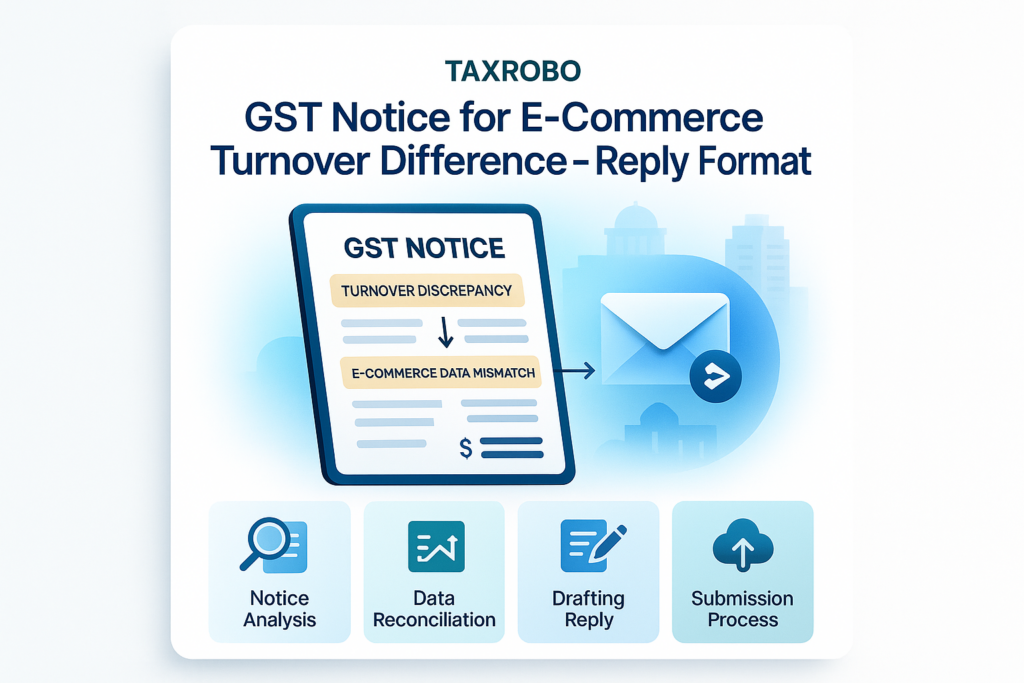
This is the most crucial step. You need to create a master reconciliation sheet (preferably in Excel) that compares the turnover from your books, your GST returns, and the e-commerce portal reports. The goal is to account for every single rupee of the difference and pinpoint the exact reasons for the mismatch. This reconciliation will be the backbone of your formal reply.
Drafting Your E-commerce Turnover Difference Notice Response: Format and Key Components
After your reconciliation is complete, you need to present your findings to the tax officer in a clear, professional, and formal manner. A well-structured e-commerce tax notice reply format India consists of two main parts: the reconciliation statement and the official cover letter. Crafting a strong E-commerce turnover difference notice response is essential for a swift resolution.
Part 1: The Reconciliation Statement
This statement is a summary of your detailed reconciliation sheet. It should be presented in a simple table format that is easy for the tax officer to understand at a glance. It directly compares the figures from different sources and explains the variance.
Here is an example structure:
| Particulars | Turnover as per Books (₹) | Turnover as per GSTR-1 (₹) | Turnover as per E-commerce Portal (GSTR-8) (₹) | Difference & Reason |
|---|---|---|---|---|
| Gross Sales for the Period | 10,50,000 | 10,50,000 | 10,80,000 | The ₹30,000 difference is due to a sale made on March 30th, for which payment and TCS were processed by the portal in April. |
| Less: Sales Returns | (50,000) | (50,000) | (40,000) | A return of ₹10,000 was processed in our books in March but reflected on the portal in April. |
| Net Taxable Turnover | 10,00,000 | 10,00,000 | 10,40,000 | The net difference is fully explained by the timing differences in sales and returns reporting between our system and the e-commerce operator’s system. |
Part 2: The Official Reply Letter Format
This formal letter will accompany your reconciliation statement and other supporting documents. It should be written on your company’s letterhead and follow a professional structure.
-
Header:
- Your business name, address, and GSTIN.
- The date of the reply.
- The designation and address of the Tax Officer who issued the notice.
- Notice Reference Number and Date: Mention the specific notice number and date you are responding to.
-
Subject Line:
- Make it clear and direct. For example: “Reply to Show Cause Notice (Ref: [Notice Number]) dated [Notice Date] regarding discrepancy in turnover for FY [Year].”
-
Salutation & Introduction:
- Start with a formal salutation like “Dear Sir/Madam,”.
- In the first paragraph, acknowledge the receipt of the notice. For example: “With reference to the above-mentioned subject and notice number, we acknowledge the receipt of the notice on [Date of Receipt]. We are providing our detailed submission below for your kind perusal.”
-
Body Paragraphs:
- This is where you explain your case. Be factual and concise.
- State the Facts: Briefly explain the discrepancy pointed out in the notice.
- Provide Explanation: Clearly explain the reasons for the mismatch, referring directly to your attached Reconciliation Statement. Use separate points for each reason (e.g., timing differences, sales returns, etc.).
- Address Tax Liability (if any): If your reconciliation reveals that you have indeed short-paid tax, be proactive. State that the differential tax amount, along with applicable interest, has been paid via Form DRC-03. Attach a copy of the payment challan as proof. This shows your compliance and good faith.
- No Liability Scenario: If your reconciliation proves that there is no additional tax liability and the difference is purely due to procedural reasons, state this clearly. Provide the necessary evidence from your reconciliation to support your claim.
-
Conclusion & Prayer:
- Conclude the letter politely.
- Request the officer to review your submission and the attached documents.
- End with a “prayer” or request, such as: “In light of the facts and evidence presented above, we humbly request your good office to review our submission and drop the proceedings initiated by the said notice.”
-
Attachments:
- List all the documents you are enclosing with your reply. This makes it easier for the officer to review your case.
- Example:
- Enclosures:
- Reconciliation Statement for FY [Year].
- Copy of Sales Reports from E-commerce Portals.
- Copy of DRC-03 Challan for payment of differential tax and interest (if applicable).
- Copies of relevant ledgers from our books of accounts.
- Enclosures:
Submitting Your Reply and Next Steps
Once your reply is drafted and all documents are in order, the final step is to submit it to the department. Timely and correct submission is crucial for responding to e-commerce turnover difference notices effectively.
How to Submit the Reply on the GST Portal
The official and preferred method of submission is through the GST portal.
- Log in to the GST Portal.
- Navigate to Services > User Services > View Additional Notices/Orders.
- Find the relevant notice and click on the “Reply” option.
- Upload your detailed reply letter, the reconciliation statement, and all supporting documents as a single PDF file or in the specified format.
- Submit the reply using your Digital Signature Certificate (DSC) or Electronic Verification Code (EVC).
Potential Outcomes After Submission
After you submit your reply, the tax officer will review it. Here are the possible outcomes:
- Case Dropped: If your explanation is clear, logical, and supported by sufficient evidence, the officer will be satisfied and issue an order to drop the proceedings. This is the ideal outcome.
- Request for More Information: The officer might have further questions or require additional documents to verify your claims. You must respond to these queries promptly.
- Personal Hearing: In more complex cases, you or your authorized representative (like a CA) may be called for a personal hearing to explain the case in person. This is an opportunity to clarify any doubts the officer may have.
Conclusion
Receiving a GST e-commerce turnover difference notice can be daunting, but it is a manageable issue. The key is to act promptly and methodically. By verifying the notice, gathering all necessary documents, performing a meticulous reconciliation, and drafting a formal, evidence-backed reply, you can address the department’s concerns effectively. Remember, a clear, transparent, and timely response is your strongest tool in resolving tax notices and ensuring your e-commerce business remains compliant.
Navigating the complexities of GST law and drafting the perfect response can be challenging. For a more general overview, you can refer to our guide on How to Respond to a GST Show Cause Notice: A Step-by-Step Guide. For professional assistance and to ensure your reply is accurate and comprehensive, contact the experts at TaxRobo today. Our team can help you manage the entire process, from reconciliation to final submission, giving you peace of mind.
Frequently Asked Questions (FAQs)
Q1: What is the deadline to reply to a GST notice?
A: The deadline is mentioned in the notice itself, usually 15 or 30 days from the date of issuance. It is crucial to adhere to this timeline to avoid further penalties and demonstrate your commitment to compliance.
Q2: Can I ignore a notice if the turnover difference is very small?
A: No. You must never ignore any official notice from the tax department, regardless of the amount involved. A non-response is viewed as non-compliance and can lead to the officer passing a best judgment assessment, which often results in a higher tax demand and penalties.
Q3: What happens if I fail to respond to the GST notice?
A: Failure to respond can have serious consequences. The tax officer may issue an ex-parte order (an order passed without hearing your side of the story), confirming the tax demand mentioned in the notice along with applicable interest and heavy penalties under the GST Act.
Q4: My bank statement shows more credit than my sales. Will this cause a notice?
A: Yes, it can. Tax authorities often compare bank statements with declared turnover. If there’s a significant difference, you must be prepared to reconcile it. The excess credits could be from legitimate sources like capital infusion from the owner, securing a business loan, or receiving payments from debtors for previous sales. It is essential to have clear documentation for all such non-revenue receipts to explain the difference in your reply.