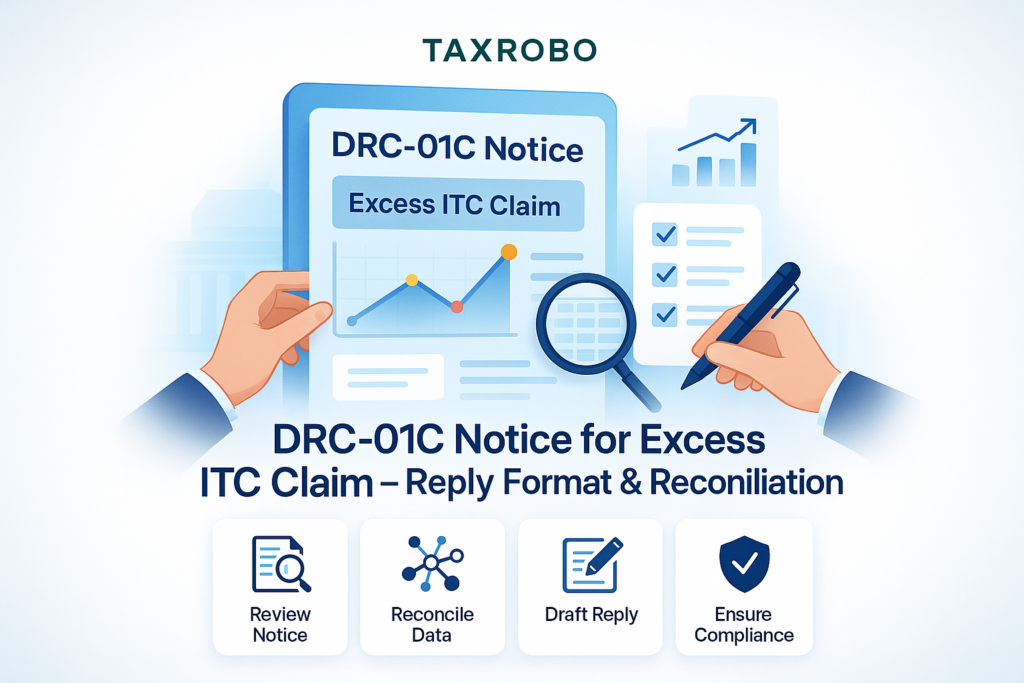

DRC-01C Notice for Excess ITC Claim – Reply Format & Reconciliation
Received an automated email from the GST portal about Form DRC-01C? It can be alarming, but it’s a common issue for many businesses, and understanding how to handle it is key. This notification flags a potential mismatch between the Input Tax Credit (ITC) you claimed and what’s available to you, but with the right information, you can resolve it efficiently. A timely and accurate response is crucial to avoid penalties, interest, and potential disruption to your business operations. This comprehensive article provides a clear DRC-01C notice response format and a practical guide to help you navigate the entire process, from reconciliation to reply, ensuring you remain compliant.
What is a DRC-01C Notice and Why Did You Receive It?
Understanding the nature of the DRC-01C notice is the first step toward resolving it. It is not a demand for tax but rather a system-generated alert designed to promote self-correction among taxpayers. The GST system automatically compares two of your key returns: the ITC you claimed in your summary return (GSTR-3B) and the ITC available to you as reported by your suppliers (GSTR-2B). Accurate filing of these is crucial; you can review the process in our guide on How to File GST Returns Online: A Step-by-Step Guide of the GST Filing Process & Procedure. When the amount you claimed in GSTR-3B exceeds the amount available in GSTR-2B beyond a certain pre-defined limit, the system automatically triggers and sends you Form DRC-01C. Ignoring this intimation can lead to more serious consequences, making a proactive approach essential for maintaining good standing with the tax authorities.
Decoding the DRC-01C Notice
Form DRC-01C is an intimation governed by Rule 88D of the Central Goods and Services Tax (CGST) Rules. Its primary purpose is to inform you about a discrepancy between the ITC auto-populated in your GSTR-2B statement and the ITC you manually declared and claimed in your GSTR-3B return for a specific tax period. It’s crucial to differentiate this from a Show Cause Notice (SCN), which is a more formal demand from a tax officer (you can learn more about How to Respond to a GST Show Cause Notice: A Step-by-Step Guide). A DRC-01C notice is a system-generated alert—an early warning signal. It provides you with an opportunity to review your records and either correct your mistake by paying the excess ITC claimed or provide a valid justification for the difference. It precedes any formal action from a tax officer, making the DRC-01C notice and reconciliation process a critical first step in compliance.
Common Reasons for Receiving a DRC-01C Notice
A mismatch between your GSTR-3B and GSTR-2B can happen for several reasons, many of which are common in day-to-day business operations. Understanding these potential causes will help you quickly identify the source of the discrepancy when preparing your excess ITC claim notice response India. Here are some of the most frequent scenarios:
- Supplier’s Delay: Your supplier filed their GSTR-1 or used the Invoice Furnishing Facility (IFF) after the due date. As a result, the invoice appeared in their filing but was not reflected in your GSTR-2B for that specific month, even though you received the goods and the invoice.
- Clerical Errors: A simple typographical error while entering the ITC amount in your GSTR-3B is a very common mistake. For example, you might have entered ₹50,000 instead of ₹5,000.
- Incorrect Tax Period: You may have claimed the ITC for an invoice in the current month’s GSTR-3B, but the supplier reported it in a previous month’s GSTR-1. The credit was available in a prior period’s GSTR-2B, but you claimed it now.
- Supplier Errors: Your supplier may have made a mistake while filing their returns, such as entering the wrong GSTIN for your business or incorrectly uploading your B2B (business-to-business) invoice as a B2C (business-to-consumer) transaction.
- Ineligible ITC: You may have inadvertently claimed ITC on goods or services that are blocked or ineligible under Section 17(5) of the CGST Act, such as food and beverages, club memberships, or motor vehicles for non-business purposes.
The Step-by-Step DRC-01C Notice Response Format
Responding to a DRC-01C notice is a mandatory online process that must be completed directly on the GST portal. You cannot file a physical or offline reply. The system provides you with a simple interface within Part B of Form DRC-01C, where you have two primary options: either agree with the discrepancy and pay the differential amount or disagree and provide a valid reason for the mismatch. Your choice will depend on the findings from your internal reconciliation. The key is to choose the correct path and provide the necessary details accurately to close the notice effectively.
Option 1: You Agree with the Discrepancy and Need to Pay
This option is appropriate when your reconciliation confirms that you have indeed claimed excess ITC due to an error on your part. Acknowledging the mistake and paying the dues promptly is the best way to ensure excess ITC claim compliance India and avoid further complications. This shows your intent to comply and prevents the accumulation of interest.
The process is straightforward:
- Calculate the Amount: First, accurately calculate the total excess ITC you have claimed. You must also calculate the applicable interest on this amount under Section 50 of the CGST Act from the date the excess ITC was utilized until the date of payment.
- Log In and Pay: Log in to the GST Portal. Navigate to Services > Ledgers > Payment towards Demand and initiate a payment using Form GST DRC-03.
- Specify Cause of Payment: In the “Cause of payment” dropdown menu within DRC-03, be sure to select “ITC mismatch – GSTR-2A/2B to GSTR-3B”.
- Note the ARN: Once the payment is successfully made, the portal will generate an Application Reference Number (ARN). Copy and save this ARN, as you will need it for your final reply.
- File Your Reply: Go back to the DRC-01C intimation under Services > Returns > Return Compliance. In Part B of the form, select the option indicating you have paid the amount, enter the DRC-03 ARN in the designated field, and submit your reply. This will close the notice.
Option 2: You Disagree with the Discrepancy and Need to Provide Reasons
You should choose this option if your reconciliation shows that your ITC claim in GSTR-3B is correct and there is a valid reason for the mismatch with GSTR-2B. This is common in cases where the issue lies with your supplier’s filing or relates to specific types of ITC not reflected in GSTR-2B. This DRC-01C notice reply guide India will help you provide a proper justification.
Follow these steps to submit your reasons:
- Select the Reason Option: In Part B of Form DRC-01C, choose the radio button that states you are providing reasons for the difference.
- Choose from the Dropdown: The portal provides a dropdown menu with pre-defined reasons for the discrepancy. Select the one that best describes your situation.
- Common Valid Reasons to Provide:
- ITC claimed in an earlier period: Select this if the invoice was available in a previous month’s GSTR-2B, but you are claiming it in the current month (as long as it’s within the time limits prescribed by law).
- Supplier filed late: This is a very common reason. You can state that you have received the goods/services and possess a valid tax invoice, but the supplier has not yet filed their GSTR-1, so it is not reflecting in your GSTR-2B.
- ITC not in GSTR-2B but eligible: Certain ITC, such as that on imports of goods (from Bill of Entry), services from an SEZ unit, or ITC claimed under the Reverse Charge Mechanism (RCM), may not be reflected in GSTR-2B but is still eligible.
- Correction of an error: Use this if you are correcting a clerical error made in a previous GSTR-3B (e.g., you under-claimed ITC in a prior month and are rectifying it now).
- Add Details and Submit: If the pre-defined reasons are not sufficient, you can add a more detailed explanation in the provided text box. Be clear and concise in your justification. After filling in the details, submit your reply. Proper DRC-01C notice handling for businesses involves providing a clear, logical, and legally sound reason for the mismatch.
How to Perform an Excess ITC Claim Reconciliation
A thorough reconciliation is the backbone of your DRC-01C response. It is the process of comparing your records—the importance of which is highlighted in our guide on Maintaining Accurate Accounting Records for Tax Purposes—with the GST portal data to find the exact source of the discrepancy. This exercise will give you the clarity needed to decide whether to pay the difference or provide a justification. A systematic approach will make this task manageable and ensure your response is accurate. The documented findings from this reconciliation will serve as your excess ITC claim format for taxpayers, providing a clear audit trail.
Step 1: Gather Your Data
The first step in any reconciliation process is to collect all the necessary documents and data. You will need to get this information directly from the official government portal to ensure accuracy.
- Log in to the GST Portal.
- Navigate to the returns dashboard.
- Download your filed GSTR-3B return for the tax period mentioned in the DRC-01C notice. This shows the amount of ITC you have actually claimed.
- Next, download the detailed auto-drafted GSTR-2B statement for the same tax period. This document contains a list of all invoices reported by your suppliers where they have listed your GSTIN.
Step 2: Compare GSTR-2B with Your Purchase Records
Once you have both reports, the next step is a detailed, line-by-line comparison. Using a spreadsheet program like Microsoft Excel or Google Sheets is highly recommended for this task as it helps organize the data and spot differences easily.
- Create a new spreadsheet.
- In one section, copy-paste the data from your internal purchase register or accounting software for the month.
- In an adjacent section, copy-paste the data from the downloaded GSTR-2B statement.
- Arrange the data so you can compare the key columns side-by-side:
- Invoice Number
- Invoice Date
- Supplier GSTIN
- Taxable Value
- Tax Amounts (CGST, SGST, IGST)
Step 3: Identify and Document the Mismatches
With your data organized, you can now begin the process of identifying the specific discrepancies that led to the DRC-01C notice. This is the most critical part of the excess ITC claim reconciliation India process.
- Highlight Missing Invoices: Systematically check each invoice from your purchase register against the GSTR-2B data. Highlight any invoices that are present in your books but are completely missing from the GSTR-2B. This is often due to the supplier’s failure to file their GSTR-1.
- Check for Value Differences: For invoices that are present in both records, compare the taxable value and tax amounts. Highlight any rows where these figures do not match. This could be due to a data entry error by you or your supplier.
- Look for Duplicates: Scan for any duplicate invoice entries in either your records or the GSTR-2B statement.
- Create a Summary: Once you have identified all the discrepancies, create a summary list. For each mismatch, note the invoice number, supplier name, and the reason for the difference (e.g., “Not filed by supplier,” “Tax amount mismatch,” “Clerical error in GSTR-3B”). This documented list will form the basis of your response in Part B of DRC-01C.
What Happens if You Don’t Respond to a DRC-01C Notice?
Ignoring a DRC-01C notice is not an option and can lead to severe consequences that can disrupt your business. The GST system is designed to enforce compliance, and inaction will trigger automated follow-up actions. It is essential to treat this intimation with urgency and adhere to the prescribed timeline to avoid unnecessary financial and operational hardships.
- Time Limit: The law is very clear on this. You have 7 days from the date you receive the intimation to file your response in Part B of Form DRC-01C.
- Consequences of Inaction:
- Recovery Proceedings: If you neither pay the amount nor provide a satisfactory reason within the 7-day period, the excess ITC amount mentioned in the notice is considered self-assessed tax and can become directly recoverable from you under Section 79 of the CGST Act. This means the tax department can initiate actions like debiting your bank account.
- Blocked GSTR-1 Filing: Perhaps the most immediate impact is that your GSTR-1/IFF filing for subsequent tax periods may be blocked. This will prevent you from issuing tax invoices to your customers, effectively halting your ability to conduct business and impacting your cash flow.
- Interest and Penalties: Failure to resolve the issue will likely lead to the issuance of a formal demand notice (like Form DRC-01), which will include the tax amount, accrued interest, and potentially significant penalties. Timely action is key for proper tax compliance for excess ITC claims in India.
Conclusion
A DRC-01C notice might seem intimidating at first, but it is a manageable compliance alert designed to help you correct errors proactively. The correct approach is to act promptly, perform a thorough reconciliation of your purchase records against your GSTR-2B, and understand the root cause of the discrepancy. Whether you need to pay the difference or provide a valid justification, using the correct DRC-01C notice response format on the GST portal is crucial for staying compliant and avoiding harsh penalties. By following the steps outlined in this guide, you can confidently address the notice and ensure your business operations continue smoothly.
Navigating GST notices can be complex. If you need expert assistance with your DRC-01C notice handling for businesses or want to ensure your GST filings are always accurate, the experts at TaxRobo are here to help. Contact us for a consultation today!
Frequently Asked Questions (FAQs)
Q1: Is there a penalty for receiving a DRC-01C notice?
A: No, there is no penalty for simply receiving the notice. It is an intimation, not a demand. However, penalties and interest can apply if you fail to respond correctly, do not pay the liable amount within the stipulated time, or if the reason provided is found to be unsatisfactory, leading to a formal demand.
Q2: Can I file my reply to DRC-01C offline?
A: No, the entire process is online. You must file your reply (Part B of Form DRC-01C) electronically on the GST Portal. There is no provision for manual or offline submission.
Q3: What if my supplier corrects their GSTR-1 after I reply to the notice?
A: This is a common scenario. In your reply, you should state that the discrepancy is due to the supplier’s late or incorrect filing. Keep a record of your communication with the supplier as evidence. Once the supplier corrects their GSTR-1, the ITC will reflect in a subsequent GSTR-2B, and the system will eventually reconcile the data. Your initial reply serves to protect you from immediate adverse action.
Q4: Can I request an extension for replying to DRC-01C?
A: Currently, the GST portal does not have a specific function or provision for requesting an extension to file a reply to Form DRC-01C. It is crucial to adhere to the 7-day timeline to avoid the automated consequences, such as the blocking of your GSTR-1 filing.