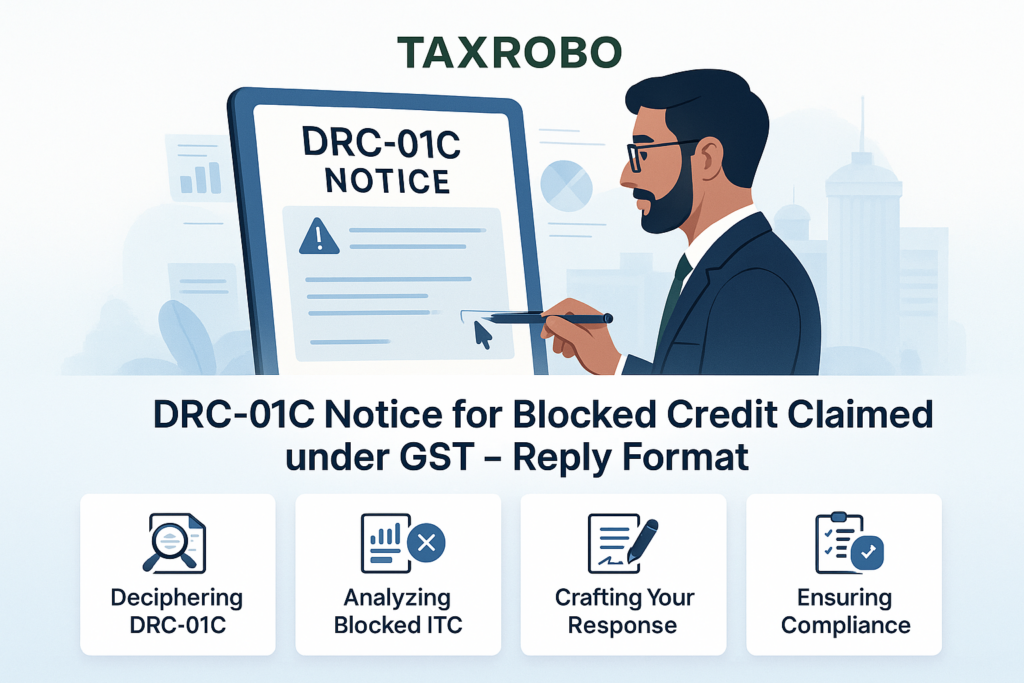

DRC-01C Notice for Blocked Credit Claimed under GST – A Complete Guide to Replying
Receiving any official communication from the tax department can be a stressful experience for any business owner. When a notice lands in your GST portal inbox, it’s natural to feel a sense of unease. However, understanding the notice is the first step toward resolving it effectively. A common automated intimation that taxpayers have been receiving is Form DRC-01C, which deals with discrepancies in Input Tax Credit (ITC). A timely and accurate DRC-01C notice response is not just a procedural requirement; it is critical for maintaining your GST compliance score and ensuring your business operations continue without interruption. This notice is an automated flag raised by the GST system when it detects a mismatch between the ITC you claimed in your GSTR-3B and the credit available to you in your GSTR-2B. This guide will provide a clear, step-by-step process for preparing your DRC-01C notice response format India, demystifying the reasons behind the notice and helping you file a comprehensive reply to avoid penalties and blocked credit.
What is a DRC-01C GST Notice and Why Did You Receive It?
Before drafting a reply, it’s essential to understand the core reason for the notice. The DRC-01C is not a demand notice issued by a tax officer; rather, it is a system-generated intimation designed to prompt taxpayers to self-regulate and correct potential errors in their ITC claims. The entire mechanism is built on a comparison between two key GST statements, and understanding this comparison is key to resolving the issue promptly. The notice essentially asks for a justification or a reversal of the excess credit claimed, and your response determines the next course of action by the department.
Understanding the Mismatch: GSTR-2B vs. GSTR-3B
The foundation of the DRC-01C GST notice India lies in the difference between two important returns:
- GSTR-2B (Auto-drafted ITC Statement): Think of GSTR-2B as a static, read-only document generated for you by the GST portal every month. It details all the Input Tax Credit that is available to you based on the GSTR-1 or Invoice Furnishing Facility (IFF) returns filed by your suppliers. Since it’s static, the data in GSTR-2B for a particular month cannot be changed later. It serves as a definitive record of the credit that the GST system recognizes as eligible for you in a given tax period.
- GSTR-3B (Summary Return): This is the monthly summary return that you, the taxpayer, file to declare your outward supplies, pay your tax liability, and, most importantly, claim your Input Tax Credit. The amount of ITC you claim in Table 4 of your GSTR-3B is a self-declaration.
The trigger for a DRC-01C notice is when the ITC amount you have self-declared and claimed in your GSTR-3B is higher than the amount available in your auto-generated GSTR-2B beyond a certain permissible tolerance limit. The GST Network (GSTN) system automatically performs this reconciliation and flags any significant discrepancies by issuing Form DRC-01C. For a comprehensive look at this reconciliation process, see our guide on How to Resolve ITC Mismatch Issues – GSTR-2A/2B vs 3B Guide.
Common Reasons for Receiving a DRC-01C Notice
A mismatch doesn’t always mean you have intentionally claimed incorrect credit. Often, it’s due to procedural or timing differences. Here are some of the most common reasons you might receive this notice:
- Typographical or Clerical Errors: A simple mistake while manually entering ITC figures in your GSTR-3B is one of the most frequent causes.
- Supplier’s Delay in Filing: Your supplier may have failed to file their GSTR-1 or IFF for the relevant period on time. This means the invoice, while valid, did not appear in your GSTR-2B for that month.
- Incorrect GSTIN by Supplier: Your supplier might have mistakenly reported your invoice under a different GSTIN, which means the credit didn’t reflect in your GSTR-2B.
- Timing Mismatch: You might have received goods and the invoice in one month and claimed ITC, but your supplier reported it in their GSTR-1 in the following month.
- Claiming Ineligible Credit: You may have inadvertently claimed credit that is restricted or considered blocked credit under Section 17(5) of the CGST Act (e.g., ITC on motor vehicles for personal use, food and beverages, etc.). Understanding the specifics of Blocked Credits Under Section 17(5): What ITC Cannot Be Claimed? is crucial to avoid this common error.
- ITC on Imports/ISD: Credit related to imports of goods or from an Input Service Distributor (ISD) might not immediately reflect in GSTR-2B but is still eligible, leading to a temporary mismatch.
- ITC on Reverse Charge Mechanism (RCM): ITC availed on tax paid under RCM is not reflected in GSTR-2B but is a valid claim in GSTR-3B.
Step-by-Step Guide to Your DRC-01C Notice Response
Responding to the notice is a systematic process that must be completed on the GST portal itself. Acting promptly and accurately is crucial to avoid further complications. Follow these steps to prepare and file your response effectively.
Step 1: Login and Analyze the Discrepancy on the GST Portal
The first step is not to panic, but to investigate. You need to understand the exact transactions that have caused the discrepancy identified by the system.
- Log in to the official GST Portal.
- Navigate to the correct section by following this path: Services > Returns > Return Compliance.
- Here, you will see an option for Form DRC-01C (Intimation of difference in ITC available and ITC claimed). Click on it.
- You can view the notice either by Reference Number or by Return Period. Select the relevant period to see the details.
- The portal will display Part A of the form, which contains the system-calculated difference between your GSTR-3B claim and your GSTR-2B available credit.
- Carefully download your GSTR-2B and GSTR-3B for the month in question. Meticulously compare your purchase register and the invoices with the entries in both statements to pinpoint the exact reason for the mismatch.
Step 2: Choose Your Response Strategy
Once you have identified the cause of the discrepancy, you have two primary paths to choose from in Part B of Form DRC-01C. Your choice depends on whether you agree or disagree with the system-generated observation.
- Option 1: Agree with the Discrepancy
If your analysis reveals that you have indeed claimed excess or ineligible ITC, you must accept the difference. The corrective action is to pay the excess amount claimed along with applicable interest under Section 50 of the CGST Act. This payment must be made using Form DRC-03. After making the payment, you must provide the ARN (Application Reference Number) of the DRC-03 challan in your DRC-01C reply as proof of compliance. - Option 2: Disagree with the Discrepancy
If you believe your ITC claim is legitimate and you have a valid reason for the mismatch (e.g., supplier’s late filing, RCM credit), you should choose to disagree. In this case, you must provide a clear and detailed justification for the difference. It’s crucial to select the correct reason from the dropdown menu provided on the portal and supplement it with a concise explanation. Having supporting documents like tax invoices, proof of payment, and e-way bills is essential, as you may need them if a tax officer follows up. The GST blocked credit claim response format you use in your justification is key to a successful resolution.
Step 3: Draft and File Your Reply
The final step is to submit your response through the portal. Remember, you have a strict deadline.
- Time Limit: You must file your reply in Part B of Form DRC-01C within seven working days from the date you receive the notice.
- Filing Process: On the DRC-01C page, select your response option.
- If you paid via DRC-03, enter the ARN.
- If you are disagreeing, select the appropriate reason(s) from the list and type your detailed justification in the provided text box.
- Submit your response using either a Digital Signature Certificate (DSC) or an E-Verification Code (EVC).
The Official Reply Format for DRC-01C Notice
The “format” for the reply is essentially the structure of Part B of Form DRC-01C on the GST portal. Understanding this structure helps you prepare your information in advance, ensuring a smooth filing process.
Structure of Part B of Form DRC-01C
When you proceed to file your reply, the online form will require the following:
- ARN of DRC-03: This field is mandatory only if you have chosen to pay the differential amount. You enter the unique ARN generated upon successful payment.
- Reasons for Difference: If you disagree with the notice, you must select one or more predefined reasons from a dropdown menu. These typically include reasons like:
- ITC not claimed in earlier tax periods.
- ITC availed on account of supplier’s non-filing/late filing in the previous tax period.
- ITC on RCM supplies.
- ITC on Import of Goods.
- Other reasons (requires a manual explanation).
- Provide Details (Justification): This is a text box where you will write your detailed explanation. This is the most critical part of your reply format for DRC-01C notice. Your justification must be clear, factual, and directly address the discrepancy.
Sample Justifications for Your Blocked Credit Notice Reply Format
Here are a few practical, template-style justifications you can adapt for your specific situation. This will help you structure a professional and effective blocked credit notice reply format.
- Scenario 1: Supplier Filed GSTR-1 Late
- Reason to select: ITC availed in respect of invoice/debit note of earlier tax period but not claimed in earlier tax periods.
- Sample Justification: “The Input Tax Credit of ₹[Amount] claimed is valid as per Section 16 of the CGST Act, 2017. The discrepancy of ₹[Amount] has arisen because the supplier, [Supplier Name, GSTIN: XXXXXXXXXXXXXXX], filed their GSTR-1 for the tax period of [Month, Year] on [Date of Filing], which was after we had filed our GSTR-3B. This credit is now correctly reflecting in our GSTR-2B for the subsequent month of [Month, Year]. The corresponding tax invoice [Invoice No. & Date] is attached for your reference.”
- Scenario 2: Typographical Error in GSTR-3B Now Corrected
- Reason to select: In case payment is made through DRC-03.
- Sample Justification: “We acknowledge the discrepancy pointed out. Upon verification, we found that an excess ITC of ₹[Amount] was inadvertently claimed due to a clerical error while entering figures in Table 4(A)(5) of our GSTR-3B for [Month, Year]. We have paid the excess ITC claimed along with applicable interest of ₹[Interest Amount] via Form DRC-03, for which the ARN is [Enter ARN of DRC-03].”
- Scenario 3: ITC on Reverse Charge Mechanism (RCM)
- Reason to select: ITC availed on account of RCM supplies.
- Sample Justification: “The differential ITC of ₹[Amount] pertains to the tax paid by us under the Reverse Charge Mechanism on legal services received from our advocate vide Invoice No. [Invoice No. & Date]. As per GST law, ITC on RCM payments is not populated in Form GSTR-2B but is an eligible credit. We confirm that we have fulfilled the conditions of Section 16, and we have the self-invoice and proof of tax payment for verification.”
Consequences of Ignoring a DRC-01C Notice
Failing to respond to a DRC-01C notice within the stipulated time is not an option and can lead to serious repercussions for your business. The GSTN system is designed to enforce compliance automatically.
- Blocking of GSTR-1/IFF: If you neither pay the amount nor submit a satisfactory reply within the seven-day period, the system will block you from filing your GSTR-1 or using the IFF for subsequent tax periods. This directly impacts your ability to issue invoices and conduct business, as your customers will not receive ITC for your supplies.
- Deemed Liability & Recovery: The amount specified in the DRC-01C notice will be considered a self-assessed tax liability. The tax department can then initiate recovery proceedings against you under Section 79 of the CGST Act without any further communication.
- Financial Penalties: The excess ITC claimed will attract interest from the date it was availed until the date it is reversed or paid. Ignoring the notice only increases this interest liability.
Conclusion: Act Promptly for a Hassle-Free DRC-01C Notice Response
Receiving a DRC-01C notice is a call for immediate attention, not alarm. The key to managing it successfully lies in a prompt, systematic, and well-documented response. The three-step process is simple: carefully Analyze the discrepancy on the portal, Decide whether to pay or provide justification, and File your reply within the seven-day deadline. A clear and timely DRC-01C notice response is not just about avoiding penalties; it’s about maintaining a healthy GST compliance record, which is vital for long-term business credibility and smooth operations.
Navigating GST notices can be complex. If you are unsure about your DRC-01C notice response format or need expert assistance to ensure your reply is accurate and effective, the dedicated GST professionals at TaxRobo are here to help. Contact us today for seamless compliance and peace of mind.
Frequently Asked Questions (FAQs)
Q1: What is the time limit to respond to a DRC-01C notice?
A: You must submit your response via the GST portal within seven (7) working days of receiving the intimation. Failure to do so can lead to penalties and restrictions on future filings, such as the blocking of your GSTR-1.
Q2: I paid the tax and interest in Form DRC-03. Do I still need to file a reply to DRC-01C?
A: Yes, absolutely. Making the payment via DRC-03 is only the first part of the compliance. You must still complete the process by filing the reply in Part B of Form DRC-01C and furnishing the ARN of your DRC-03 payment as proof of compliance. This officially closes the notice.
Q3: What is the main difference between Form DRC-01C and DRC-01?
A: DRC-01C is an automated, system-generated intimation for a specific mismatch between GSTR-2B and GSTR-3B ITC claims, prompting self-correction. In contrast, DRC-01 is a formal Show Cause Notice (SCN) issued by a proper tax officer after a detailed scrutiny, audit, or investigation, detailing a proposed tax demand and asking you to explain why that demand should not be raised. Learning How to Respond to a GST Show Cause Notice: A Step-by-Step Guide is essential if the situation escalates.
Q4: Can I file my DRC-01C notice response offline?
A: No, the entire process for Form DRC-01C is designed to be online. The notice is generated on the GST portal, and the response in Part B must also be filed electronically on the same portal using a DSC or EVC.