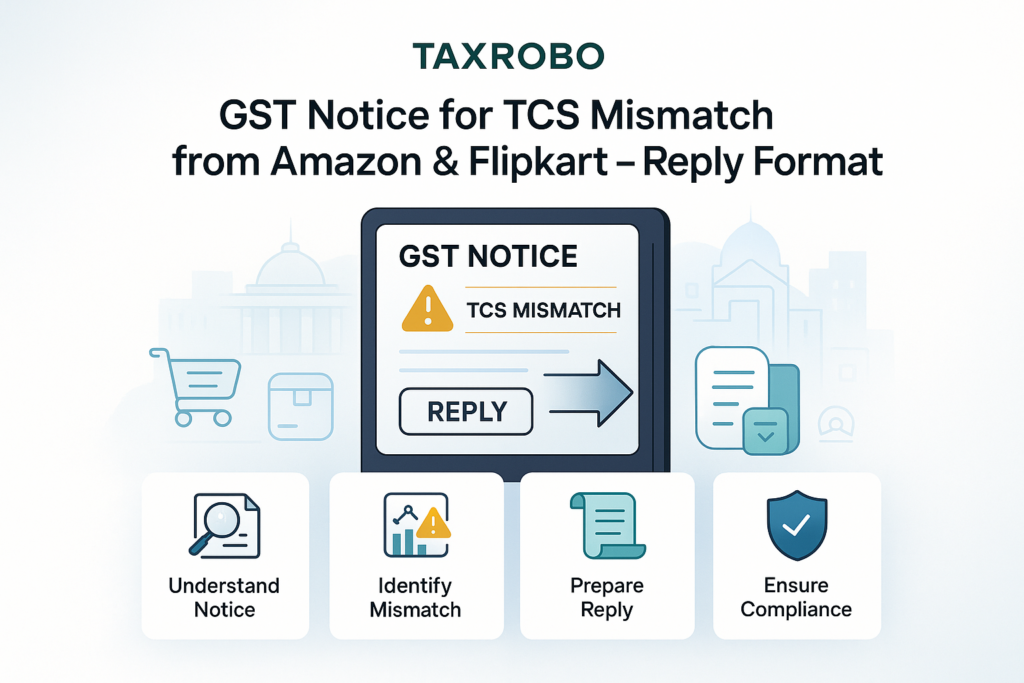

GST Notice for TCS Mismatch from Amazon & Flipkart – Reply Format
The sight of an official-looking envelope from the GST department can be unsettling for any online seller. When you’re busy managing inventory, sales, and customer service, the last thing you want is a legal notice. For sellers on platforms like Amazon and Flipkart, a common reason for such a notice is a discrepancy in tax reporting. Properly understanding GST for E-commerce Businesses: Key Considerations can help prevent many common issues. Receiving a TCS mismatch notice means the sales figures you reported to the GST department don’t align with the data submitted by the e-commerce platform. While it sounds complex, it’s a frequent issue that can be resolved with a systematic approach. A timely and correct response is absolutely crucial to avoid penalties and further legal complications. This comprehensive guide will provide a step-by-step process on how to respond to a TCS notice, complete with a ready-to-use reply format to make the process as smooth as possible.
What is TCS and Why Do Mismatches Happen?
Before diving into the reply process, it’s essential to understand the basics of Tax Collected at Source (TCS) and the common reasons why discrepancies occur. This knowledge is the first step in addressing the notice confidently and preventing future issues. A clear understanding of these fundamentals will help you in correctly addressing TCS mismatch with Amazon and Flipkart and staying compliant with TCS mismatch guidelines for Indian sellers.
A Simple Guide to Tax Collected at Source (TCS) for E-commerce Sellers
Tax Collected at Source, or TCS, is a provision under Section 52 of the Central Goods and Services Tax (CGST) Act. In simple terms, it’s a tax that e-commerce operators like Amazon and Flipkart are required to collect from you, the seller, on the net value of sales you make through their platform. Think of it as a small portion of your sales revenue that the platform collects and pays directly to the government on your behalf. The current TCS rate is 1% of the net taxable sales (0.5% CGST + 0.5% SGST for intrastate sales, or 1% IGST for interstate sales). This collected amount isn’t an extra tax burden; it’s more like an advance tax payment. The amount collected by the e-commerce operator is reflected in your electronic cash ledger on the GST portal. You can then use this credited amount to offset your final GST liability when you file your GSTR-3B return, effectively reducing your out-of-pocket tax payment. A detailed guide on How to File GST Returns Online: A Step-by-Step Guide of the GST Filing Process & Procedure can be invaluable here. The platform files a monthly return called GSTR-8, detailing the sales made by each seller and the TCS collected, which is how the government tracks these transactions.
Top Reasons for Receiving a TCS Mismatch Notice
A mismatch occurs when the sales figures you declare in your GSTR-1 (statement of outward supplies) do not match the figures reported by Amazon or Flipkart in their GSTR-8 for the same tax period. The GST department’s automated system flags these discrepancies, triggering a notice. Here are the most common reasons this happens:
- Incorrect GSTIN: This is a simple but common error. The GST Identification Number (GSTIN) you have provided in your Amazon Seller Central or Flipkart Seller Hub might have a typo or may be an old, cancelled number. If the GSTIN is incorrect, the TCS collected by the platform will not be credited to your correct GST account, leading to an immediate mismatch.
- Sales Reporting Gaps: The total sales value you’ve reported in your GSTR-1 might not align with the gross sales reported by the e-commerce operator. This can happen if you miss reporting certain invoices or if there’s a difference in how “net taxable value” is calculated between your accounting system and the platform’s system.
- Timing Differences: This is one of the most frequent causes. A customer might return a product, or an order might be cancelled. You might account for this sales return in the same month it happens, while the e-commerce platform processes the refund and reports it in the subsequent month’s GSTR-8. This creates a temporary mismatch between your GSTR-1 and their GSTR-8 for both months involved.
- Technical Errors: Occasionally, glitches or delays in data synchronization between the e-commerce platform’s system and the GST Network (GSTN) can cause data to be reported incorrectly or in a delayed manner, leading to an apparent mismatch that resolves itself in a later tax period.
Your Step-by-Step Action Plan to Handle the TCS Mismatch Notice
Receiving a notice is not a reason to panic. With a structured approach, you can address it efficiently. Our general guide on How to Respond to a GST Show Cause Notice: A Step-by-Step Guide covers the fundamentals, and this article will tackle the specifics of a TCS mismatch. The key is to act promptly and follow a clear reconciliation process. Ignoring the notice is not an option and can lead to more significant problems.
Step 1: Acknowledge the Notice (Don’t Ignore It!)
The first and most important rule is to not ignore the notice. A delayed or non-existent response can be interpreted as an admission of fault, potentially leading to penalties. Your immediate action should be to carefully read the notice in its entirety. Pay close attention to key details such as the specific tax period for which the mismatch has been identified (e.g., April 2023), the discrepancy amount mentioned, and the reference number of the notice. The document will also specify a deadline for your response, which is typically between 7 and 15 days from the date of issuance. Mark this date in your calendar and ensure you prepare and submit your reply well within this timeframe. Acknowledging the timeline and understanding the specific query from the tax officer is the foundation of a successful resolution.
Step 2: Gather and Reconcile Your Data
The core of your response lies in accurate data reconciliation. You need to gather all relevant reports from both the GST portal and your e-commerce seller dashboard to pinpoint the exact source of the discrepancy. This methodical approach will form the evidence for your reply.
- From the GST Portal: Log in to your GST account. First, download the data filed by the e-commerce operator by navigating to Services > Returns > TDS and TCS credit received. This will show you the exact sales figures and TCS amount reported by Amazon/Flipkart for the period in question. Next, ensure you have copies of your own filed returns—specifically, your GSTR-1 and GSTR-3B—for the same period.
- From Amazon/Flipkart: Log in to your seller dashboard (Amazon Seller Central or Flipkart Seller Hub). Go to the reports section and download the detailed sales and TCS reports for the specific month mentioned in the notice. These reports provide a granular, order-level breakdown of sales, returns, and the TCS collected on each transaction.
Once you have all the reports, the reconciliation process begins. Open a spreadsheet and create columns for data from your books/GSTR-1 and data from the platform’s report. Compare the gross sales, returns, and net taxable sales figures line by line. This detailed comparison will help you identify whether the mismatch is due to a sales return processed in a different month, a missed invoice, or an error in reporting from either side.
Step 3: Prepare Your Supporting Documents
A well-prepared reply is one that is backed by solid documentary evidence. Your explanation alone is not enough; you must provide proof to substantiate your claims. This is a critical part of the TCS discrepancy reply procedure in India. Before you start drafting the letter, gather and organize the following documents:
- A copy of the TCS mismatch notice: Always attach a copy of the notice you are responding to for clear reference.
- Your filed GSTR-1 and GSTR-3B returns: Include copies of the returns you filed for the relevant tax period.
- The detailed TCS report from Amazon/Flipkart: This is the primary evidence from the e-commerce operator that shows their side of the data.
- The Excel reconciliation sheet: This is your key working document. It should clearly show the comparison between your data and the platform’s data, with a separate column for remarks explaining the reason for each discrepancy found.
- Relevant communication: If you had previously contacted Amazon or Flipkart support regarding any data discrepancy, include screenshots or copies of that communication as further proof of your due diligence.
The Perfect Reply: TCS Mismatch Notice Reply Format
With your data reconciled and documents ready, the final step is to draft a professional, factual, and clear response to the GST officer. Using a structured format ensures you cover all necessary points and present your case effectively.
Key Elements of a Professional Response
Your reply letter should be formal and to the point. Avoid emotional language and stick to the facts as supported by your documents. Here are the essential components to include:
- Header: Start with your business details at the top: registered business name, full address, and your GSTIN. Below this, include the date and the details of the issuing GST officer and their office address, as mentioned in the notice.
- Subject Line: The subject line must be clear and direct, allowing the officer to immediately identify the purpose of your letter. For example: “Reply to Notice for TCS Mismatch (Ref No: XXXXX) for the Period [Month, Year]”.
- Reference: In the opening of the letter, clearly state the notice’s reference number and its date. This links your reply directly to their official record.
- Introduction: Begin by formally acknowledging the receipt of their notice and briefly stating that your letter is the official response to the points raised in it.
- Explanation Body: This is the most crucial section. Do not write a long, complicated story. Instead, factually and concisely explain the reasons for the mismatch you identified during reconciliation. Refer directly to your attached reconciliation sheet (label it as Annexure-A) to guide the officer through your findings. For example, “The discrepancy of Rs. [Amount] is due to sales returns processed in the subsequent tax period, as detailed in Annexure-A.”
- Conclusion: Conclude by politely requesting the officer to review your submission and the attached documents and to consider dropping the proceedings based on the evidence provided.
- Enclosures: At the end of the letter, list all the documents you are attaching (e.g., “Enclosures: 1. Copy of Notice, 2. Reconciliation Statement,” etc.).
Sample TCS Mismatch Letter Format for Ecommerce Sellers
To simplify the process, here is a fill-in-the-blanks template you can adapt. This TCS mismatch notice reply format is designed to be comprehensive and professional, suitable for both an Amazon TCS mismatch response India and a Flipkart TCS notice format.
[Your Business Name]
[Your Address]
[Your GSTIN]
[Date]

To,
The [Designation of Officer],
[Jurisdiction/Address of GST Office]

**Subject: Response to TCS Mismatch Notice for [Tax Period, e.g., April 2023] (Ref No: [Notice Reference Number])**

Respected Sir/Madam,

This is in reference to the show-cause notice dated [Date of Notice] with the reference number cited above. We acknowledge receipt of the notice regarding an apparent mismatch in the Tax Collected at Source (TCS) details submitted by the E-commerce operator and our declared turnover.

Upon careful review, we have conducted a detailed reconciliation of our records. The primary reason for this discrepancy is [Choose and elaborate on the appropriate reason: e.g., a timing difference in accounting for sales returns, incorrect data uploaded by the e-commerce operator, etc.].

We are attaching a comprehensive reconciliation statement (**Annexure A**) which details the sales reported in our GSTR-1 versus the data filed by [Amazon/Flipkart] in their GSTR-8. The statement clearly explains the cause of the variation.

**Enclosures:**
1.  Copy of the Notice.
2.  Reconciliation Statement (Annexure A).
3.  TCS Report from [Amazon/Flipkart] Seller Portal.
4.  Copy of our GSTR-1 for the said period.

In light of the facts presented and the supporting documents attached, we humbly request you to review our submission and consider the matter resolved. We assure you of our full cooperation.

Thank you.

Sincerely,
[Your Name/Authorized Signatory]
[Designation]
Conclusion
Receiving a notice from the GST department can be daunting, but it is a manageable part of doing business online. The key is to address it methodically: stay calm, gather and reconcile your data meticulously, draft a factual reply using the provided format, and ensure all supporting documents are attached. By following these steps, you can present a clear and convincing case to the tax authorities. As a proactive measure, it is highly recommended to conduct a monthly reconciliation of your sales and TCS data even before filing your returns. This simple habit can help you catch discrepancies early and prevent such notices altogether.
Navigating a TCS mismatch notice can be stressful. If you need expert assistance in preparing a foolproof reply or managing your GST compliance, the specialists at TaxRobo are here to help. Contact Us Today for a Hassle-Free Resolution!
Frequently Asked Questions (FAQs)
Q1: What is the deadline to reply to a GST notice for a TCS mismatch?
A: The deadline is usually mentioned in the notice itself, typically ranging from 7 to 15 days from the date of issuance. It’s crucial to respond within this timeframe to avoid further action from the tax department.
Q2: Can I just pay the difference mentioned in the notice?
A: It is not advisable to pay the difference without conducting a thorough reconciliation first. The mismatch could be due to an error on the e-commerce platform’s part, a timing difference that will self-correct, or other factors not requiring a payment. A proper reply with evidence is the correct first step.
Q3: Where can I check the TCS details filed by Amazon/Flipkart on the GST Portal?
A: You can view the TCS details on the official GST portal. Log in and navigate to Services > Returns > TDS and TCS credit received. Here you can select the financial year and month to view the GSTR-8 filed by the e-commerce operators on your behalf. For direct access, visit the GST Portal.
Q4: What happens if I fail to respond to the TCS mismatch notice?
A: Failure to respond can have serious consequences. The tax officer may confirm the demand based on the data available to them, treating the mismatch as undeclared sales. This can result in the levying of the tax amount, along with penalties, interest, and could even lead to recovery proceedings against your business.