
REG-03 Notice for Additional Documents – A Complete Guide to the Reply Format
Have you applied for a new GST registration and received a notice asking for more details? Don’t worry, this is a common step in the verification process. You’ve likely received a Form GST REG-03 notice, and understanding the correct REG-03 notice reply format is the key to getting your application approved quickly. This notice is a standard query from a GST officer who is seeking clarification or additional documents related to your initial GST application. It is not a rejection but an opportunity to provide the necessary information to complete the verification. This comprehensive guide will provide a detailed, step-by-step process and a clear template to help you respond effectively and secure your GSTIN without any unnecessary delays. We will cover everything from understanding the notice to drafting a professional response and submitting it successfully on the GST portal.
Understanding Why You Received a GST REG-03 Notice
Receiving a notice from a tax authority can be unsettling, but in the case of Form REG-03, it’s a procedural step designed to ensure the accuracy of the GST database. The GST ecosystem is built on the foundation of verified taxpayers, and this notice is a tool for the tax officer to confirm every detail you’ve provided. Viewing it as a request for cooperation rather than a hurdle can make the process smoother. Understanding the reasons behind it can help you prepare a more effective and targeted response, ensuring you address the officer’s concerns directly and comprehensively.
What is the Purpose of a REG-03 Notice?
The entire GST registration process involves a thorough verification of your application (Form GST REG-01) by a proper officer assigned to your jurisdiction. This officer’s duty is to ensure that all submitted information is accurate, the documents are authentic, and the applicant is a genuine business entity. If the officer finds any information to be incomplete, inconsistent, incorrect, or requiring further substantiation, they issue a notice in Form GST REG-03. This is a standard and integral part of the REG-03 notice procedure India and simply means your application is under review and needs more input from your side. It is a formal communication channel that allows the officer to raise specific queries, giving you a clear opportunity to address them and move your application forward toward approval.
Common Reasons for Receiving a REG-03 Notice
An officer can raise a query for various reasons, most of which relate to documentation and data consistency. Being aware of these common pitfalls can even help you prepare a more robust initial application. Here are some of the most frequent reasons for receiving an additional documents notice reply India:
- Document Mismatch: This is a very common issue where the name, address, date of birth, or father’s name on your PAN card or Aadhaar card does not exactly match the details entered in the application or the proofs submitted. Even a minor spelling difference can trigger a query.
- Unclear Documents: The scanned copies of your documents are crucial evidence. If your submitted proofs, such as an electricity bill, rent agreement, bank statement, or your photograph, are blurry, illegible, or have parts cut off, the officer cannot verify them and will issue a REG-03 notice.
- Invalid Proof of Business Place: The validity and completeness of your business address proof are paramount. Common issues include submitting an expired rent agreement, failing to attach a No Objection Certificate (NOC) from the property owner, or providing a utility bill that is not recent (usually older than two months).
- Incorrect Jurisdiction: The GST portal often auto-populates the jurisdiction based on your address, but sometimes it can be incorrect or you might select the wrong one manually. The officer will issue a notice to have this corrected before processing the application.
- Issues with HSN/SAC Codes: Your application requires you to list the top five goods (HSN codes) or services (SAC codes) you intend to deal in. If this section is left blank, is too vague, or seems inconsistent with the nature of your business, the officer may ask for clarification.
Step-by-Step Guide: How to Draft and File Your Reply
Responding to a REG-03 notice is a time-sensitive and entirely online process. A well-structured and prompt reply is your best chance for a quick approval. Follow these steps carefully to navigate the process on the GST portal and submit a comprehensive response.
Step 1: Accessing the Notice on the GST Portal
First, you need to locate and read the notice to understand the queries. The notice is not sent via email as an attachment; it is available on your GST dashboard.
- Visit the official GST Portal: https://www.gst.gov.in/.
- Instead of the regular login, click on Register Now. Select the Temporary Reference Number (TRN) option and enter the TRN you received when you first filed your application, along with the captcha.
- After OTP verification, you will be on your dashboard.
- Navigate to the following path: Services > Registration > Application for Filing Clarifications.
- On the next screen, you will need to enter your Application Reference Number (ARN) which was generated after you submitted your initial registration application. Clicking ‘Search’ will display the notice issued to you. Download it and save a copy for your records.
Step 2: Carefully Analyze the Officer’s Queries
Before you start drafting your reply or collecting documents, it is absolutely essential to read the notice thoroughly. The REG-03 will contain specific, numbered queries from the officer. Understand exactly what information or which documents are being requested. For instance, a query like “Address proof unclear” is different from “Address proof invalid.” The first requires a clearer copy of the same document, while the second may require a completely different document. Make a checklist of all the points raised by the officer. Prepare all required documents in the specified digital format (usually PDF or JPEG) and ensure each file is within the size limit (typically 1MB) before you begin the submission process.
Step 3: Preparing Your Written Response – The Correct REG-03 Notice Reply Format
Your response to the notice has two main components that are submitted together: a written clarification addressing each query and the corresponding supporting documents. The written response should be formal, precise, and directly answer the officer’s questions. Using a clear and structured reply format for REG-03 notice will make it easier for the officer to review and approve your application.
Here is a sample REG-03 notice reply format India that you can adapt for your needs.
Sample
Reply Format for REG-03 Notice:To,
The Proper Officer,
[Your Jurisdiction]Reference: Your Application Reference Number (ARN) – [Enter Your ARN]
Subject: Reply to Notice in Form GST REG-03 Seeking Additional Information/Clarification
Respected Sir/Madam,
This is in reference to the show-cause notice issued in Form GST REG-03 dated [Date of Notice], for our GST registration application. We have reviewed the queries raised and are providing the necessary clarifications and documents below.
- Query 1 as per notice: [State the exact query raised by the officer, e.g., “Proof of principal place of business is not clear.”]
- Our Clarification: [Provide your clear and concise response, e.g., “In response to this query, we have attached a high-resolution, self-attested scanned copy of the latest electricity bill for the business premises as valid proof of address. To further support our application, a No Objection Certificate (NOC) duly signed by the property owner has also been attached for your kind verification.”]
- Query 2 as per notice: [State the second query, if any, e.g., “The name on the PAN card and the rent agreement do not match.”]
- Our Clarification: [Provide your response to the second query, e.g., “We acknowledge the minor discrepancy in the name. This was a typographical error in the rent agreement. We have attached a sworn affidavit clarifying the name of the applicant, which is consistent with the name on the PAN card. A corrected version of the rent agreement is also attached for your reference.”]
All the requested documents have been uploaded to the portal in the supporting documents section. We trust that the provided information and documents will resolve the queries raised. We humbly request you to kindly review the same and approve our application for GST registration at the earliest.
Thank you,
Sincerely,
[Your Name/Name of Authorized Signatory]
[Name of Business]
Step 4: Uploading Documents and Submitting the Reply (Form GST REG-04)
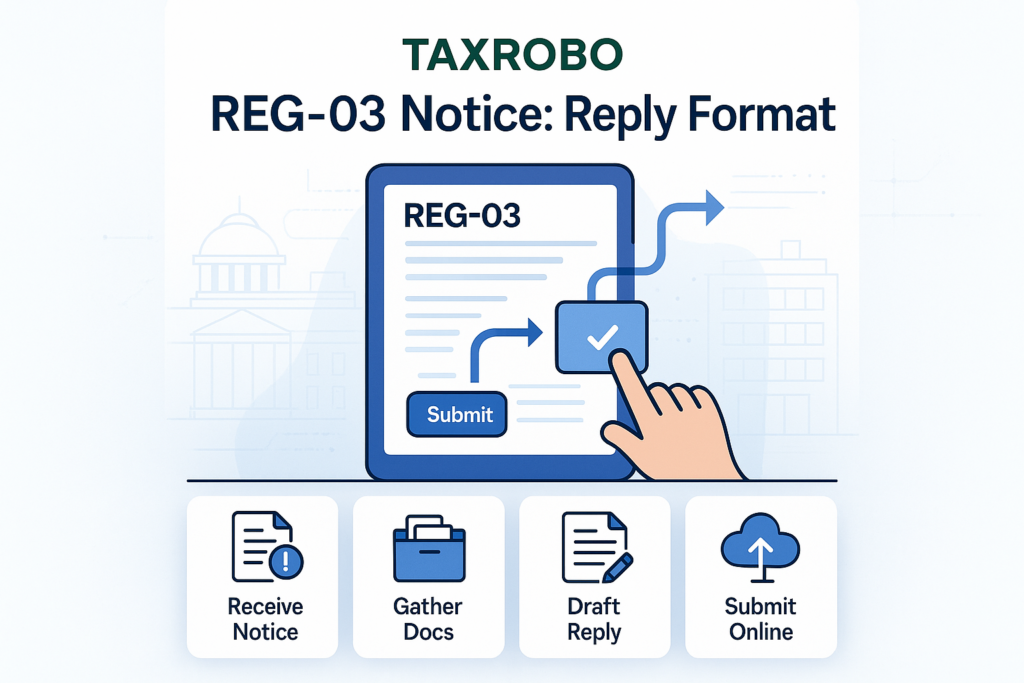
Once your written response and supporting documents are ready, the final step is to submit them online. Your reply is filed electronically in Form GST REG-04.
- On the “Application for Filing Clarifications” page, you will find a text box where you can type or paste your written response.
- Below the text box, there will be an option to Upload Supporting Documents. Click on it to attach all the scanned documents you prepared. You can upload multiple documents.
- After composing the reply and attaching the files, you must verify your submission. This can be done using a Digital Signature Certificate (DSC), which is mandatory for Companies and LLPs. Other applicants, like individuals and proprietorships, can use the simpler Electronic Verification Code (EVC) option, which sends an OTP to your registered mobile number and email.
- Crucial Point: Remember, you must file this reply within 7 working days from the date of receiving the REG-03 notice. This deadline is strict and non-negotiable.
What Happens After You Submit Your Reply?
After you’ve successfully filed your reply in Form GST REG-04, the ball is back in the officer’s court. The officer will review your clarifications and the new documents you have provided. There are two possible outcomes from this point.
Scenario 1: Approval of Application
If the officer is satisfied with your response and finds that all their queries have been adequately addressed, they will approve your application for GST registration. You won’t have to take any further action. Within about 7 working days of your submission, you will receive your GST Registration Certificate (Form GST REG-06) via email. This certificate will contain your 15-digit Goods and Services Tax Identification Number (GSTIN), and your business will be officially registered under GST.
Scenario 2: Rejection of Application
If the officer is still not satisfied with your reply, believes the documents are insufficient, or finds inconsistencies, they have the authority to reject your application. In this case, they will issue a formal rejection order in Form GST REG-05, which will state the reasons for the rejection. Unfortunately, there is no process to appeal this decision at the application stage. Your only option is to start over by filing a completely new GST registration application (Form GST REG-01), making sure to address the reasons for the previous rejection. This is why it is so important to get the reply right the first time.
Conclusion: Respond Correctly and Get Your GSTIN Faster
A REG-03 notice is a standard query in the GST verification process, not an outright rejection of your application. The key to a successful outcome lies in a timely, accurate, and comprehensive response. By carefully analyzing the officer’s queries and using a clear and professional REG-03 notice reply format, you can provide all the required information and documents efficiently. This proactive and meticulous approach significantly increases the chances of a swift approval, allowing you to get your GSTIN and start your business operations without delay.
Navigating GST procedures and responding to official notices can be complex and time-consuming. If you need expert assistance in drafting a perfect reply, ensuring all documents are in order, or managing your overall GST compliance, contact the experts at TaxRobo today. We ensure your GST registration is a smooth and hassle-free process.
Frequently Asked Questions (FAQs)
1. What is the time limit to reply to a GST REG-03 notice?
You must submit your reply and all supporting documents within 7 working days from the date you receive the notice. Failure to respond within this timeframe will lead to the automatic rejection of your GST registration application by the system.
2. Can I request an extension for replying to the notice?
No, the GST law does not have any provision for requesting an extension of time for filing a reply to the REG-03 notice. The 7-working-day deadline is strict and must be adhered to.
3. Is the reply to a REG-03 notice filed online or offline?
The entire REG-03 notice procedure India is conducted online. Your written clarification and all supporting document uploads must be submitted electronically through the official GST portal. There is no offline or physical submission process.
4. What is Form GST REG-04?
Form GST REG-04 is not a separate form that you need to download and fill out. It is the official designation for the electronic form or interface on the GST portal through which you submit your clarification and documents in response to a REG-03 notice.
5. I missed the deadline to reply. What should I do now?
If you miss the 7-working-day deadline, your application is considered rejected, and you can no longer reply to the notice. Your ARN will be invalidated. The only course of action is to begin the GST registration process from scratch by filing a new application in Form GST REG-01.