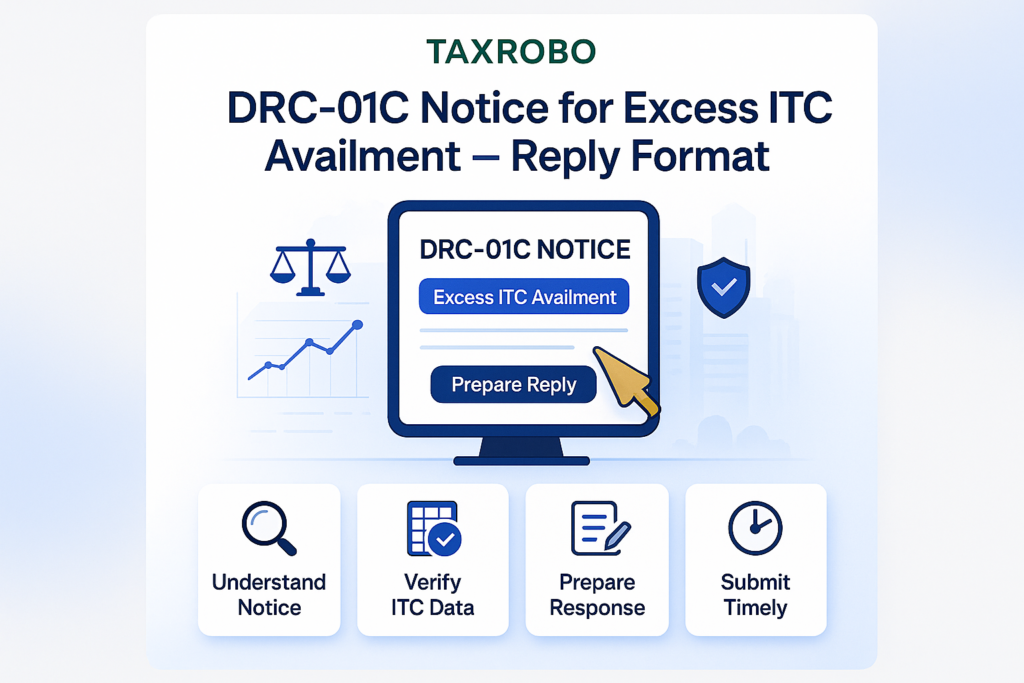

DRC-01C Notice for Excess ITC Availment – A Complete Guide to Reply Format
Receiving an official-looking notice from the GST department can send a wave of anxiety through any business owner. Your mind races with questions about what you might have done wrong and what the potential consequences could be. However, when it comes to Form DRC-01C, it’s best to see it not as an accusation, but as an automated alert from the system. This form is an intimation from the GST portal about a mismatch between the Input Tax Credit (ITC) you claimed and what’s available to you. The key to resolving this is to provide a clear, timely, and well-documented DRC-01C notice response. This guide is designed to walk you through the entire process, providing a step-by-step method to analyze the notice and submit a proper excess ITC availment reply format, ensuring you remain compliant and avoid unnecessary penalties.
Understanding Form DRC-01C: Why Did You Receive This Notice?
Form DRC-01C is an automated intimation issued under GST Rule 88D. Its sole purpose is to flag discrepancies between the Input Tax Credit you claimed in your GSTR-3B return and the ITC that is available in your auto-generated GSTR-2B statement for a particular tax period. The GST system is designed to cross-verify data, and this notice is a direct result of that automated check. It acts as an early warning system, prompting you to review your claims before a minor issue potentially escalates into a larger compliance problem.
To put it in simpler terms, think of GSTR-2B as the official bill your suppliers have declared to the government on your behalf. It’s a static statement that lists all the invoices where other businesses have named you as the recipient. Your GSTR-3B, on the other hand, is the return where you declare your total sales and claim your total ITC for the month. DRC-01C is the system telling you, ‘Hey, you’ve claimed more credit in your GSTR-3B than what your suppliers have officially declared for you in GSTR-2B. Please explain or pay the difference.’ Understanding this fundamental difference is the first step toward resolving the notice effectively.
Common Reasons for an ITC Mismatch
More often than not, the mismatch highlighted in a DRC-01C notice arises from simple, rectifiable errors rather than intentional misreporting. Before you begin drafting your reply, it is crucial to investigate and pinpoint the exact cause of the discrepancy. Here are some of the most common reasons you might have received this intimation:
- Supplier Errors: This is one of the most frequent causes. Your supplier might have made a mistake while filing their GSTR-1 return. Common errors include entering the wrong GSTIN (e.g., mistyping a single digit), filing their GSTR-1 for the relevant period after the due date, or completely forgetting to upload an invoice. In such cases, the credit is rightfully yours, but it isn’t reflecting in the system correctly.
- Your Clerical Errors: Mistakes can happen on your end, too. A simple data entry error, like transposing numbers or adding an extra zero while entering the ITC amount in your GSTR-3B, can trigger the notice. These are often the easiest to identify and rectify by comparing your filed return with your internal accounting records.
- Timing Differences: The GST system works on a month-to-month basis, which can lead to timing mismatches. For example, you might have received goods and the corresponding tax invoice in March and claimed the ITC in your March GSTR-3B, as you are legally entitled to. However, your supplier may have filed their GSTR-1 for that invoice in early April. The system sees a mismatch for March, even though the credit appears correctly in the next month’s GSTR-2B.
- Claiming Ineligible ITC: Sometimes, businesses mistakenly claim ITC on goods or services that are blocked under Section 17(5) of the CGST Act. This includes items like motor vehicles for personal use, food and beverage costs, club memberships, and goods lost, stolen, or destroyed. A thorough review of your purchase invoices against the blocked credit list is essential.
A Step-by-Step Guide to Your DRC-01C Notice Response
A systematic and calm approach is the key to effective India GST DRC-01C notice handling. The GST portal itself provides a structured pathway to submit your response, and following it diligently will ensure you address all requirements. Panicking or ignoring the notice will only complicate the situation. Instead, follow these steps to manage the process smoothly and professionally.
Step 1: Don’t Panic – Analyze the Notice
The first action is always to understand exactly what the notice is about. Do not jump to conclusions. Log in to the official GST Portal and navigate to the right section to view the details.
- From your dashboard, go to Services > Returns > Return Compliance.
- On the Return Compliance page, you will see a tab for ‘View Notices and Orders’. The DRC-01C intimation will be listed here.
- Click on the reference number to view the notice. Pay close attention to three key details: the tax period in question, the exact difference amount flagged by the system, and the due date for your response (which is seven days from the date of intimation).
Step 2: Reconcile Your Purchase Records
This is the most critical part of the process and forms the foundation of your response. You must conduct a thorough internal audit to find the source of the mismatch.
- Download Data: From the GST portal, download your GSTR-2B statement and your filed GSTR-3B return for the tax period mentioned in the notice.
- Compare with Internal Records: Open these files alongside your internal purchase register or accounting software data for the same month.
- Invoice-by-Invoice Check: Compare the entries in your purchase register with what is appearing in GSTR-2B. Tick off every invoice that matches. The invoices that remain unticked are the likely cause of the discrepancy. This detailed reconciliation is the core of
addressing DRC-01C notice in Indiaand will give you the evidence needed for your reply.
Step 3: Choose Your Response Strategy on the Portal
Once your reconciliation is complete, you will know whether the discrepancy is due to an error on your part or a valid reason like a supplier’s late filing. Based on your findings, you can now proceed to the portal to file your reply. When you access the DRC-01C response utility, you will be presented with two distinct options.
- Part A: Pay the differential tax amount. This is for situations where you agree with the notice and acknowledge that you have claimed excess ITC.
- Part B: Provide reasons for the difference. This is for situations where you have identified a valid reason for the mismatch and believe your ITC claim is correct as per GST law.
Detailed DRC-01C Notice Response Format India: How to Reply
Choosing between Part A and Part B depends entirely on the outcome of your reconciliation. Both options require a specific procedure on the GST portal to ensure your response is officially recorded and the notice is closed. Let’s explore how to proceed with each option.
Option 1: Responding via Part A – Paying the Difference
You should choose this option only after confirming that you have indeed claimed excess ITC due to a clerical error, miscalculation, or claiming ineligible credit. Honesty and prompt action here can save you from higher interest and potential penalties down the line.
How to complete the process:
- On the DRC-01C reply page on the GST portal, select the option to respond via Part A.
- The system requires you to pay the excess tax amount along with the applicable interest (calculated from the date of excess claim to the date of payment). This payment must be made using Form DRC-03.
- Navigate to Services > Ledgers > Payment towards Demand and fill out Form DRC-03. Ensure you select ‘Intimation of tax ascertained through Form DRC-01C’ as the reason for payment.
- After you successfully make the payment, an ARN (Application Reference Number) will be generated.
- Return to the DRC-01C reply page and enter this ARN in the designated field in Part A.
- Submit your response. The system will validate the ARN, and upon successful submission, your compliance action is complete. This is the most direct way to ensure
excess ITC notice compliance India.
Option 2: Responding via Part B – Providing Justification
This is the path you take when your internal reconciliation shows that your ITC claim is legitimate, and the mismatch is due to reasons outside your control or timing differences. Your goal here is to provide a clear, logical, and evidence-backed explanation to the tax officer.
Common Justifications to provide in the text box:
- Supplier’s Late Filing: “The ITC was claimed in accordance with Section 16 of the CGST Act, as we are in possession of a valid tax invoice and have received the goods/services. The discrepancy has arisen because the supplier, [Supplier Name, GSTIN], filed their GSTR-1 for the period late. This credit is now correctly reflecting in our GSTR-2B for the subsequent month of [Month, Year].”
- Clerical Error by Supplier: “The mismatch is due to a clerical error made by our supplier, [Supplier Name, GSTIN]. They have incorrectly reported our invoice [Invoice No.] under a B2C sale instead of B2B, or under an incorrect GSTIN. We have already contacted them, and they have assured us they will amend this error in their next GSTR-1 filing.”
- ITC Claimed under RCM: “A portion of the claimed ITC pertains to transactions under the Reverse Charge Mechanism (RCM), which are not reflected in GSTR-2B. We have paid the tax liability under RCM and are eligible to claim the ITC in the same month, as per GST law.”
- Transitional Credit or Other Specific Cases: If the ITC relates to specific provisions like ISD credit or transitional credit not routed through GSTR-2B, mention the specific rule or section that allows the claim.
Sample DRC 01C Reply Example (Part B Justification)
Using a clear and professional format for replying to DRC-01C notice is essential. While the response is submitted through a text box on the portal, structuring it like a formal letter helps ensure you cover all necessary points. Here is a sample you can adapt:
Subject: Justification in Response to Form DRC-01C for Tax Period [e.g., December 2023]
Body (to be entered in the justification text box on the portal):
“Dear Sir/Madam,
This is in reference to the DRC-01C intimation (Ref No: [Notice Reference Number]) dated [Date of Notice], highlighting a difference of ₹[Amount] between ITC claimed in GSTR-3B and available in GSTR-2B for the tax period [Month, Year].
We have conducted a thorough review of our purchase records and hereby confirm that our ITC claim of ₹[Your Claimed Amount] in GSTR-3B is correct and in full compliance with the CGST Act, 2017.
The reason for the said difference is as follows:
Reason: [Choose the appropriate reason and explain clearly. For example:] The ITC pertaining to Invoice No. [Invoice Number] dated [Invoice Date] from [Supplier Name, GSTIN: XXXXX] for a tax amount of ₹[Invoice Tax Amount] was not reflected in the GSTR-2B for [Month] because the supplier filed their GSTR-1 return for the period after the due date. We would like to state that the same credit is now correctly reflecting in our GSTR-2B for the subsequent period of [Subsequent Month, Year]. We confirm that we have fulfilled all conditions under Section 16 of the CGST Act for claiming this ITC, as we are in possession of the tax invoice and have received the goods.
We are attaching a scanned copy of the tax invoice for your ready reference.
Given the above facts, we kindly request you to review our submission, acknowledge the validity of our ITC claim, and consider the matter closed.
Thank you for your consideration.
Sincerely,
[Your Name/Authorized Signatory]
[Company Name]
[GSTIN]”
What Happens if You Don’t Respond to a DRC-01C Notice?
Ignoring a DRC-01C notice is not an option and can lead to serious consequences. The GST system is designed to escalate inaction, and failing to respond within the stipulated seven-day period triggers a series of adverse actions.
- Automated Recovery: If you fail to respond or pay the demanded amount, the disputed ITC amount is considered a self-admitted liability. You will not be able to file your subsequent GSTR-1 or IFF returns until you resolve the notice.
- Recovery Action: This inaction allows the GST officer to initiate demand and recovery proceedings against you under Section 73 (for non-fraud cases) or Section 74 (for fraud cases) of the CGST Act without any further communication.
- Credit Ledger Blocking: The officer may block your Electronic Credit Ledger, preventing you from using any of your available ITC balance to pay off future GST liabilities. This can severely impact your business’s cash flow.
- Penalties and Interest: In addition to the principal tax amount, you will be liable to pay interest on the excess ITC claimed from the date it was availed. Further proceedings can also lead to the imposition of substantial penalties.
Conclusion
Receiving a DRC-01C notice can be daunting, but it is fundamentally a manageable compliance task that requires your prompt attention. The system is simply asking for a clarification, and providing one is a standard part of doing business under the GST regime. The key is to act quickly: analyze the data meticulously, identify the root cause of the mismatch, and submit a clear, honest, and well-documented DRC-01C notice response. Whether you find an error and choose to pay the difference via Part A or have a valid reason and provide a justification via Part B, a timely and accurate response is non-negotiable for safeguarding your business from further complications.
Navigating the nuances of GST compliance, especially when it comes to official notices, can be complex. If you need expert assistance in reconciling your data, drafting a professional DRC-01C notice response format India, or managing your overall GST filings to prevent such issues in the future, contact the experts at TaxRobo today!
Frequently Asked Questions (FAQs)
1. What is the time limit to reply to a DRC-01C notice?
You must submit your response, either by paying the tax or by providing a justification, on the GST portal within seven working days from the date you receive the intimation. Failure to do so will result in the consequences mentioned above.
2. What happens after I submit my justification in Part B?
After you submit your reply with the necessary explanations and documents, a tax officer will review it. If the officer is satisfied with your justification and finds it valid, they will accept your reply, and no further action will be taken. The notice will be considered closed. If your explanation is found to be inadequate or unsatisfactory, the officer may initiate further proceedings as per the GST law.
3. Can I make a partial payment and explain the rest?
Yes, the system allows for a combination of responses. If your reconciliation reveals that a part of the discrepancy is your error while the rest is justifiable, you can handle it accordingly. You can pay the portion of the ITC you agree is excess via Form DRC-03 and provide the ARN in your reply. For the remaining disputed amount, you can submit a detailed justification in Part B of the same reply form, explaining why you believe that portion of the claim is valid.
4. Do I need to hire a professional to respond to DRC-01C?
For very straightforward cases, such as a minor clerical error that you have identified and are willing to pay, you may be able to handle the response yourself by following the steps on the portal. However, for more complex situations involving significant amounts, supplier disputes, timing differences spanning multiple months, or nuanced interpretations of GST law, engaging a professional is highly recommended. An expert from TaxRobo can help you draft a legally sound reply, ensure all documentation is in order, and represent your case effectively, protecting you from potential future liabilities.