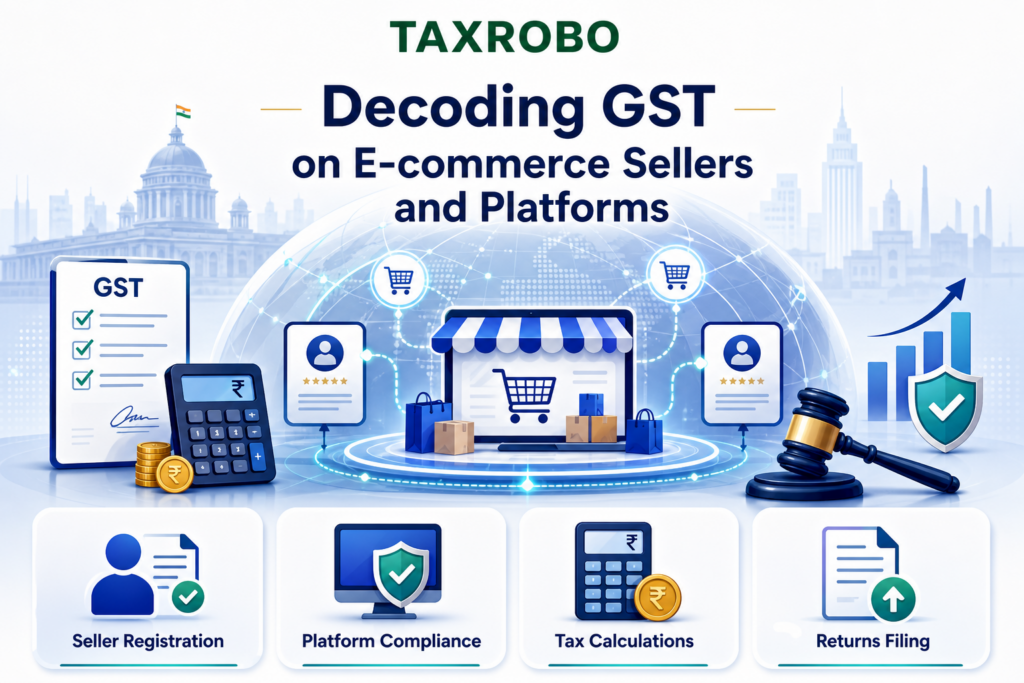

Decoding GST: A Complete Guide for E-commerce Sellers and Platforms in India
The explosion of e-commerce in India has been nothing short of revolutionary. Platforms like Amazon, Flipkart, Myntra, and Meesho have made it incredibly easy for small businesses and even individual entrepreneurs to reach a nationwide customer base from their living rooms. While this digital marketplace offers immense opportunities, it also introduces a new layer of complex tax responsibilities. Many new sellers, excited to start their online journey, find themselves struggling with understanding tax obligations for online sellers. This is precisely why we’ve created this comprehensive e-commerce sellers GST guide, designed to simplify the rules, explain the registration process, and clarify the core duties of GST e-commerce sellers to ensure you remain fully compliant and can focus on growing your business without fearing penalties.
The Fundamentals: Is GST Registration Mandatory for E-commerce Sellers?
The Goods and Services Tax (GST) is an indirect tax that has replaced many other indirect taxes in India, such as excise duty, VAT, and services tax. In the context of e-commerce, it is the tax levied on the supply of goods or services sold through online platforms. One of the most critical and often misunderstood aspects for new online sellers is the requirement for GST registration for small businesses. For businesses selling physical goods through an e-commerce platform, GST registration is mandatory from the very first sale. This means that even if you sell a single item worth ₹100, you are legally required to have a GST Identification Number (GSTIN). This rule is a significant departure from the standard GST framework applicable to offline businesses.
Debunking the GST Threshold Myth for Online Sellers
Many offline businesses enjoy a turnover threshold before they need to register for GST—currently ₹40 lakh for suppliers of goods and ₹20 lakh for service providers in most states. However, this threshold does not apply to businesses selling goods through an e-commerce operator. According to Section 24(ix) of the Central Goods and Services Tax (CGST) Act, 2017, any person who supplies goods through an e-commerce operator is required to register for GST, irrespective of their annual turnover. The government’s logic behind this is to ensure better tracking and accountability of the vast number of transactions happening in the digital marketplace.
There is a notable exception for service providers. If you provide services (like digital marketing, content writing, or consulting) through an e-commerce platform, you can still avail the benefit of the ₹20 lakh threshold limit, provided the tax on your services is collected and paid by the e-commerce operator under a provision known as Section 9(5) of the CGST Act.
Understanding GST Components: CGST, SGST, and IGST
When you create a GST-compliant invoice, you will see the tax divided into different components. Understanding these is crucial for correct invoicing and filing. The implications of GST for e-commerce India depend on the location of the seller and the buyer.
- CGST (Central GST): This is the tax collected by the Central Government on an intra-state sale (a sale within the same state).
- SGST (State GST): This is the tax collected by the State Government on an intra-state sale.
- IGST (Integrated GST): This is the tax collected by the Central Government on an inter-state sale (a sale from one state to another).
Let’s look at a simple example:
- Intra-State Sale: If a seller located in Delhi sells a product to a buyer also located in Delhi, the GST charged will be split equally between CGST and SGST. For an item with 18% GST, the invoice will show 9% CGST + 9% SGST.
- Inter-State Sale: If the same seller in Delhi sells a product to a buyer in Mumbai (Maharashtra), the entire GST will be charged as IGST. For an item with 18% GST, the invoice will show 18% IGST.
Step-by-Step GST Registration for E-commerce Sellers
Getting your business registered for GST is the foundational step towards legality and growth in the e-commerce world. Proper registration is the first step towards GST compliance for e-commerce sellers, enabling you to issue valid invoices, claim tax credits, and operate smoothly on platforms like Amazon and Flipkart. The process is entirely online and can be completed through the official government portal. Before you begin, you must gather all the necessary documents to ensure a seamless application process without rejections or delays.
Essential Documents for GST Registration
To apply for a GSTIN, you need to have the following documents ready in a digital format. Having these prepared in advance will make the registration process much faster.
- PAN Card: The Permanent Account Number (PAN) of the individual, company, or LLP is mandatory.
- Aadhaar Card: The Aadhaar card of the proprietor, partners, or directors is required for authentication.
- Proof of Business Address: This can include an electricity bill, property tax receipt, municipal khata copy, or a valid rent agreement along with a No Objection Certificate (NOC) from the property owner.
- Bank Account Details: A scanned copy of a cancelled cheque or a bank statement clearly showing the applicant’s name, account number, and IFSC code.
- Business Registration Certificate: For companies, this would be the Certificate of Incorporation from the Ministry of Corporate Affairs. For partnership firms, it would be the partnership deed.
- Digital Signature Certificate (DSC): A DSC is mandatory for registration of Companies and LLPs. For proprietorships, the application can be verified using an E-Sign with Aadhaar.
- Photographs: Passport-sized photographs of the proprietor, partners, or directors.
The Online Registration Process on the GST Portal
Once your documents are in order, you can proceed with the online application. The government has streamlined the process, which can be completed by following these high-level steps on the official portal.
- Step 1: Generate TRN: Visit the official GST Portal and navigate to Services > Registration > New Registration. Fill in basic details like PAN, mobile number, and email ID to generate a Temporary Reference Number (TRN).
- Step 2: Fill Part-B of the Application: Log in using the TRN and fill out Part-B of the form. This is where you will provide detailed information about your business, promoters, authorized signatories, principal place of business, and the nature of your business activities.
- Step 3: Upload Documents: Upload the scanned copies of all the documents listed in the previous section. Ensure the files are in the specified format and size.
- Step 4: Submit the Application: After verifying all the details, submit the application using a Digital Signature Certificate (DSC) for companies/LLPs or an Electronic Verification Code (EVC) sent to the Aadhaar-linked mobile number for other applicants.
Actionable Tip: During the registration process, you will be asked about your business activities. It is crucial to correctly select that you will be supplying goods or services through an “e-commerce operator”. After submission, a tax officer will review your application, and upon approval, you will receive your GSTIN and password via email.
Managing Compliance: TCS, Returns, and Invoicing
Obtaining a GSTIN is just the beginning. The real work lies in maintaining ongoing compliance to avoid penalties and ensure the smooth functioning of your online store. The e-commerce platforms tax regulations India require both the seller and the operator to fulfill specific duties related to tax collection and reporting. Understanding these responsibilities is key to building a sustainable and legally sound business.
What is Tax Collected at Source (TCS) and How Does it Work?
Tax Collected at Source (TCS) is a crucial mechanism in the e-commerce GST framework. In simple terms, TCS is a small percentage of tax (currently 1% – 0.5% CGST + 0.5% SGST or 1% IGST) that the e-commerce operator (like Amazon or Flipkart) deducts from the payments it makes to you, the seller. This deduction is calculated on the net taxable value of the goods or services you sell through their platform. The primary purpose of TCS is to create a trail of all transactions occurring on the platform, allowing the tax authorities to easily track sales and ensure sellers are correctly reporting their revenue and paying their GST liability.
Many sellers initially view TCS as an extra tax, but it is not. The amount collected by the e-commerce operator is deposited with the government on your behalf. This collected amount is then reflected in your electronic cash ledger on the GST portal. You can use this TCS credit to offset your final GST liability when you file your monthly returns. Essentially, it’s an advance tax payment managed by the platform to promote transparency and compliance.
Filing Your GST Returns: GSTR-1 and GSTR-3B
As a regular taxpayer registered under GST, you are primarily required to file two main returns. Timely and accurate filing is the cornerstone of GST compliance and helps you avoid hefty late fees and interest penalties. Our detailed guide on how to file GSTR-1 and GSTR-3B correctly can help you navigate the process.
- GSTR-1: This is the return where you declare the details of all your outward supplies (sales) for the month or quarter. You need to provide invoice-wise details of your sales, including the buyer’s GSTIN, invoice value, and the tax amount. The data from your GSTR-1 automatically populates in the buyer’s GSTR-2A/2B, allowing them to claim Input Tax Credit.
- GSTR-3B: This is a monthly summary return. In this form, you declare your total sales, reverse charge liabilities, eligible Input Tax Credit (ITC) claimed, and calculate the final tax payable to the government. After filling out the details, you make the tax payment and file the return. It’s a consolidated summary of your tax obligations for the month.
The Importance of a GST-Compliant Invoice
A GST invoice is not just a bill; it is a critical legal document that serves as proof of a transaction and is essential for the buyer to claim Input Tax Credit. As a GST e-commerce seller, every sale you make must be accompanied by a proper GST-compliant invoice. Failure to do so can result in penalties and may cause issues for your customers.
Here are the essential components that must be on your GST invoice:
- Seller’s name, registered business address, and GSTIN
- A unique, consecutive invoice number and the date of issue
- Buyer’s name, shipping address, and GSTIN (if they are a registered business)
- HSN (Harmonized System of Nomenclature) code for the goods sold
- A clear description and quantity of the goods
- Taxable value of the goods, the applicable rate of tax (CGST, SGST, IGST), and the total tax amount charged
For a deeper dive into the specifics, our detailed guide on understanding GST invoicing covers all the nuances.
Advanced Topics for Online Sellers
As your e-commerce business grows, you will encounter more complex situations that require a deeper understanding of the GST framework. Mastering these advanced topics will not only ensure compliance but also help you optimize your tax liability and manage your finances more effectively. From leveraging tax credits to handling customer returns, these aspects are vital for long-term success.
Claiming Input Tax Credit (ITC) to Reduce Tax Liability
Input Tax Credit (ITC) is one of the most powerful features of the GST regime. In simple terms, ITC allows you to claim credit for the GST you have already paid on your business inputs and use that credit to reduce your final GST payment on sales. This mechanism prevents the “tax on tax” effect, lowering the cost of doing business. As an online seller, you pay GST on various business expenses like raw material purchases, packing materials, warehousing rent, marketing services, professional fees, and even the commission charged by e-commerce platforms.
For example, imagine you sold goods worth ₹10,000 and collected ₹1,800 in GST (at 18%). During the same month, you purchased packing boxes for ₹2,000 and paid ₹360 in GST on them. When filing your returns, you can claim the ₹360 you paid on packing boxes as ITC. Therefore, your net GST liability to the government would be ₹1,800 (output tax) – ₹360 (ITC) = ₹1,440. Effectively managing your ITC is key to improving your cash flow and profitability.
Handling Product Returns and GST Adjustments
Product returns are an inevitable part of the e-commerce business. When a customer returns a product, you refund their money, and you also need to reverse the GST liability that was recorded at the time of the original sale. The correct procedure for this involves issuing a Credit Note. A Credit Note is a document that you, the seller, issue to the buyer to acknowledge the return and nullify the tax impact of the original invoice.
When you issue a Credit Note, you must declare it in your GSTR-1 for the month in which it was issued. This declaration will reduce your total sales turnover and, consequently, your output tax liability for that month. It is a critical part of this e-commerce sellers GST guide, as improper handling of returns can lead to you paying tax on sales that were ultimately cancelled, directly impacting your bottom line.
Conclusion
Navigating the world of GST can seem daunting at first, but with the right knowledge, it becomes a manageable part of running a successful online business. The key takeaways for all GST e-commerce sellers are clear: GST registration is mandatory for goods suppliers from day one, regardless of turnover. Understanding how Tax Collected at Source (TCS) works is essential for reconciling your accounts. Diligently filing your monthly returns, GSTR-1 and GSTR-3B, is non-negotiable for avoiding penalties. And finally, strategically claiming Input Tax Credit (ITC) and correctly managing returns are vital for financial health.
Staying compliant not only keeps you safe from legal and financial penalties but also helps build a credible, trustworthy business that can scale without hurdles. By embracing these regulations, you can focus on what you do best: growing your brand and delighting your customers.
Navigating GST can be complex. Let TaxRobo’s experts handle your GST registration, filing, and overall GST compliance for e-commerce sellers. Focus on growing your online business while we manage your taxes. Contact us for a free consultation today!
Frequently Asked Questions (FAQs)
1. Can I use the GST Composition Scheme if I sell online?
Answer: No. Businesses selling goods through an e-commerce operator are specifically barred from opting for the GST Composition Scheme. This is because the scheme is not available to businesses making inter-state supplies, which is an inherent part of selling on a national e-commerce platform.
2. Do I need a separate GST registration for selling on Amazon and Flipkart?
Answer: No. If your warehouse or principal place of business is located in a single state, you can use one GSTIN to sell on multiple e-commerce platforms like Amazon, Flipkart, Meesho, etc. You only need a separate GST registration for each state where you have a place of business or store inventory (e.g., in an FBA warehouse).
3. What happens if I sell goods online without a GST number?
Answer: Selling goods online without a mandatory GST registration is a serious offense and can lead to severe consequences. These include heavy penalties that can be as high as 100% of the tax due, suspension of your seller account by the e-commerce platform (as they are also liable for compliance checks), and potential legal action from the GST authorities.
4. I only sell on Instagram/Facebook. Do I still need to register for GST?
Answer: Yes. Selling goods through social media platforms like Instagram, Facebook, or WhatsApp is also considered an “e-commerce supply” under the GST law. The rules are the same as for selling on larger marketplaces. You must register for GST before making your first sale, regardless of your turnover.