
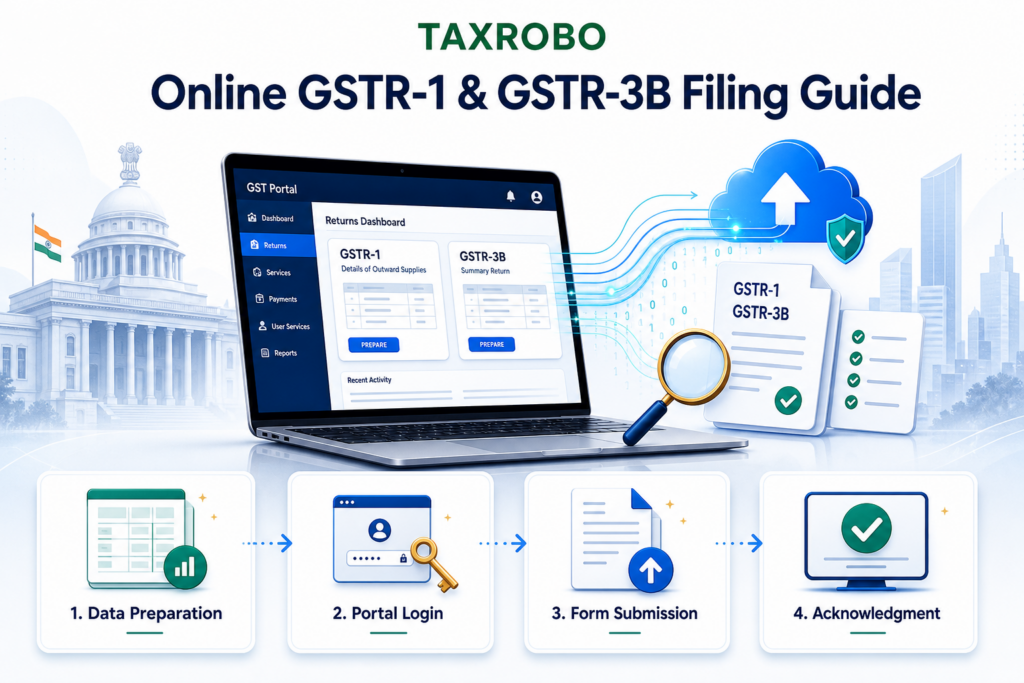

How to File GSTR-1 and GSTR-3B Online: A Beginner’s Guide
For small business owners in India, navigating the Goods and Services Tax (GST) system can often feel overwhelming. Staying compliant is crucial, but understanding the different returns and their filing processes can be a challenge. Two of the most fundamental returns are GSTR-1 and GSTR-3B, and filing them correctly and on time is essential to avoid penalties and maintain a good compliance rating. This beginner’s guide to GSTR filing will break down the process into simple, manageable steps. We will walk you through exactly how to file GSTR-1 and GSTR-3B online, ensuring you have the confidence to manage your GST obligations effectively. If you’re just starting out, our Ultimate Guide to GST Registration for Small Businesses can help you with the first step.
What are GSTR-1 and GSTR-3B? A Simple Breakdown
Understanding the purpose of each return is the first step toward mastering your GST compliance. While both are critical, they serve very different functions in the GST ecosystem. GSTR-1 is about reporting your sales in detail, while GSTR-3B is about summarizing your transactions and paying the tax you owe. Think of GSTR-1 as creating a detailed list of what you’ve sold, and GSTR-3B as the final calculation and payment slip you submit to the government.
GSTR-1: The Return for Outward Supplies
GSTR-1 is a monthly or quarterly return that meticulously summarizes all your sales, also known as outward supplies. It’s the official record where you declare the details of every single invoice you’ve issued to your customers during a specific tax period. This return must be filed by every registered GST taxpayer, with a few exceptions like composition scheme dealers and Input Service Distributors. The details you report are comprehensive and form the backbone of the entire GST credit system.
Key Details to Report in GSTR-1:
- Invoice-wise details for sales to registered businesses (B2B): Every invoice issued to another GST-registered entity must be reported individually.
- Consolidated details for sales to unregistered consumers (B2C): Sales to regular consumers are reported as a consolidated summary, usually state-wise.
- HSN/SAC code summary of goods and services supplied: You must provide a summary of all goods and services sold, categorized by their Harmonized System of Nomenclature (HSN) or Service Accounting Code (SAC).
- Debit and credit notes issued: Any financial adjustments made to previous invoices through debit or credit notes must also be declared.
The importance of GSTR-1 cannot be overstated. The information you file in your GSTR-1 is used to automatically populate the GSTR-2A and GSTR-2B forms for your business customers. This allows them to see the purchases they’ve made from you and claim the corresponding Input Tax Credit (ITC). Accurate and timely filing of GSTR-1 is therefore crucial not just for your own compliance, but for the entire supply chain.
GSTR-3B: The Summary Return and Tax Payment
GSTR-3B is a monthly self-declared summary return. It provides a consolidated view of your total sales (outward supplies), purchases (inward supplies), and the resulting GST liability for the month. Unlike the detailed GSTR-1, GSTR-3B deals in aggregates. Its primary function is to serve as the mechanism through which you calculate and pay your final GST liability to the government after setting off the eligible Input Tax Credit (ITC) you’ve accumulated on your business purchases.
This return is partially auto-populated with data from other returns to simplify the process for taxpayers. For instance, your total tax liability figures are pulled from the GSTR-1 you have filed, while your eligible ITC is auto-drafted from your GSTR-2B (a statement of eligible input tax credit). Your role is to carefully verify these auto-populated figures against your own books of accounts, add any other required details (like tax paid under reverse charge), and then proceed to make the final tax payment before filing the return.
GSTR-1 vs. GSTR-3B: Key Differences
To make it even clearer, here is a simple comparison between the two returns:
| Feature | GSTR-1 | GSTR-3B |
|---|---|---|
| Type of Return | Statement of Outward Supplies | Summary Return |
| Content | Detailed, invoice-level data | Consolidated summary data |
| Primary Purpose | Reporting sales transactions | Calculating & paying tax liability |
| Can it be Revised? | No, but can be amended in a later return | No, corrections must be made in the next return |
Before You Begin: Essential Checklist for GSTR Filing
Before you dive into the online filing process, gathering all the necessary information and tools will save you a significant amount of time and prevent errors. A little preparation goes a long way in ensuring a smooth and hassle-free filing experience. Think of this as your pre-flight checklist before taking off on the GST portal.
Here’s what you absolutely must have ready:
- GSTIN: Your valid 15-digit Goods and Services Tax Identification Number.
- GST Portal Credentials: Your unique username and password for the official GST portal, which can be accessed at the GST Portal.
- Sales & Purchase Data: Meticulously organized records of all sales invoices, purchase invoices, debit notes, and credit notes for the tax period you are filing for. Using accounting software can make this incredibly easy.
- Authorization Method: You will need one of the following to digitally sign and authenticate your return:
- Digital Signature Certificate (DSC): A DSC is mandatory for all companies and Limited Liability Partnerships (LLPs). It must be a valid, unexpired Class 2 or Class 3 DSC.
- Electronic Verification Code (EVC): For other taxpayers like proprietorships and partnerships, an EVC can be used. This is a one-time password (OTP) sent to the mobile number registered with the GSTN or the authorized signatory’s Aadhaar.
- Bank Account: You will need access to a net banking facility, or a debit/credit card, to pay any tax liability that remains after utilizing your Input Tax Credit.
How to File GSTR-1 Online India: A Step-by-Step Guide
Filing your GSTR-1 is the first major step in your monthly or quarterly GST compliance cycle. This is where you declare your sales to the government. The online portal is designed to guide you through the process, but knowing the steps beforehand can eliminate any confusion.
Step 1: Login to the GST Portal
First, navigate to the official GST Portal (`www.gst.gov.in`) using your web browser. On the homepage, click on the ‘Login’ button located in the top-right corner. Enter your username, password, and the captcha code displayed, then click ‘Login’.
Step 2: Navigate to the GSTR-1 Dashboard
Once you are logged into your dashboard, you need to find the returns section. Go to Services > Returns > Returns Dashboard. On the next screen, you will be prompted to select the filing period. Choose the correct ‘Financial Year’ and ‘Return Filing Period’ (the specific month or quarter) from the dropdown menus and click the ‘Search’ button. The portal will now display tiles for all the returns applicable for that period. Find the tile for GSTR-1 (‘Details of outward supplies of goods or services’) and click on ‘PREPARE ONLINE’.
Step 3: Add or Confirm Invoice Details
You will now be directed to the GSTR-1 data entry page, which consists of several tables or tiles, each corresponding to a different type of sale. This is the most crucial part of the filing process. You must carefully add the details of your sales invoices into the appropriate tables.
The most common tables you will use are:
- 4A, 4B, 4C, 6B, 6C – B2B Invoices: Here, you must add details for each individual invoice issued to other GST-registered businesses (Business-to-Business). You’ll need the recipient’s GSTIN, invoice number, date, value, and tax details.
- 5A, 5B – B2C (Large) Invoices: Use this section to add details of interstate sales made to unregistered persons (consumers) where the invoice value is more than ₹2.5 lakh.
- 7 – B2C Others: For all other sales to consumers (B2C), including all intrastate sales and interstate sales under ₹2.5 lakh, you enter a consolidated, state-wise summary of the total taxable value and tax.
- 12 – HSN-wise-summary of outward supplies: This is a mandatory table where you must provide a summary of all goods and services you have sold, categorized by their HSN/SAC code, along with the quantity, total value, and tax breakdown.
This step-by-step GSTR-1 and GSTR-3B filing India guide is designed for beginners, so take your time to ensure accuracy in this section.
Step 4: Generate Summary and Submit
After you have meticulously entered all your sales details into the relevant tables, scroll to the bottom of the page and click the ‘GENERATE GSTR-1 SUMMARY’ button. The system will take a few minutes to process the data and compile a summary. You may need to wait and then refresh the page. Once generated, review this summary very carefully to ensure the consolidated figures match your own records. After you are satisfied with the summary, tick the acknowledgement checkbox that states you have reviewed the details. Then, click the ‘SUBMIT’ button.
Important: A warning pop-up will appear, informing you that no changes can be made to the data after submission. If you are certain everything is correct, click ‘PROCEED’.
Step 5: File GSTR-1 with DSC or EVC
Submitting the data does not mean you have filed the return. After submission, the ‘FILE RETURN’ button at the bottom of the page will become active. Click on ‘FILE RETURN’. On the next page, select the authorized signatory from the dropdown menu. You will now have two options to authenticate the return: ‘FILE WITH DSC’ or ‘FILE WITH EVC’. Choose the option applicable to your business, complete the authentication process, and a success message will be displayed on the screen along with the ARN (Acknowledgement Reference Number), confirming that your GSTR-1 has been successfully filed.
How to File GSTR-3B Online India: From Summary to Payment
Once GSTR-1 is filed, the next and final step for the period is filing GSTR-3B. This return summarizes your tax liability, confirms your eligible ITC, and facilitates the tax payment. The process is now heavily automated but still requires careful verification.
Step 1: Navigate to the GSTR-3B Dashboard
The initial steps are identical to GSTR-1. Login to the GST portal and navigate to Services > Returns > Returns Dashboard. Select the same Financial Year and Period for which you filed GSTR-1 and click ‘Search’. On the ‘File Returns’ page, locate the GSTR-3B tile (‘Monthly Return’) and click ‘PREPARE ONLINE’. A pop-up will ask if you want to file a ‘Nil’ return. If you have had no sales, purchases, or tax liability for the period, you can select ‘Yes’. Otherwise, select ‘No’ to proceed.
Step 2: Review Auto-Populated Data
The system will now display an auto-drafted GSTR-3B, with most fields pre-filled based on your GSTR-1 and GSTR-2B returns. This is a significant feature designed to reduce errors and save time. It is your responsibility to carefully review these auto-populated values.
Pay close attention to these critical tables:
- Table 3.1 – Details of Outward Supplies and inward supplies liable to reverse charge: This table shows your total tax liability on sales, which is populated directly from the GSTR-1 you filed.
- Table 4 – Eligible ITC: This table shows the total Input Tax Credit available to you for the month, which is populated from your GSTR-2B.
This online GSTR filing guide for beginners India strongly emphasizes the importance of verifying every single auto-populated figure against your internal accounting records to ensure complete accuracy.
Step 3: Confirm or Edit Details and Save
Go through each table and verify the figures. While the system auto-populates the data, you have the option to edit the values if there is a genuine discrepancy. However, be aware that if you change the values significantly from the auto-populated data, it may trigger a notice from the tax department, and you should be prepared to provide justification. After confirming or editing the details, click the ‘CONFIRM’ button and then ‘SAVE GSTR-3B’ to save your progress.
Step 4: Proceed to Payment
After saving the return, scroll down and click the ‘PROCEED TO PAYMENT’ button. The portal will now calculate and display a summary of your tax liability, the ITC available in your Electronic Credit Ledger, and the cash balance in your Electronic Cash Ledger. The system automatically provides a recommendation for the optimal way to utilize your available ITC to pay off your CGST, SGST, and IGST liabilities. You can accept this default utilization or edit it as per GST rules.
Step 5: Offset Liability and File GSTR-3B
After setting off the ITC, the portal will show if any remaining tax liability needs to be paid in cash. If your ITC balance is sufficient to cover your entire tax liability, you can directly proceed to the filing step. If cash payment is required and your Electronic Cash Ledger has an insufficient balance, you must click ‘CREATE CHALLAN’. This will allow you to make the required tax payment via net banking, debit/credit card, or other modes. Once the payment is successful and reflects in your cash ledger, you can click the ‘Offset Liability’ button. A success message will appear. Finally, check the declaration box, select the authorized signatory, and click either ‘FILE GSTR-3B WITH DSC’ or ‘FILE GSTR-3B WITH EVC’ to complete the filing process.
Common Pitfalls to Avoid When You File GSTR-1 and GSTR-3B
While the online process is straightforward, several common errors can lead to notices, penalties, or other compliance issues. Being aware of these pitfalls can help you avoid them and ensure a clean compliance record.
Common Mistakes
- Mismatch between GSTR-1 and GSTR-3B: The total tax liability you declare in GSTR-3B must exactly match the total tax calculated from the sales you reported in GSTR-1 for the same period. Any mismatch is a major red flag for tax authorities.
- Incorrectly Claiming ITC: A frequent error is claiming ITC that is not yet reflected in your GSTR-2B. As per GST rules, you can only claim ITC if it appears in your GSTR-2B and you have met all other conditions, such as receiving the goods/services and possessing a valid tax invoice. Understanding all the nuances is key, which is covered in our GST Input Tax Credit (ITC) Full Guide 2025 – Eligibility, Limits & Common Issues.
- Missing Due Dates: Filing returns late is not an option. It automatically attracts a late fee for every day of delay. Furthermore, if you had a tax liability, you will be charged interest on the outstanding tax amount from the due date until the date of payment.
- HSN/SAC Code Errors: Providing incorrect or incomplete HSN/SAC codes in your GSTR-1 can lead to compliance issues. Ensure you use the correct codes as per the turnover-based requirements.
Best Practices
- Maintain Meticulous Records: The foundation of good GST compliance is good bookkeeping. Use reliable accounting software to keep accurate, up-to-date, and organized records of all your sales and purchase transactions.
- Regular Reconciliation: Make it a monthly habit to reconcile your purchase register with the auto-drafted GSTR-2B before you begin filing your GSTR-3B. This helps identify any missing invoices and ensures you claim the correct amount of ITC.
- File Early: Don’t wait until the last day to file your returns. The GST portal often experiences heavy traffic near due dates, which can lead to technical glitches or slowdowns. Filing a few days in advance gives you a buffer to handle any unexpected issues.
Simplify Your GST Compliance with TaxRobo
Following this guide can help you file GSTR-1 and GSTR-3B with confidence and accuracy. The key to successful GST compliance is to be organized in your record-keeping, diligent in your data entry and verification, and always aware of the filing deadlines. As you become more familiar with the process, it will become a routine part of your business operations.
While DIY filing is certainly possible, we understand that GST compliance can be time-consuming and complex, taking your focus away from what truly matters—growing your business. If you’d rather leave the complexities of GST to the experts, TaxRobo is here to help. Our team of professionals can handle all your GST needs, from accurate and timely filing of returns to ensuring you remain fully compliant with all regulations. Contact us today for a hassle-free GST consultation!
Frequently Asked Questions (FAQs)
1. What happens if I miss the due date for GSTR-1 or GSTR-3B?
If you miss the due date for filing either GSTR-1 or GSTR-3B, you will be liable to pay a late fee for each day of delay until the return is filed. The late fee is prescribed under the GST Act and is calculated per day. Additionally, if you had a tax liability for that month (in the case of GSTR-3B), you will also have to pay interest on the outstanding tax amount, calculated from the original due date to the actual date of payment.
2. Can I revise my GSTR-1 or GSTR-3B after filing?
No, you cannot revise a return once it has been filed on the GST portal. However, the system allows for corrections to be made in subsequent returns. For GSTR-1, you can amend details of a previously reported invoice or add an invoice you missed in the GSTR-1 of a later tax period. Similarly, for GSTR-3B, any adjustments, such as under-reporting of liability or over-claiming of ITC, must be correctly reported and paid/reversed in the GSTR-3B of a future month. For a detailed walkthrough of this process, see our guide on How to Correct Errors in Your GST Returns.
3. Do I need to file GST returns if I had no sales or purchases in a month?
Yes, absolutely. Every registered taxpayer is required to file their GST returns for every tax period, regardless of business activity. Even if you had no sales, no purchases, and no tax liability during a month, you must file a ‘Nil’ return for both GSTR-1 and GSTR-3B. Failure to file a Nil return is treated as non-filing and will attract the same late fees as a regular return.
4. What is the QRMP scheme?
The QRMP (Quarterly Return Monthly Payment) scheme is an optional facility for small taxpayers whose aggregate annual turnover is up to ₹5 crores. Under this scheme, taxpayers can file their GSTR-1 and GSTR-3B on a quarterly basis (once every three months) instead of monthly. However, they are still required to pay their tax liability on a monthly basis using a simple challan. This scheme is designed to reduce the compliance burden on small businesses.