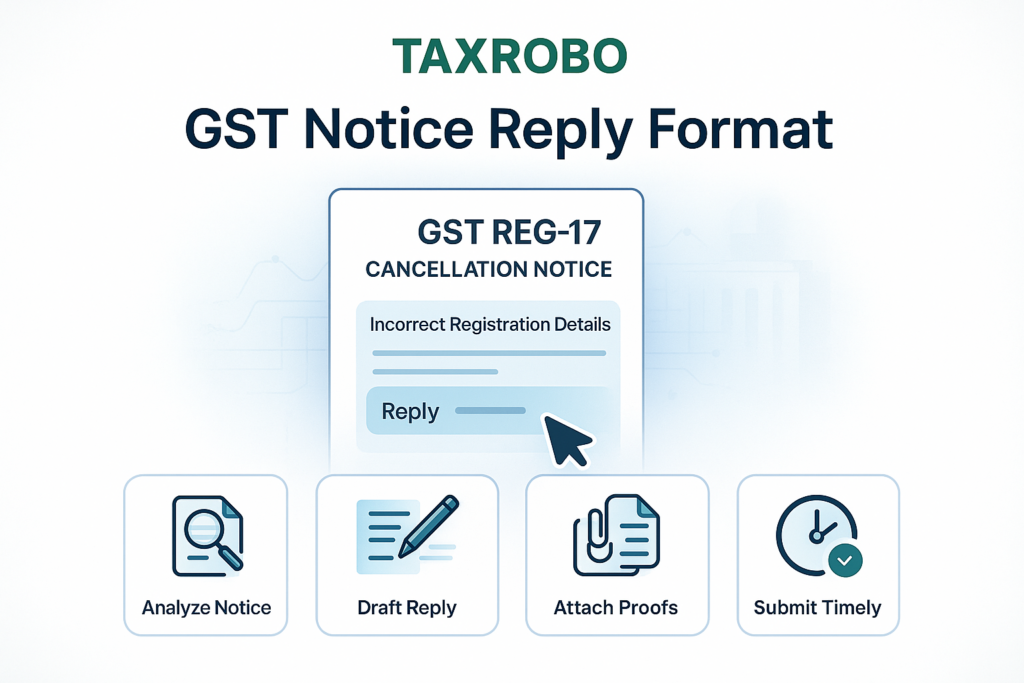

REG-17 GST Cancellation Notice for Incorrect Registration Details – Reply Format
Receiving an official notice from the GST department can be a stressful experience for any business owner. One such notice, the Form REG-17 Show Cause Notice, can be particularly alarming as it proposes the cancellation of your GST registration. If you’ve received this notice due to discrepancies in your registration information, it is crucial to act swiftly and correctly. This comprehensive guide will walk you through the entire process, providing a detailed REG-17 GST cancellation notice reply format and clear steps to help you respond effectively, protect your GSTIN, and ensure your business operations continue without interruption. Understanding how to respond to a GST cancellation notice is the first step toward a successful resolution, and this article will provide you with the necessary tools and knowledge to do so confidently.
What is a Form REG-17 GST Show Cause Notice?
A Form REG-17 is a “Show Cause Notice” (SCN) issued by a GST officer. In simple terms, it’s a formal communication asking you, the taxpayer, to provide reasons or “show cause” as to why your GST registration should not be cancelled. This isn’t a final cancellation order but an opportunity for you to present your case, clarify misunderstandings, and rectify any errors. The notice is issued under Section 29 of the CGST Act, 2017, and Rule 22 of the CGST Rules, 2017. When the notice cites incorrect registration details, it means the officer has found a mismatch between the information you provided during registration and the data available in other government records, or has reason to believe the provided details are no longer valid. For a broader understanding, you can refer to our guide on The Significance of ‘Show Cause Notices’ in GST: Legal Framework and Compliance. Ignoring this notice can lead to the compulsory cancellation of your GSTIN, which has severe consequences, including the inability to issue tax invoices, claim Input Tax Credit (ITC), and legally conduct business. To understand the full implications, see our article on GST Registration Cancellation – Step-by-Step Guide & Practical Issues.
Common Reasons for Receiving an incorrect registration GST notice India
The GST system relies heavily on accurate data for seamless compliance and verification. Even minor errors can trigger a notice from the department. An officer may issue a REG-17 notice for a variety of reasons related to incorrect or outdated information. Understanding these common triggers can help you pinpoint the issue quickly and prepare a precise reply. Many of these issues can be prevented by following a proper procedure, as detailed in the Ultimate Guide to GST Registration for Small Businesses.
- Mismatch in PAN Details: Any discrepancy between the name or date of birth on your PAN card and the details entered in the GST portal is a major red flag. This often happens due to typographical errors during registration.
- Incorrect or Outdated Business Address: The Principal Place of Business is a critical data point. If you have moved your office and not updated the address on the portal, or if the provided address is found to be non-existent or incomplete during a physical verification, it can lead to this notice.
- Discrepancies in Bank Account Details: Providing an incorrect bank account number, IFSC code, or an account that is not in the legal name of the business can cause issues.
- Incorrect Business Constitution: A common error is registering as a sole proprietorship when the business is actually a partnership, or vice-versa. The legal constitution of your business must be accurately reflected in your GST registration.
- Invalid Contact Details: An outdated or incorrect email address and mobile number are serious issues. The department uses these channels for all official communication, and if they are unreachable, it is assumed the taxpayer is not genuine.
How to Read and Understand Your REG-17 Notice
Before you can draft a reply, you must thoroughly understand the notice you have received. Breaking it down into its core components will help you focus on what truly matters and ensure your response addresses all the officer’s concerns.
- Reference Number/DIN: Every notice has a unique reference number and a Document Identification Number (DIN). These numbers are essential for all future correspondence and for tracking the status of your case on the portal.
- Date of Issue: This date is extremely important as it marks the beginning of the countdown for your reply. You must note it down immediately to calculate your deadline.
- Reason for Proposed Cancellation: This is the most critical section of the notice. The officer will explicitly state the discrepancies they have found. For example, it might say, “The Principal Place of Business provided during registration was found to be non-functional upon physical verification.” You must address each reason listed in this section in your reply.
- Deadline for Reply: The notice will specify a date by which you must submit your response. Typically, you are given 7 working days from the date of receipt of the notice. Missing this deadline can have serious consequences.
First Steps to Take After Receiving the GST Cancellation Notice
Panic is a common reaction, but a methodical approach is your best defense. Once you have the notice in hand, follow these initial steps immediately to lay the groundwork for a successful resolution and avoid making any hasty mistakes. These actions will ensure you are working with authentic information and have all the necessary evidence to support your case.
Step 1: Verify the Notice’s Authenticity
In an age of phishing and scams, the first rule is to verify that the notice is genuine. The most reliable way to do this is through the official GST portal. Do not rely solely on the email you received.
- Log in to the official GST Portal at GST Portal.
- Navigate to the dashboard and follow this path: Services > User Services > View Notices and Orders.
- On this page, you will see a list of all communications sent to you by the GST department.
- Locate the notice with the corresponding reference number mentioned in the email or physical copy. If it exists on the portal, it is a legitimate notice and requires your immediate attention.
Step 2: Gather All Necessary Documents
Your written reply is only as strong as the evidence you provide to support it. Before you start writing, compile a complete file of all relevant documents. This will not only make drafting the reply easier but also ensure you can counter every point raised by the officer with factual proof.
Here is a checklist of documents you should gather:
- A clear digital copy (scan or photo) of the REG-17 notice you received.
- Business registration documents: Depending on your business structure, this could be your Partnership Deed, Certificate of Incorporation (for companies), or other relevant registration certificates.
- PAN Card: A copy of the PAN card of the proprietor, partners, or directors. Ensure the name and details are clearly visible.
- Proof of Address: This is crucial if the notice is about your business location. Gather a recent electricity bill, a valid rent agreement, or property ownership documents for the correct Principal Place of Business.
- Bank Details: A cancelled cheque or a recent bank statement that clearly shows the business name and account number.
- Any other document that can substantiate the correct information and disprove the discrepancy mentioned in the notice.
Crafting Your REG-17 GST Cancellation Notice Reply Format
Once you have verified the notice and gathered your documents, the next step is to draft a formal reply. The quality of your written submission is paramount, as it is your primary opportunity to communicate your side of the story to the GST officer. A well-structured, clear, and evidence-backed reply significantly increases the chances of the proceedings being dropped.
Key Elements of a Strong Written Reply
To ensure your reply is effective, it must be professional and comprehensive. Keep these essential elements in mind while drafting your response.
- Clarity and Brevity: Get straight to the point. Avoid long, complicated stories. Use simple language to explain the facts clearly and concisely. The officer reviewing your case is likely handling many others, so a direct and easy-to-understand reply is always more effective.
- Formal Tone: This is official correspondence with a government department. Maintain a professional and respectful tone throughout the letter.
- Acknowledge the Notice: Begin your reply by formally acknowledging the Show Cause Notice. You must mention the unique SCN Reference Number and the date it was issued. This shows that you are responding to a specific query.
- Address Each Discrepancy: Do not submit a generic reply. Structure your response to address each point or discrepancy raised in the REG-17 notice individually. Use a point-by-point format to make your clarifications clear and easy to follow.
- Attach Supporting Evidence: For every clarification you provide, mention the corresponding supporting document you are attaching. For example, if you are correcting an address, state, “A copy of the updated rent agreement is attached as Annexure-A for your reference.” This links your claims directly to tangible proof.
- Request to Drop Proceedings: Conclude your reply with a clear and polite request for the officer to consider your explanations and documents, and to drop the cancellation proceedings against your GSTIN.
Sample GST cancellation notice reply format (Template)
You can use the following template as a foundation for your reply. Remember to customize it with your specific details and the exact reasons mentioned in your notice.
[Date]

To,
The Proper Officer,
[Your GST Jurisdictional Office Address as per Notice]

Subject: Reply to Show Cause Notice for Cancellation of GST Registration (Reference No: [Your SCN Reference Number] dated [Date of Notice])

GSTIN: [Your GSTIN]
Legal Name: [Your/Your Company's Legal Name]

Respected Sir/Madam,

This is with reference to the Show Cause Notice (SCN) cited above, issued to us on [Date of Notice], proposing the cancellation of our GST registration due to alleged discrepancies in our registration details. We have received and reviewed the notice and wish to submit our detailed clarification for your kind consideration.

We have carefully examined the points raised in the SCN and would like to present the following explanations in a point-wise manner:

1.  Discrepancy Raised: [State the first issue mentioned in the notice, e.g., "Incorrect Principal Place of Business Address as per physical verification report."].
    Our Clarification: [Provide your clear explanation. For example: "The address mentioned in our GST registration was our previous office location. We have recently shifted to a new address at [Your Correct and Complete New Address]. The error was an oversight on our part in not updating the portal in a timely manner. We have already initiated the application for amendment of core fields for the purpose of `GST registration details correction India`."].
    Supporting Document: [e.g., "A self-attested copy of the new rent agreement and a recent electricity bill for the new premises are attached herewith as Annexure-A and Annexure-B respectively."].

2.  Discrepancy Raised: [State the second issue, if any, e.g., "Mismatch in name of proprietor as per PAN data."].
    Our Clarification: [Provide your explanation, e.g., "There was a typographical error during the initial GST registration where the middle name was omitted. The correct legal name as per the PAN card is [Your Full Correct Name]. We sincerely apologize for this inadvertent error."].
    Supporting Document: [e.g., "A self-attested copy of the PAN card is attached as Annexure-C for your verification."].

We affirm that we are a genuine business entity and are conducting our operations in full compliance with all applicable GST laws and regulations. The errors noted in the SCN were entirely inadvertent and not intended to mislead the department. We have already taken or are in the process of taking corrective measures on the GST portal.

In light of the above clarifications and the supporting documents provided, we humbly request your good office to accept our submission, drop the proceedings for the cancellation of our GST registration, and allow us to continue our business operations smoothly.

Thank you for your time and consideration.

Yours Sincerely,

[Your Name/Name of Authorized Signatory]
[Your Designation]
[Your Business Name]
The Official Steps to Reply GST Cancellation Notice Online
After preparing your detailed written reply and scanning all supporting documents, you must submit them officially through the GST portal. Emailing the reply or sending a physical copy is not the standard procedure. Follow these steps carefully to ensure your submission is recorded correctly.
- Step 1: Log in to the GST Portal using your credentials at GST Portal.
- Step 2: On your dashboard, navigate to the following path: Services > User Services > View Notices and Orders.
- Step 3: Find the REG-17 notice from the list. The ‘Actions’ column on the right side will have a button or link labeled ‘Reply’. Click on it.
- Step 4: You will be taken to the reply submission page. You will see two fields: ‘Reply’ and ‘Additional Information’. It is highly recommended to upload the formal reply you drafted as a PDF. In the ‘Reply’ text box, you can write a brief summary like, “Please find our detailed point-wise reply and supporting documents attached herewith.”
- Step 5: Use the ‘Choose File’ button to upload your detailed written reply (in PDF format) and all the scanned supporting documents. You can upload multiple files if needed.
- Step 6: After uploading all files, check the verification box. You must then submit the reply using either a Digital Signature Certificate (DSC), which is mandatory for companies and LLPs, or an Electronic Verification Code (EVC), which is sent to your registered mobile number and email.
What Happens After You Submit Your Reply?
Submitting your reply is a major step, but the process isn’t over yet. It’s important to understand what happens next so you can manage your expectations and know what to look for. Your timely and well-documented response sets the stage for the final decision by the tax officer.
The GST officer assigned to your case will carefully review the detailed reply you submitted, along with all the supporting documents you attached. Their decision will be based on whether your explanation and evidence are sufficient to resolve the discrepancies they initially flagged.
There are two primary outcomes:
- Acceptance of Your Reply: If the officer is satisfied with your clarification and finds the provided documents to be in order, they will conclude that the grounds for cancellation no longer exist. In this favorable outcome, the officer will issue an order in Form GST REG-20, officially dropping the cancellation proceedings. You will receive this order on the GST portal, and your GSTIN will remain active without any disruption.
- Rejection of Your Reply: If the officer finds your reply to be unsatisfactory, incomplete, or not supported by adequate proof, they may decide to proceed with the cancellation. In this case, they will issue a final cancellation order in Form GST REG-19. This order will state the effective date of cancellation. This is a serious outcome that can halt your business, and you may need to explore further legal options like filing an appeal.
As a proactive measure, and as mentioned in your sample reply, you should immediately begin the process for GST registration details correction India on the portal. This involves filing an application for the amendment of core or non-core fields, depending on the error. Taking this step shows the officer that you are serious about compliance and are actively rectifying the mistake.
Conclusion
Receiving a REG-17 notice can be daunting, but it is a manageable issue if addressed correctly. The key is to act promptly and professionally. By following the steps outlined in this guide—verifying the notice, gathering all necessary documents, using the correct REG-17 GST cancellation notice reply format, and submitting it online within the deadline—you can present a strong case to the authorities. A clear, honest, and well-supported reply is your most powerful tool in preventing the cancellation of your GST registration. Remember that precision and timeliness are critical throughout this process.
Navigating GST notices and compliance procedures can be complex and time-consuming. If you are unsure about any step or need expert assistance in drafting a professional reply that maximizes your chances of success, the specialists at TaxRobo are here to help. Our team can manage your GST compliance and handle departmental correspondence, ensuring a hassle-free resolution. Contact TaxRobo GST Service today and let our experts take care of it for you.
Frequently Asked Questions (FAQs)
FAQ 1: What is the time limit to reply to a GST REG-17 notice?
Answer: You must submit your reply on the GST portal within 7 working days from the date you receive the notice. This is a strict deadline, and it is crucial to adhere to this timeline to avoid adverse action from the department.
FAQ 2: Can my GST registration be cancelled if I don’t reply?
Answer: Yes, absolutely. If you fail to respond to the Show Cause Notice within the stipulated time, the GST officer is empowered to proceed with an ex-parte (one-sided) decision based on the information available to them. This will almost certainly result in the cancellation of your GST registration, which can halt your business operations and lead to further legal complications.
FAQ 3: What is the difference between amending core and non-core fields in GST registration?
Answer: The GST portal categorizes amendments into two types based on their significance. The key differences are outlined below:
| Feature | Core Fields | Non-Core Fields |
|---|---|---|
| Examples | Legal name of business, Principal Place of Business, change in constitution (e.g., proprietor to partnership) | Bank account details, contact information, details of authorized signatory. |
| Approval Process | Requires mandatory approval from a tax officer. The change is effective after verification. | Auto-approved upon submission on the portal. The change is reflected almost immediately. |
| Time Taken | Can take up to 15 working days for officer approval. | Instantaneous or within a few minutes. |
FAQ 4: Do I need a professional’s help to file the reply?
Answer: While you are permitted to file the reply yourself, it is highly recommended to engage a professional like a Chartered Accountant or a tax consultant. A professional can ensure your reply is legally sound, correctly formatted, and comprehensive. They can identify the precise legal arguments and documentary evidence needed to strengthen your case, significantly increasing the chances of a favorable outcome and saving you from potential future liabilities. For expert help, you can always book an TaxRobo Online CA Consultation Service.